Affiliate Groups
On Tracknow, you can create affiliate groups and assign affiliates to them.
Affiliate groups offer better organization and control. They allow you to:
- Assign a group to a manager, so the manager can only view the activity and data of affiliates within that specific group.
- View performance reports filtered by a specific affiliate group
Creating an Affiliate Group
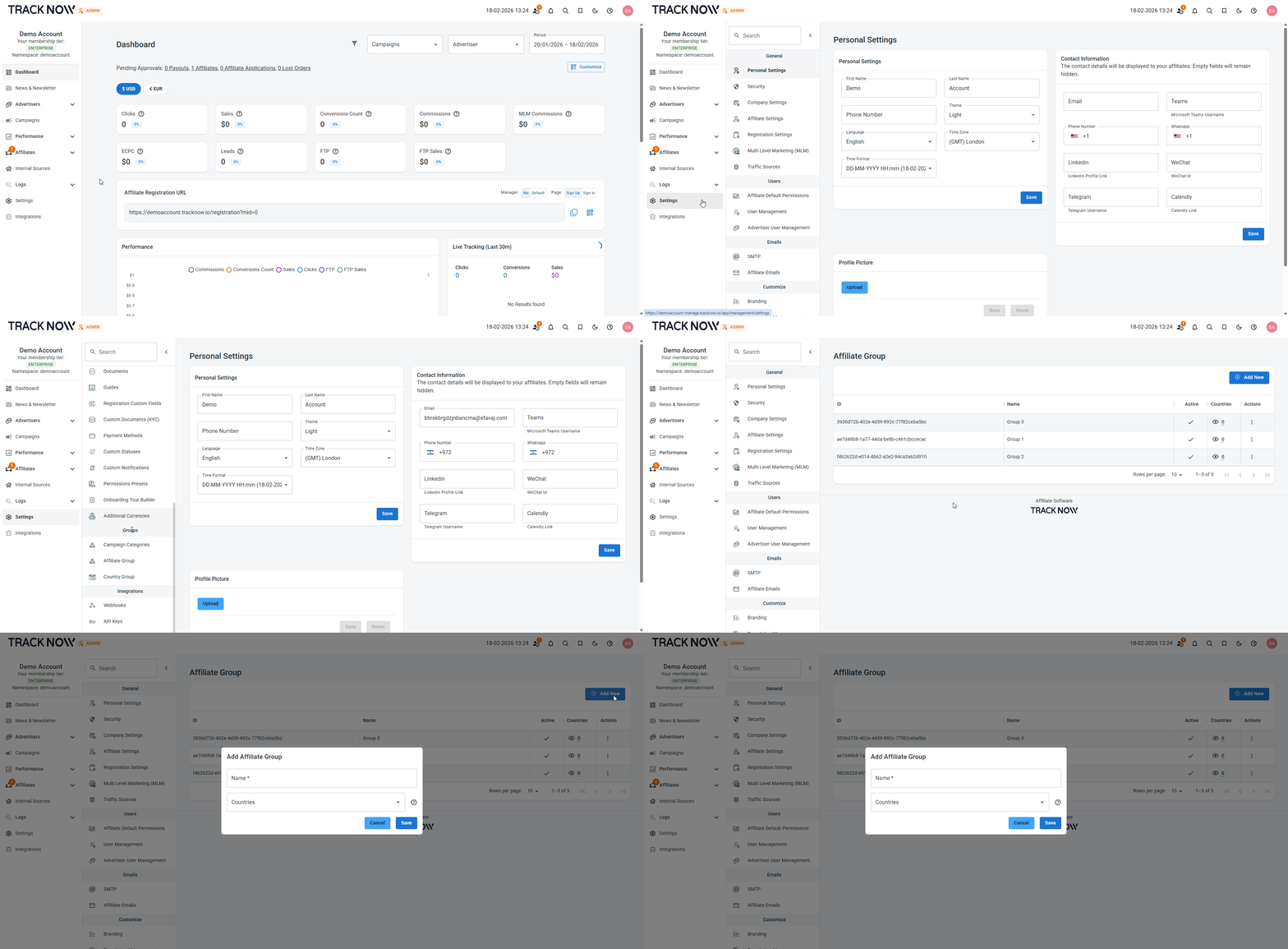
Navigate to Settings → Affiliate Group → Add New
Adding Affiliates Into the Group
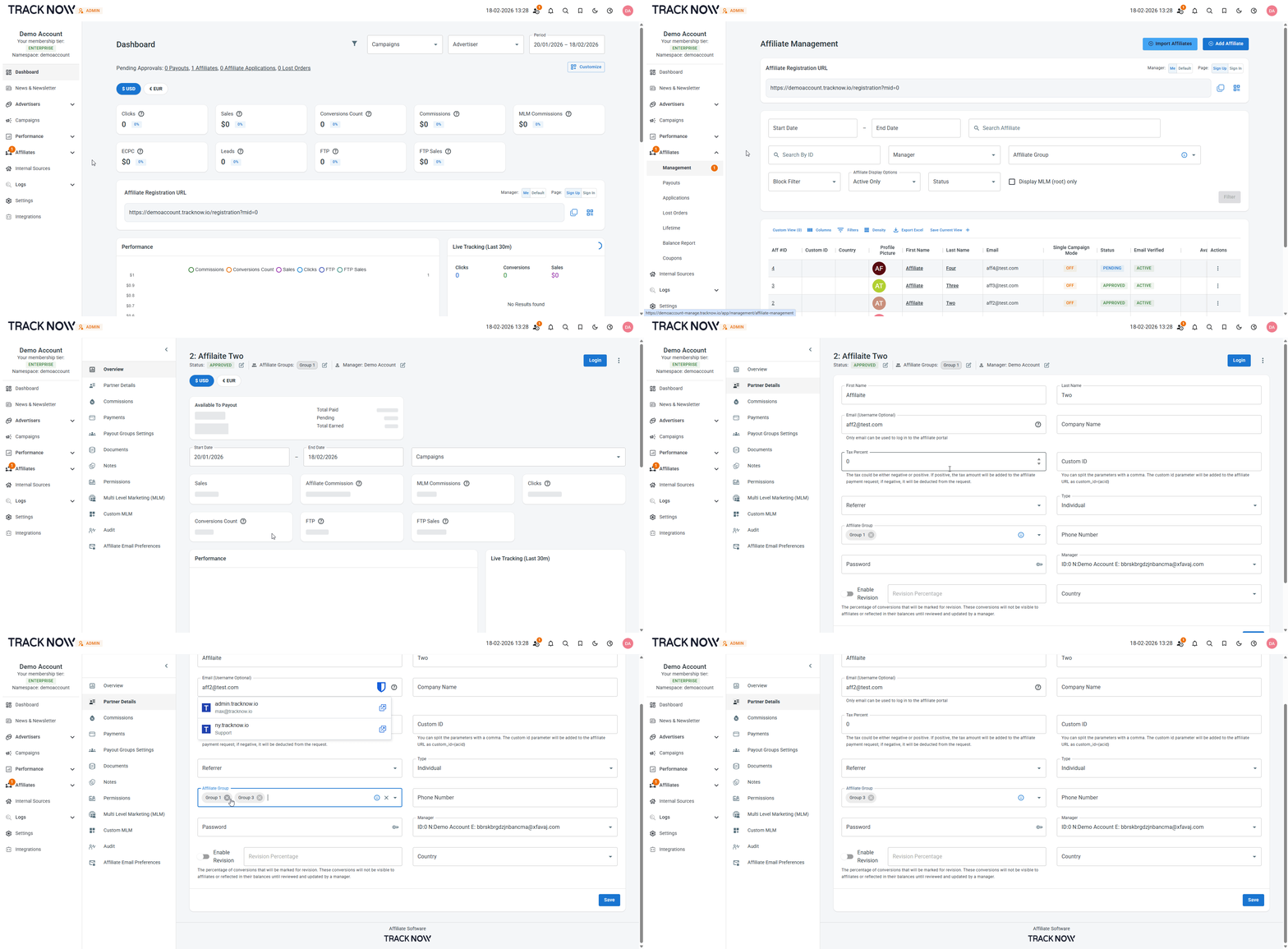
Navigate to Affiliates → Management → Click on the name of the relevant affiliate → Partner Details → Select the Affiliate Group → Save
Assigning an Affiliate Group to a Manager
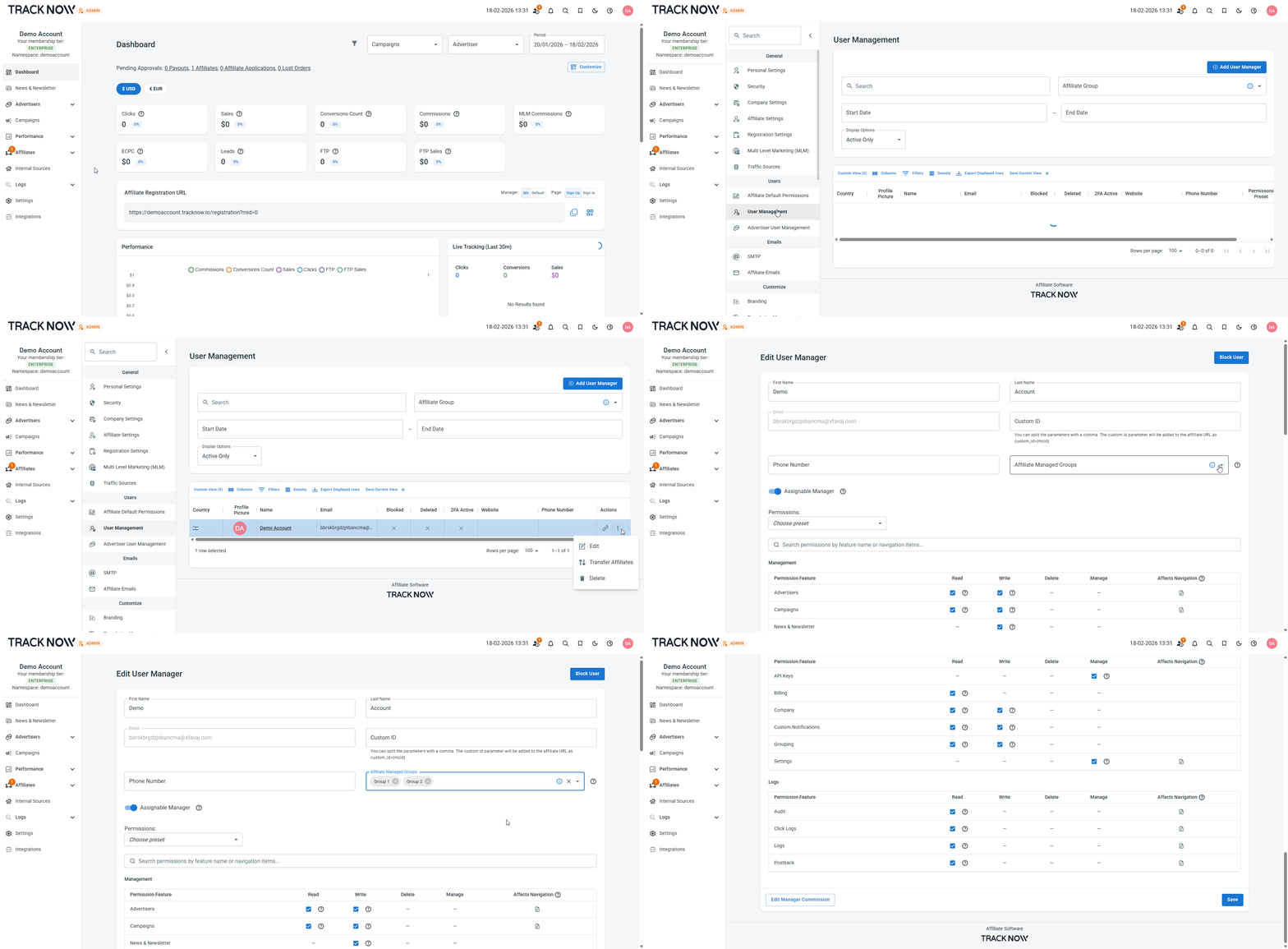
Navigate to Settings → User Management → Click the three dot icon under the actions column → Edit → Select the Affiliate Managed Groups → Save
info
Make sure the Manage All Affiliates permission is enabled for this manager. This ensures the manager can see all affiliates within the group even if they didn't register directly under that manager.