# Short Links

Tracknow allows affiliates to generate short links based on their tracking links.\
Managers can also create custom short links on behalf of affiliates.

***

### Affiliate Short Link

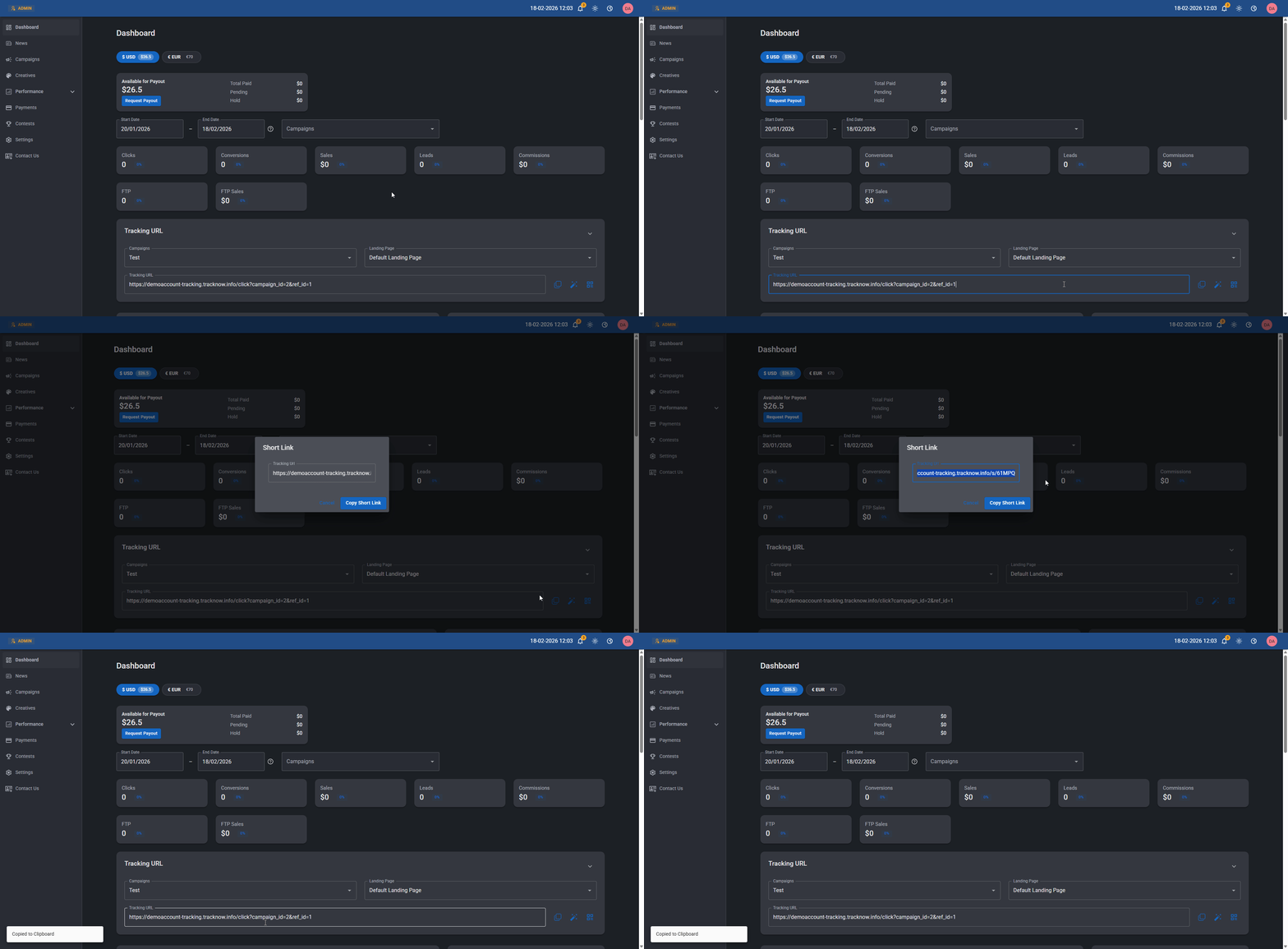
In the Affiliate Portal, affiliates can view all of their tracking links for every landing page included in the campaigns they participate in.

Next to each URL, there is a magic wand icon that allows them to generate a short link for the specific tracking link they are viewing.
<figure><img src="/files/H70bNCofVPMv1el5dx6r" alt=""><figcaption></figcaption></figure>

***

### Manager Generated Custom Short Links

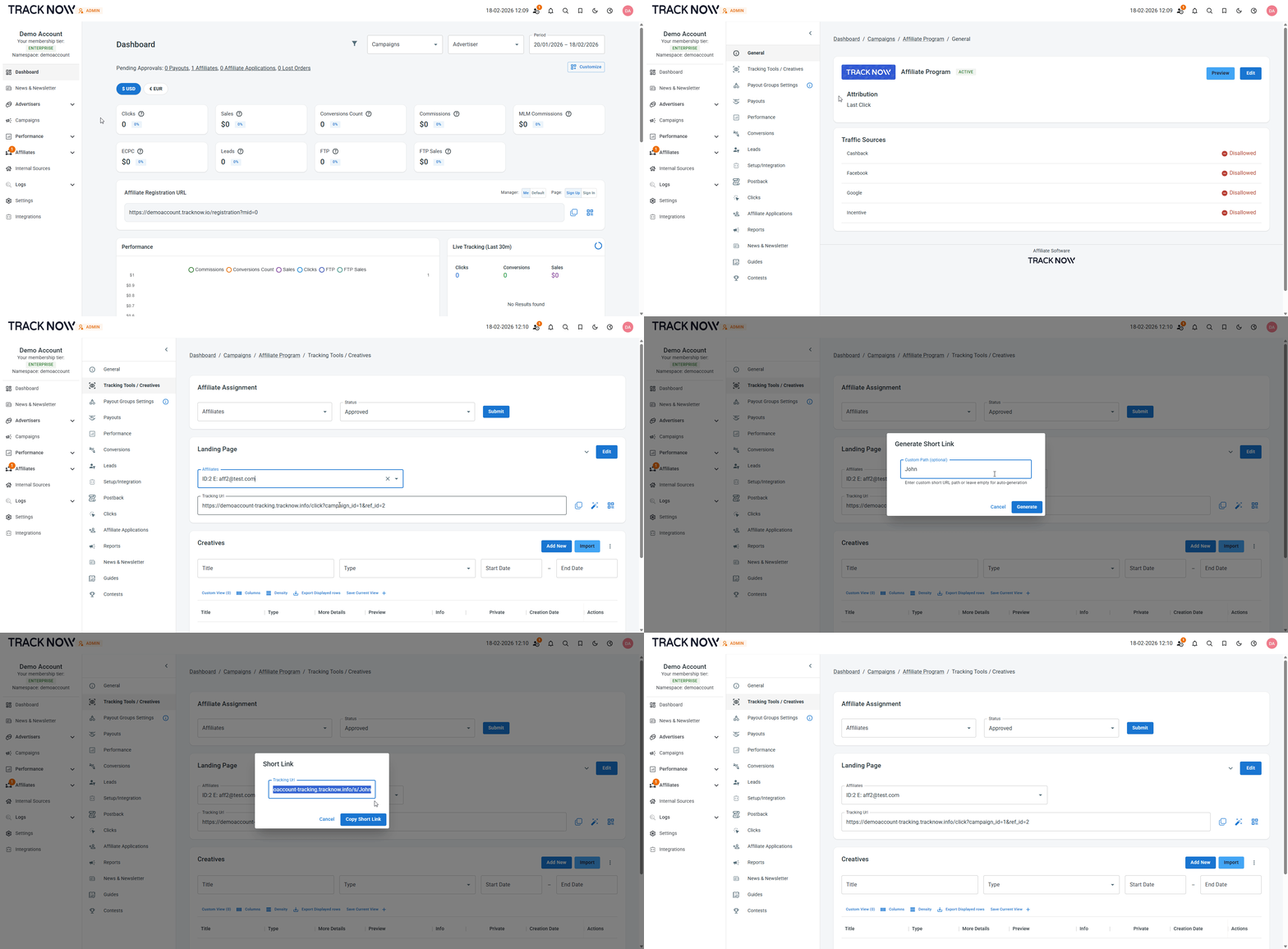
Navigate to **Campaigns** → Click on the name of the campaign that holds the landing page for which you want to generate the custom URL for → **Tracking Tools/Creatives** → **Landing Page**&#x20;

1. Select the affiliate for which the custom URL is being generated for&#x20;
2. Click the magic wand icon next to the URL
3. Insert the custom path to be used on the URL
4. Click **Generate**
5. Copy the generated URL  and share it with your affiliate
<figure><img src="/files/BvnxFLJVae6Ip3EEQWnD" alt=""><figcaption></figcaption></figure>


---

# Agent Instructions: Querying This Documentation

If you need additional information that is not directly available in this page, you can query the documentation dynamically by asking a question.

Perform an HTTP GET request on the current page URL with the `ask` query parameter:

```
GET https://docs.tracknow.io/affiliates/short-links.md?ask=<question>
```

The question should be specific, self-contained, and written in natural language.
The response will contain a direct answer to the question and relevant excerpts and sources from the documentation.

Use this mechanism when the answer is not explicitly present in the current page, you need clarification or additional context, or you want to retrieve related documentation sections.
