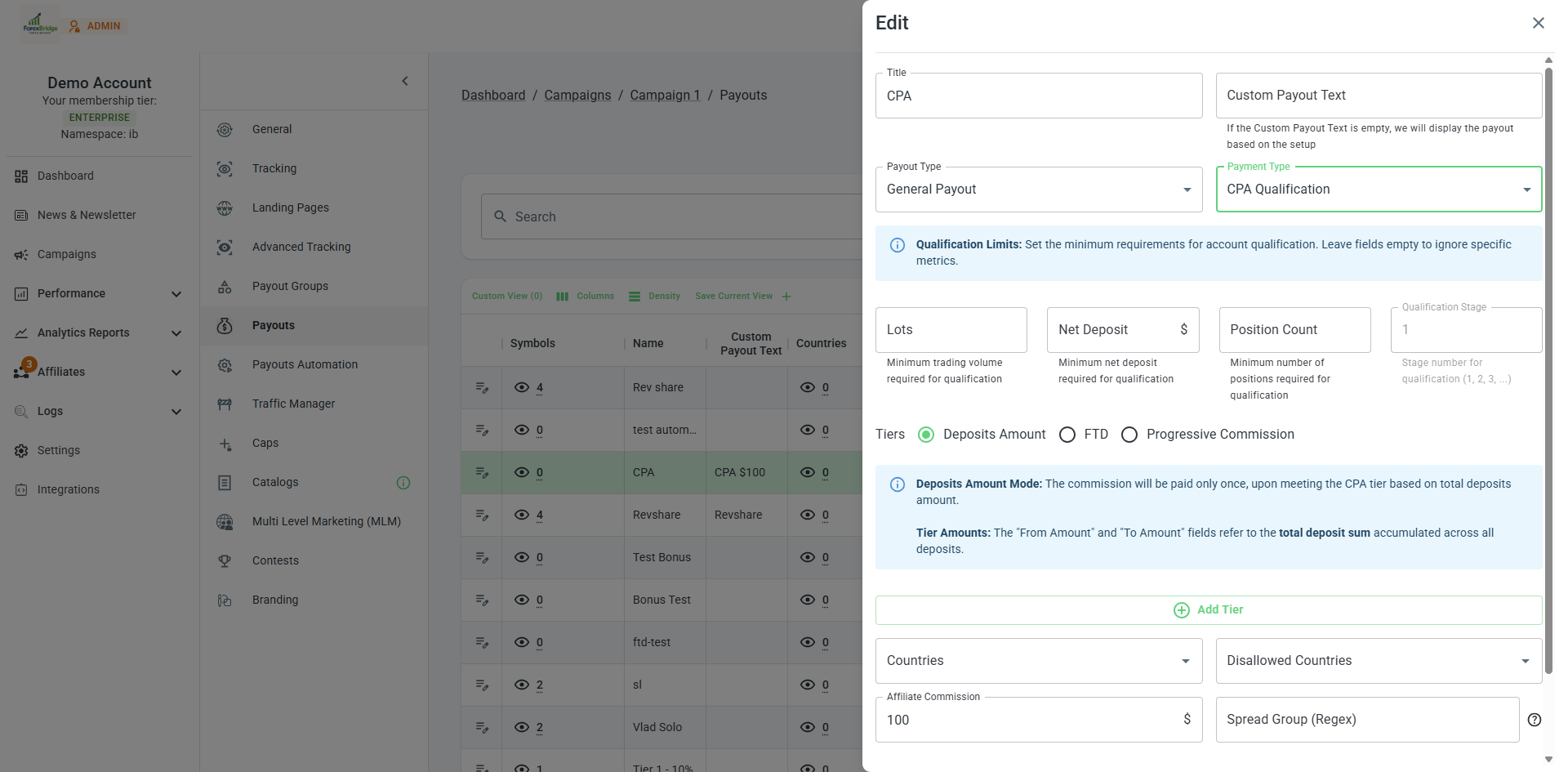
CPA Qualification
CPA Qualification payouts are a specialized payout structure that allows you to define multiple conditions a referred client must meet before an affiliate/IB becomes eligible for the CPA commission. These conditions include requirements such as a minimum number of lots traded, a minimum deposit amount, or a minimum number of positions opened.
Adding a CPA Payout to Affiliates/IBs
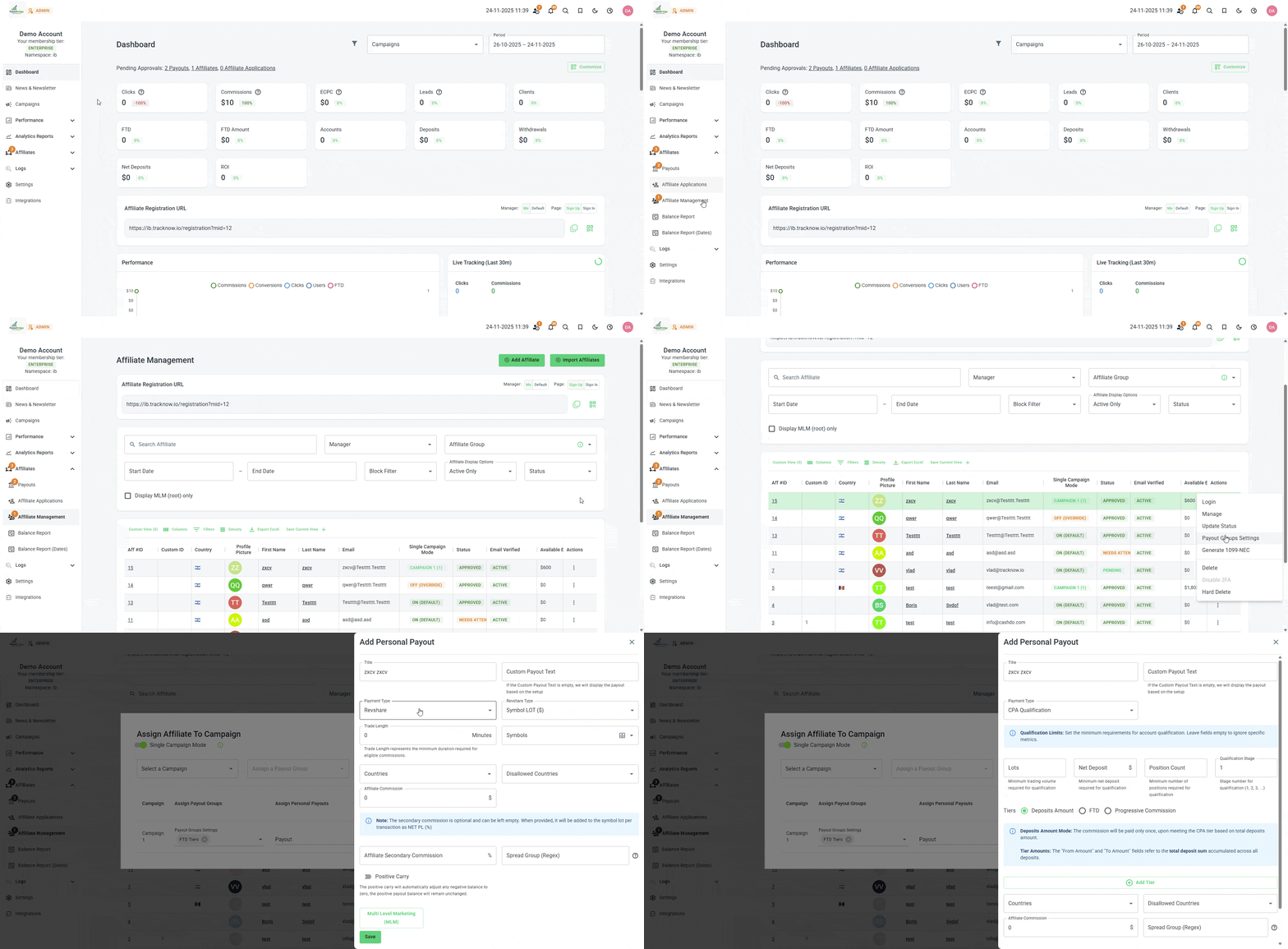
When a new affiliate/IB is onboarded, you can configure their CPA Qualification payout.
Navigate to Affiliates → Affiliate Management → Three-dot icon under the Actions column → Payout Groups Settings → Add Personal Payout → Select Payment Type to be CPA Qualification
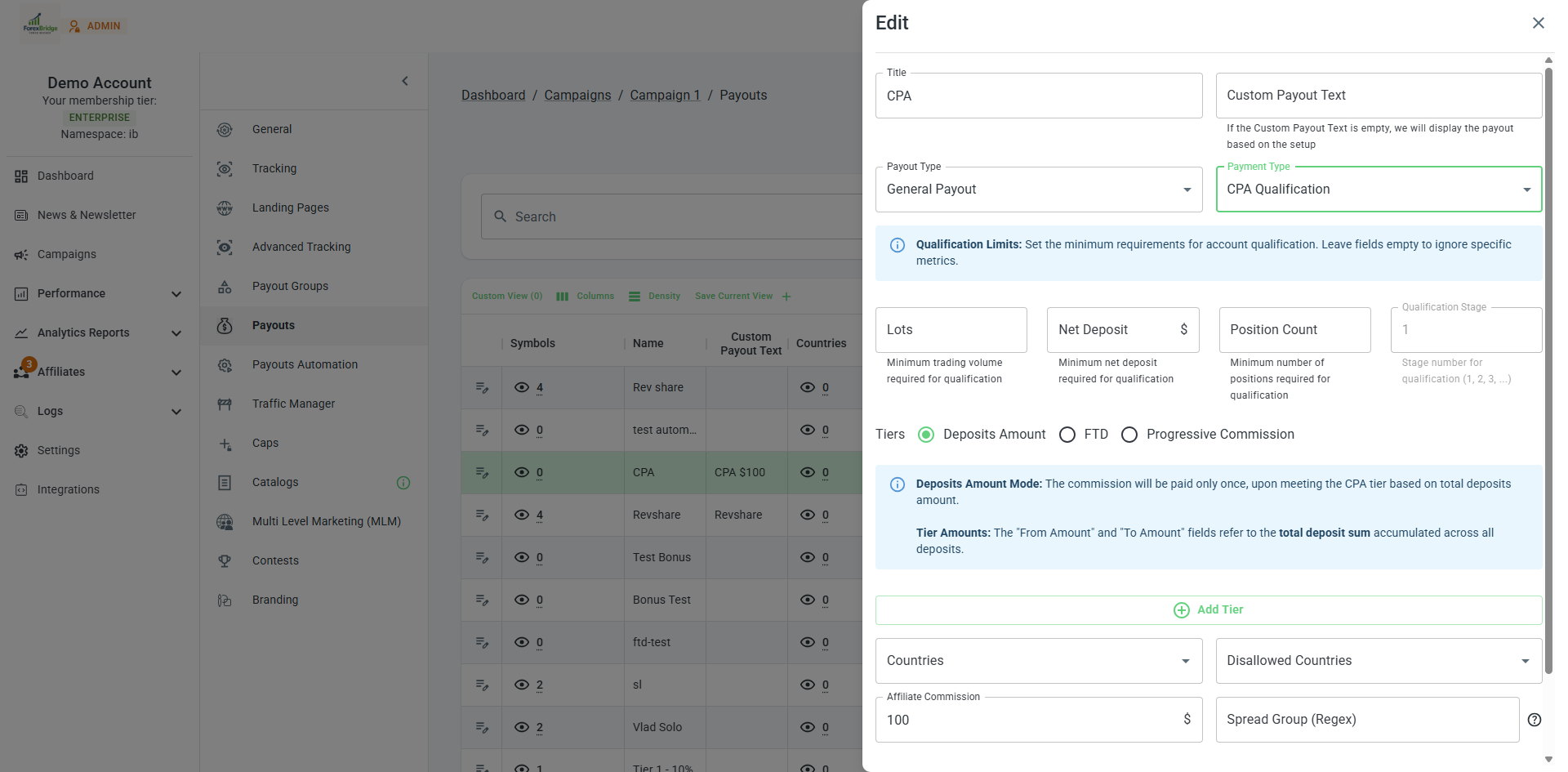
CPA Configuration
| Field | Description |
|---|---|
| Title | Enter a title for this payout to easily understand what this payout is and who is it for. |
| Custom Payout Text | The CPA payout commission value the affiliate/IB will see. If left blank, our system will show the affiliate the commission rates of this payout. |
| Payment Type | Should be CPA Qualification. |
| Lots | Set a minimum amount of lots a client must meet in order for the affiliate/IB to qualify for this payout. |
| Net Deposit | Set a minimum amount deposited, a client must meet in order for the affiliate/IB to qualify for this payout. |
| Position Count | Set a minimum amount of positions opened, a client must meet in order for the affiliate/IB to qualify for this payout. |
| Qualification Group | You can create multiple CPA Qualification payouts and assign them to the same group number. When an affiliate/IB qualifies for any payout within that group, their commission will be calculated based on the specific payout they qualified for, and they will no longer be eligible to receive commissions from other CPA payouts in the same group. |
| Tiers (Deposits Amount/FTD/Progressive Commission) | You can structure this payout’s commission amount using tiers based on any of the three available metrics. This allows you to reward affiliates/IBs according to the client’s FTD amount, the client’s total net deposits, or to enable ongoing commissions as long as the client continues depositing. |
| Countries/Disallowed Countries | Limit the clients that will be measured for this CPA payout to specific countries. |
| Affiliate Commission | The default commission amount that the affiliate/IB will get when the conditions of this payout are met if no tiers have been configured or if tiers have been configured but not met. |
Example
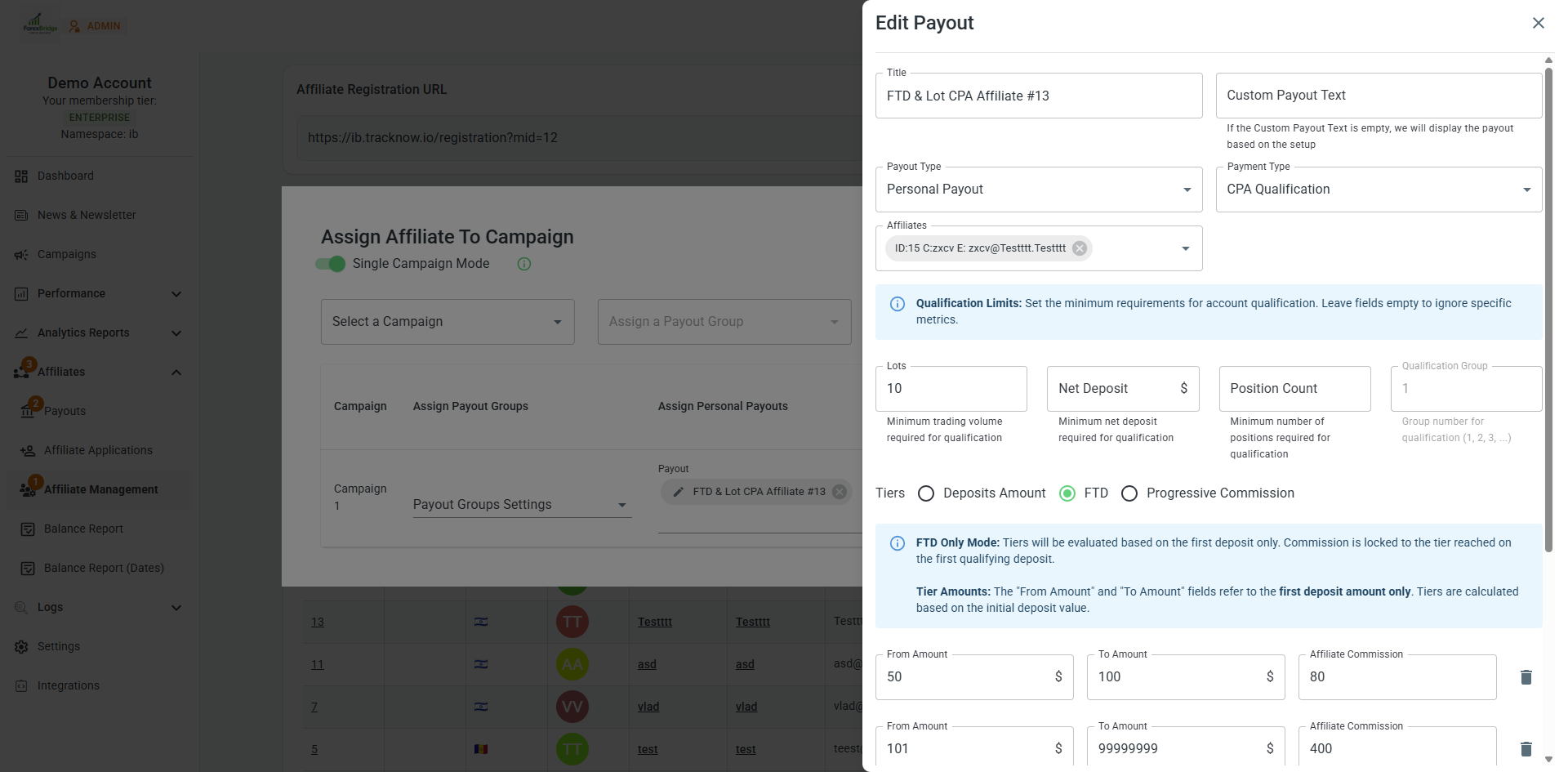
| Field | Description |
|---|---|
| Title | FTD & Lot CPA Affiliate #13 |
| Custom Payout Text | Blank |
| Payment Type | CPA Qualification. |
| Lots | 10 |
| Net Deposit | Blank |
| Position Count | Blank |
| Qualification Group | 1 |
| Tiers (Deposits Amount/FTD/Progressive Commission) | FTD |
| Countries/Disallowed Countries | Blank |
| Affiliate Commission | $0 |
With this setup, we've created a CPA Qualification payout. In order for an affiliate/IB to receive the commission for this payout, the client he referred must reach 10 lots in trading.
Once that condition is met, the system will check this client's FTD amount, if the FTD was between $50 and $100, the affiliate/IB will receive a commission of $80. If the FTD was between $101 and $99999999, the commission will be $400.
If the FTD was lower than $50, then the commission amount will be determined by the value configured on the 'Affiliate Commission' field which is $0 in this case.
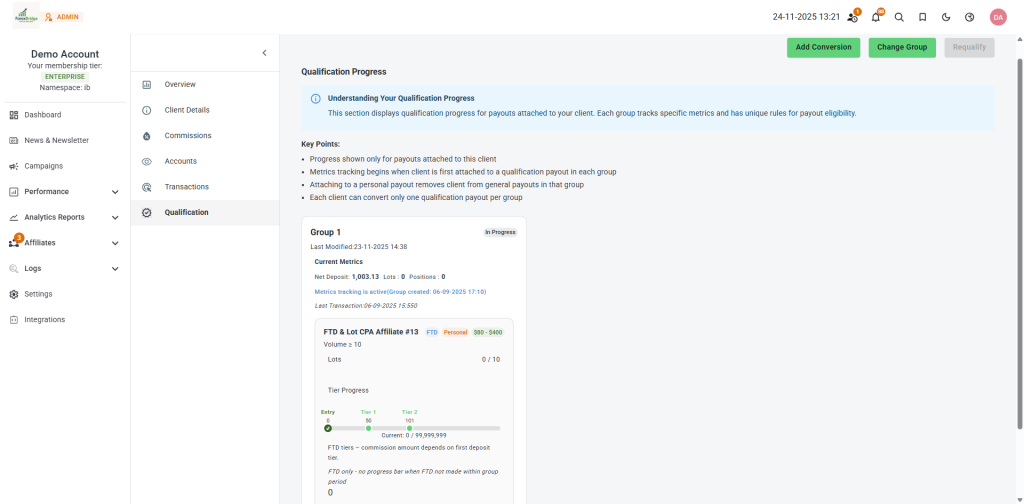
Qualification Progress
The progress of each client qualification can be viewed on the client's page.
Analytics Report → Clients → Click on the client's ID → Qualification