Affiliate Approval
When setting up your affiliate onboarding process, you can choose whether:
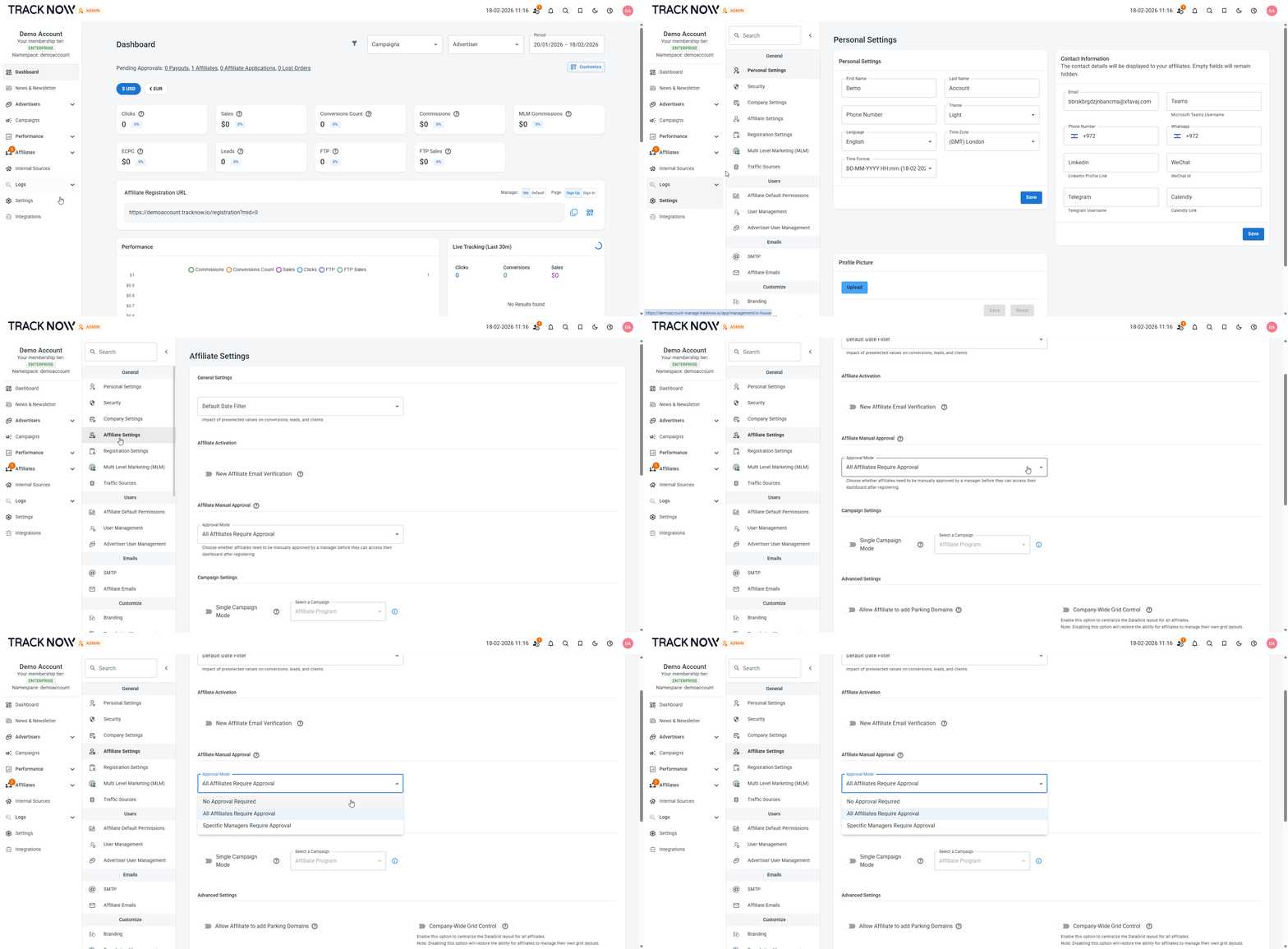
- All newly registered affiliates require manual approval by a manager
- Only affiliate that registered under specific managers require manual approval
- No requires manual approval
Enabling/Disabling manual approval
Navigate to Settings → Affiliate Settings → Affiliate Manual Approval
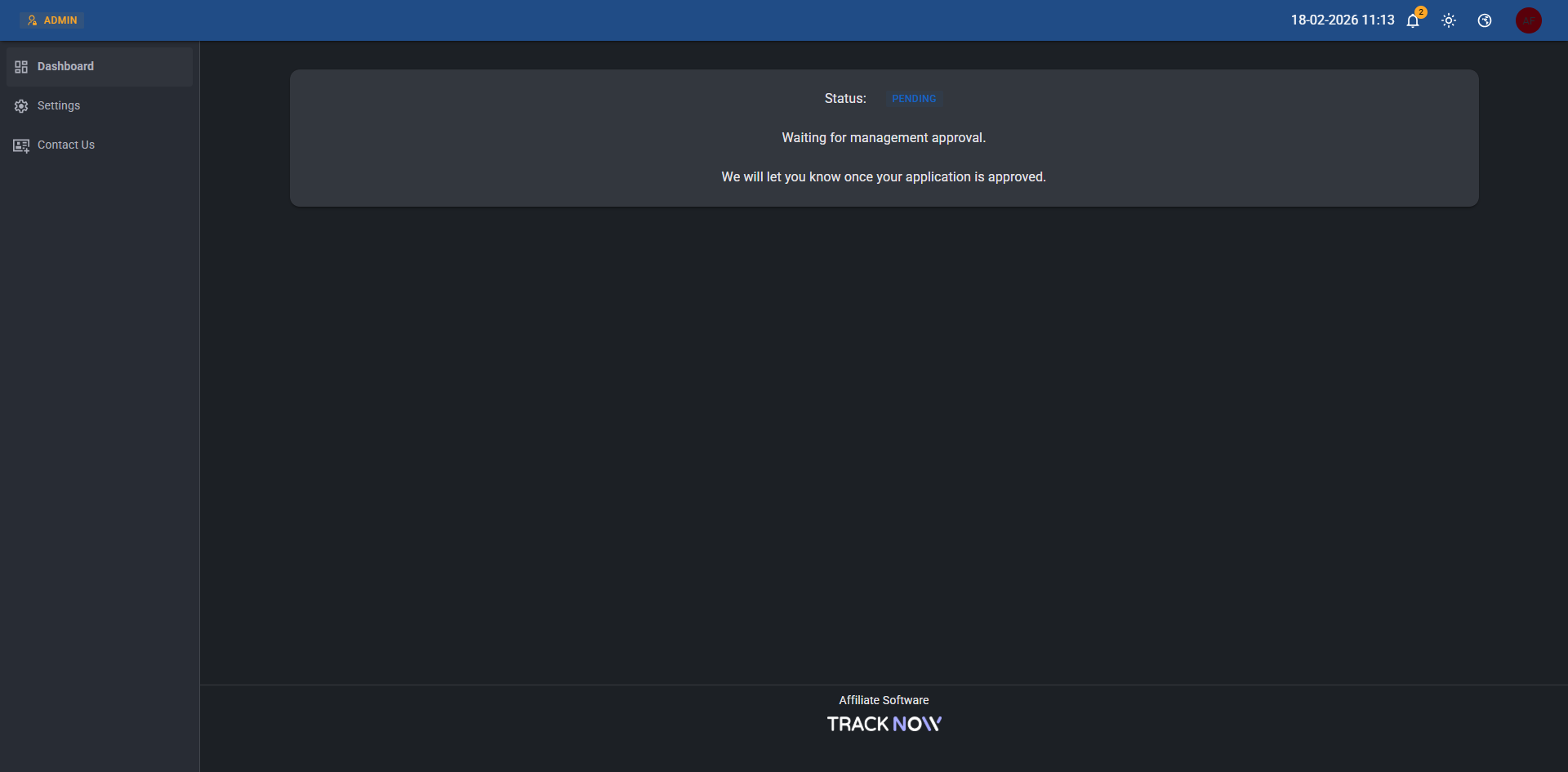
If manual approval is enabled, affiliates will still be able to register and log in to their portal. However, until they are approved by a manager, they will not have access to any content or performance metrics. Instead, upon logging in, they will see the following screen: