Advertiser account access
You can create accounts for advertiser personnel to grant them access to their own portal, similar to a manager role, and configure their permissions accordingly.
This is useful if you want the advertiser to be able to:
- Approve or deny conversions directly in Tracknow
- Approve or deny affiliates applying to participate in the advertiser’s campaigns
- Monitor affiliate activity and tracking performance
To create an advertiser account, click Settings → Advertiser user Management → Add User Advertiser
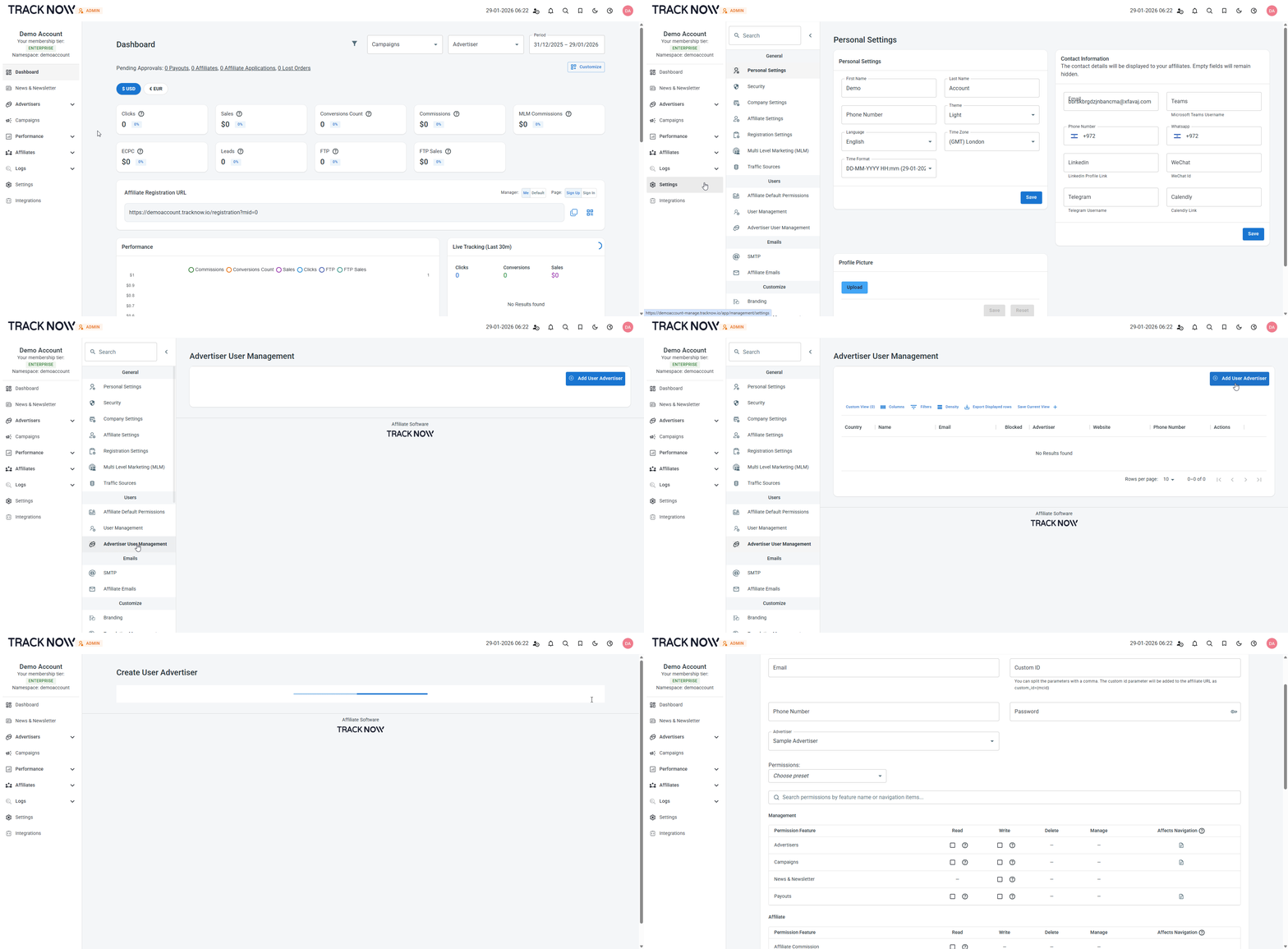
Enter the advertiser team member’s details and ensure you select the correct advertiser to associate this user with.
You can also adjust the user’s permissions based on the level of access you want to grant.