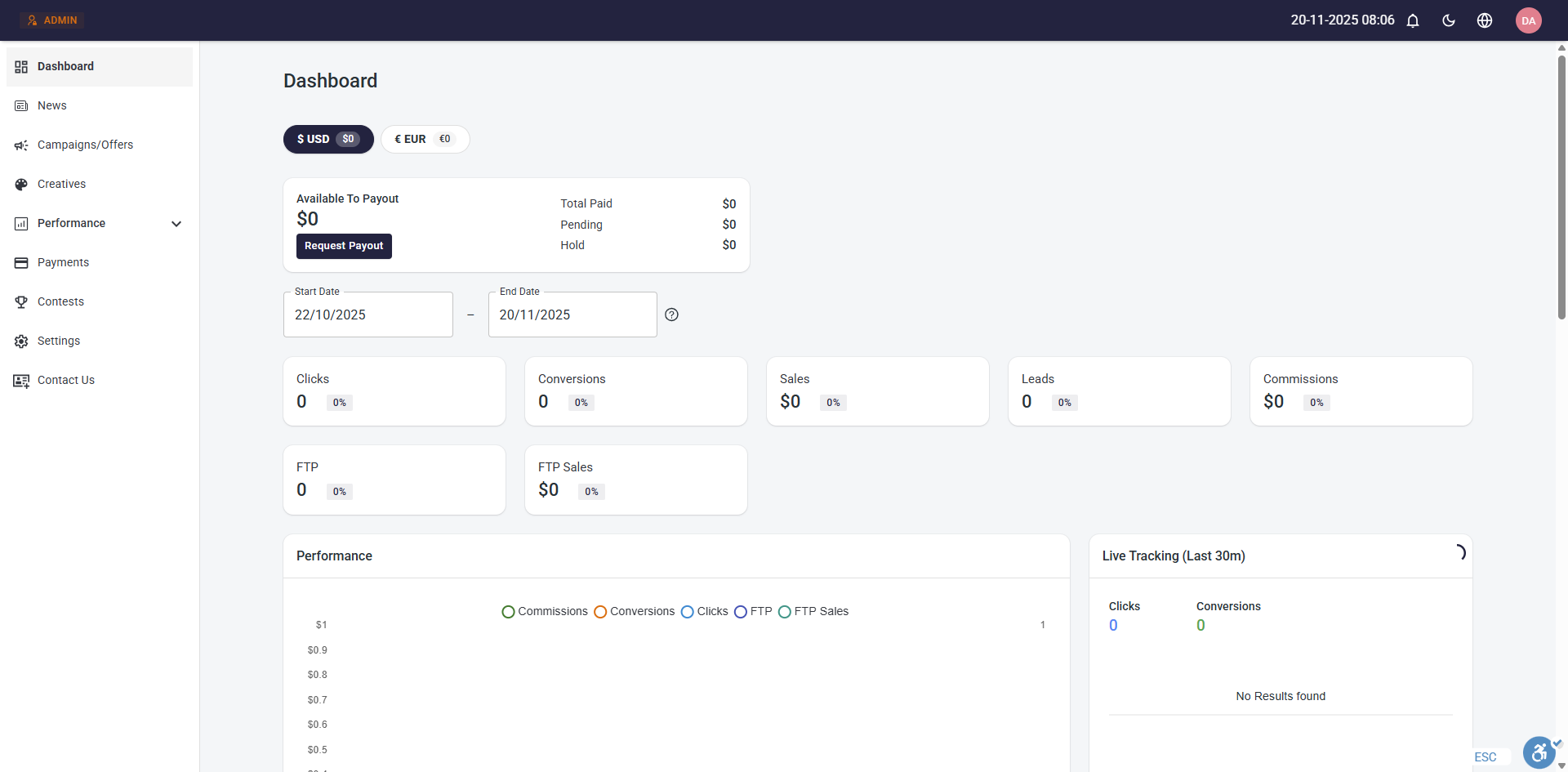
Additional Currencies
By default, your Tracknow dashboard displays all financial data such as commissions, transaction amounts, and payout requests using a single currency: the company currency configured in your settings.
With the Additional Currencies feature, you can enable multiple currencies and apply a specific currency per campaign. Affiliates that participate in that campaign will earn their commission in the selected currency.
Affiliates that participate in multiple campaigns that have different campaign currencies will see multiple balances for each currency and they will be able to request a payout for each balance.
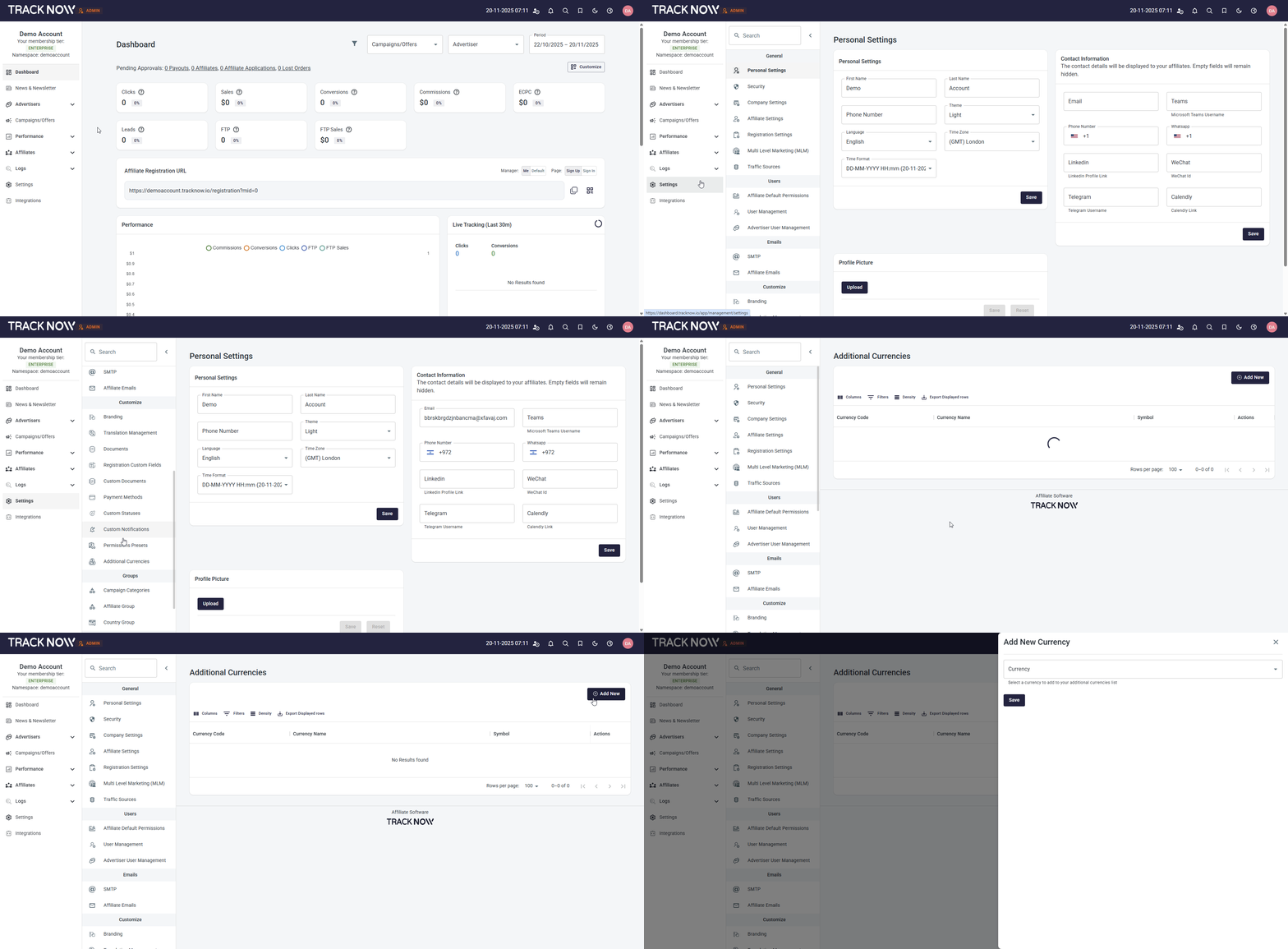
Adding Currencies
Navigate to Settings → Additional Currencies → Add New
Choosing The Campaign Default Currency
Navigate to Campaigns/Offers → Three-dot icon under the Actions column → Edit → Campaign Default Currency
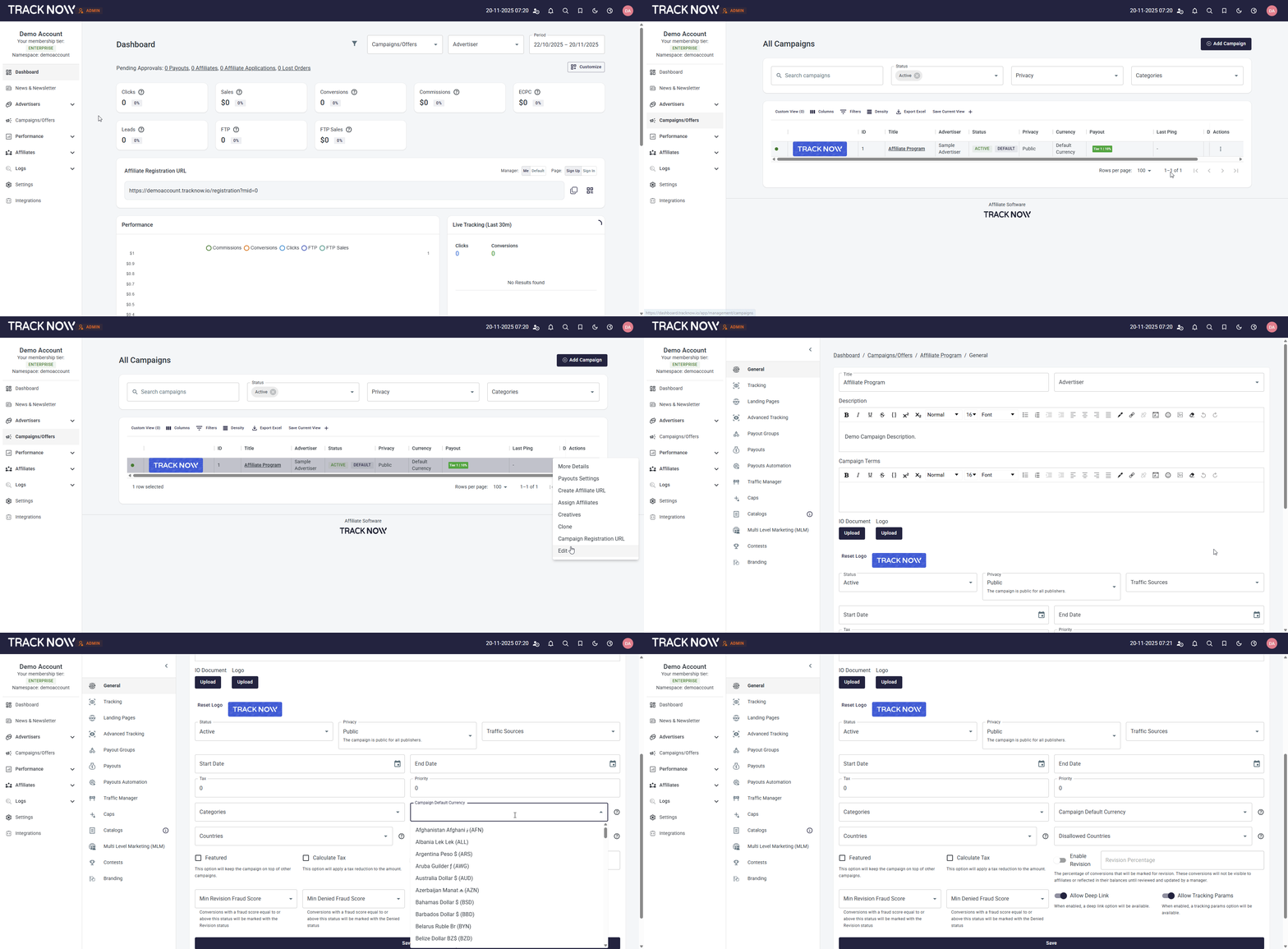
Selecting a Campaign Default Currency means that all financial data associated with this campaign will be displayed in the chosen currency. (Leaving this setting blank will use the Company Currency as the Campaign Currency)
If you send conversion data to this campaign (via Postback for example) and specify a currency that is different from the Campaign Default Currency, our system will convert the amount to the Campaign Default Currency.
For example
If the selected Campaign Default Currency is USD and a conversion is sent to that campaign with an amount value of 100 and specified currency of EUR, our system will display the conversion amount with the converted value to USD (100 EUR ≈ 115.2 USD). Otherwise, every postback that doesn't specify a currency, the amount value will be displayed in the Campaign Default Currency.
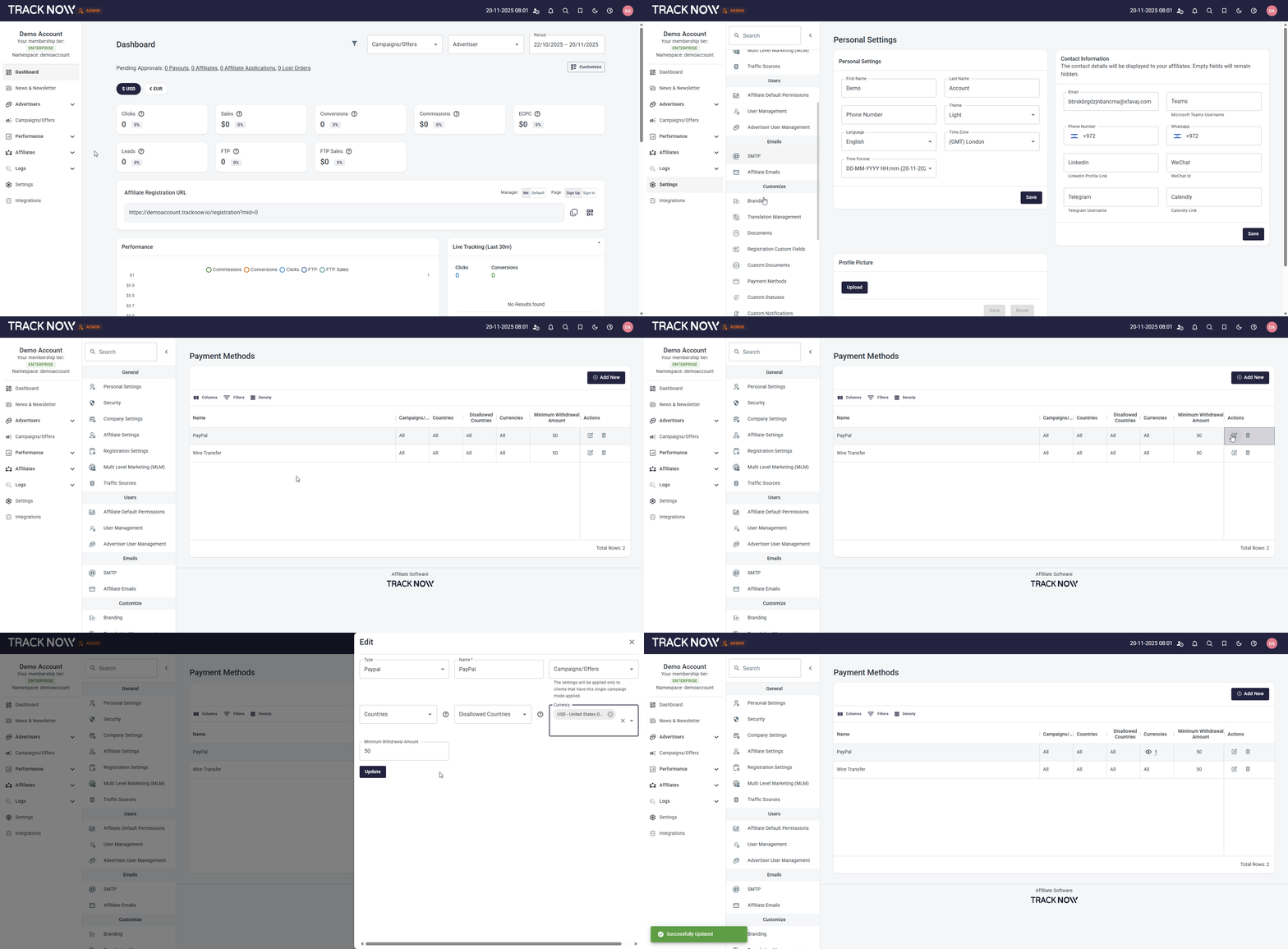
Configuring Payment Methods Per Currency
When allowing affiliates to accumulate commissions in various currencies, you can configure your payment methods for specific currencies as well.
For example, if an affiliate wants to request his USD balance and you support transferring funds in USD using PayPal only, you can limit your PayPal payment method to USD only.
To configure that, navigate to Settings → Payment Methods → Edit an existing Payment Method or create a new one