Single Campaign Mode
When running multiple campaigns/offers, affiliates will be able to see them all in the list of campaigns (unless the campaigns are set as 'Private').
If you plan to onboard new affiliates that will be dedicated to only one of your campaigns and you don't want to them to be subjected to the other campaigns, you can do this by applying the Single Campaign Mode to them.
Single Campaign Mode means that the affiliate will only be able to see and participate in one selected campaign.
Methods of Applying Single Campaign Mode
There are several methods to restrict an affiliate to a single campaign and enforce Single Campaign Mode, depending on the overall setup and flow you want to achieve.
Direct campaign registration
You can generate a unique registration URL for a specific campaign. Any affiliate who registers through that link will be automatically limited to that campaign, with Single Campaign Mode enabled by default.
This method is ideal when you know in advance which campaign the affiliate should be assigned to, allowing you to share a dedicated registration link tied to that campaign.
Default campaign registration
You can set a default campaign that all new affiliates will be automatically assigned to and limited under, with Single Campaign Mode enabled by default.
This method is ideal when you have multiple campaigns but want all affiliates initially restricted to one specific campaign, with the flexibility to assign them to additional campaigns later if needed.
Manual assignment
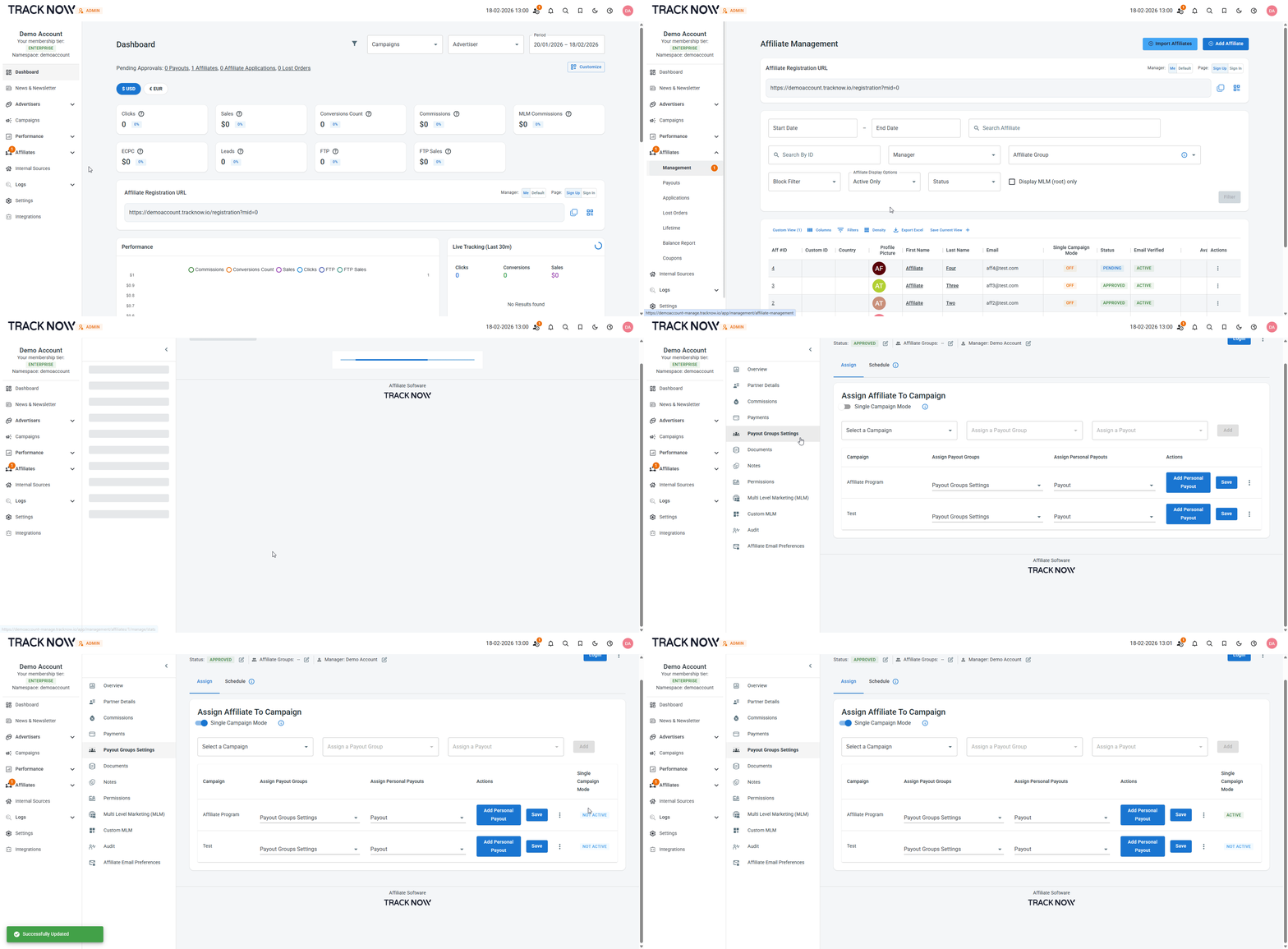
You can manually enable Single Campaign Mode for selected affiliates and assign them to a specific campaign.
This method is ideal when you want to limit an affiliate to a specific campaign at any given time.
Direct Campaign Registration
Navigate to Campaigns → Locate the relevant campaign → click the three-dot icon under the Actions column → Campaign Registration URL
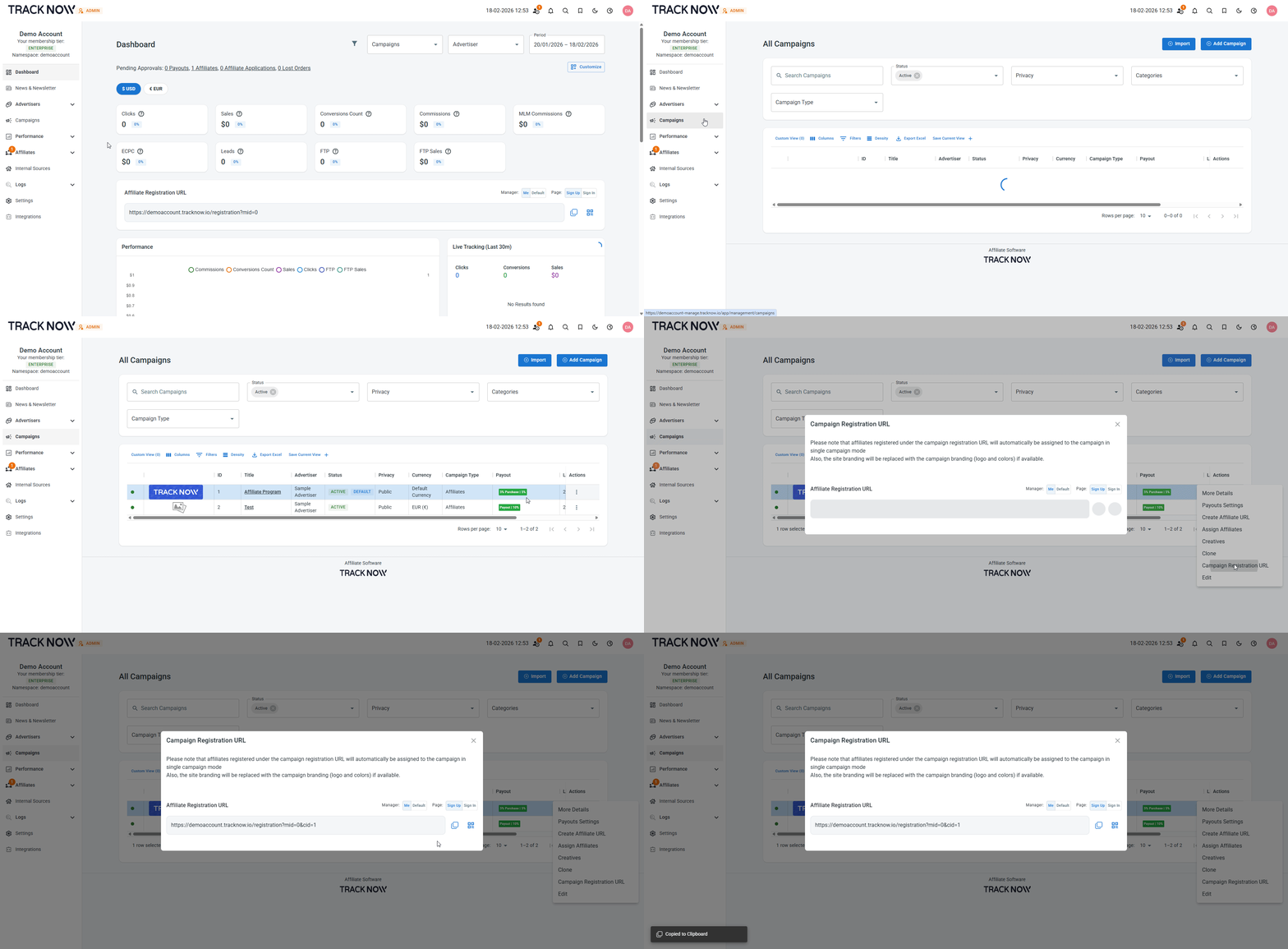
Copy the generated link and share it with the affiliate you want to register directly under that campaign. The affiliate will be limited to that campaign upon registration.
Default Campaign Registration
Navigate to Settings → Affiliate Settings → Campaign Settings → Enable Single Campaign Mode → Select the Default Campaign → Save
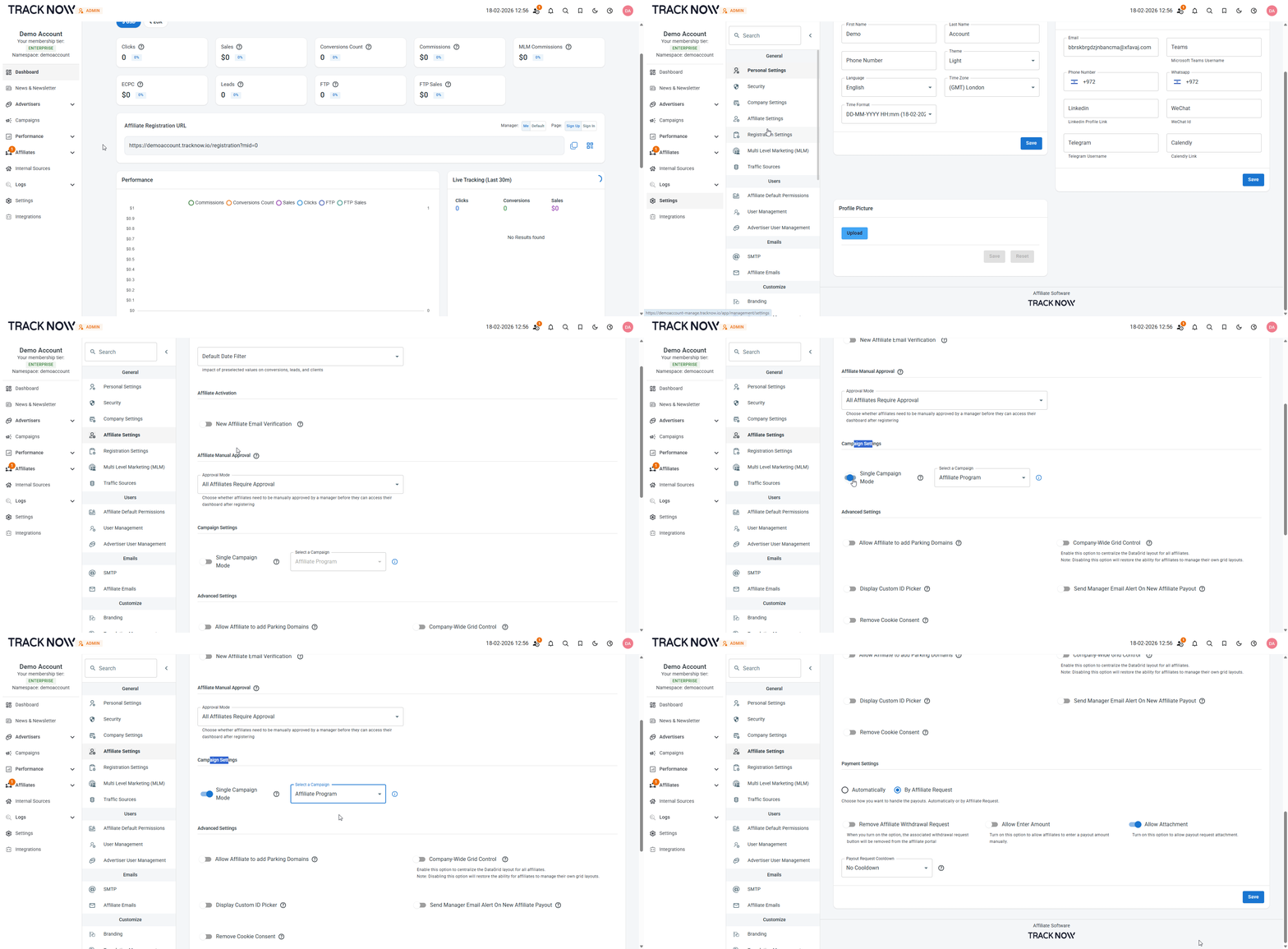
This will limit all registering affiliates to that specific campaign.
Manual Assignment
Navigate to Affiliates → Management → Click on the relevant affiliate's name → Payout Group Settings tab → Toggle on Single Campaign Mode → Set the campaign that the affiliate should be limited to as Active