Landing Pages
When you configure a campaign you can set the default landing page URL - this will be the URL users will be redirected to when affiliates share their main tracking URL for that campaign.
You also have the option to add additional landing pages to your campaign under the 'Landing Pages' screen, and Tracknow will create unique tracking URLs for each affiliate automatically.
When affiliates enter the campaign page on their affiliate portal, they will be able to select which landing page they wish to promote and when they select it, Tracknow will show them their tracking link for that landing page.
How to add multiple landing pages
Navigate to Campaigns → three-dot icon under the Actions column → Edit → Landing Pages → Add New
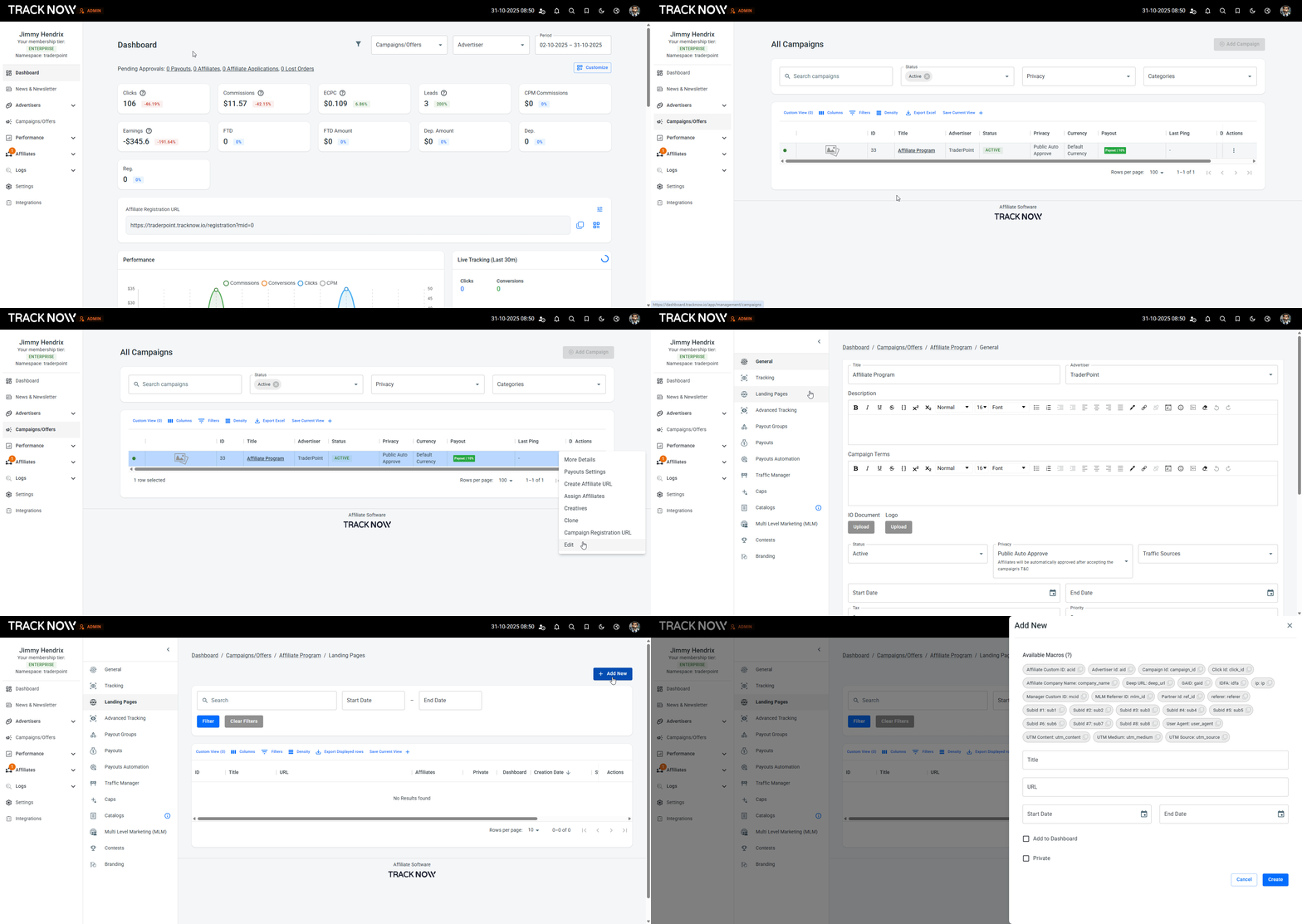
Configuring the landing page
When adding a new landing page you have several options when configuring it.
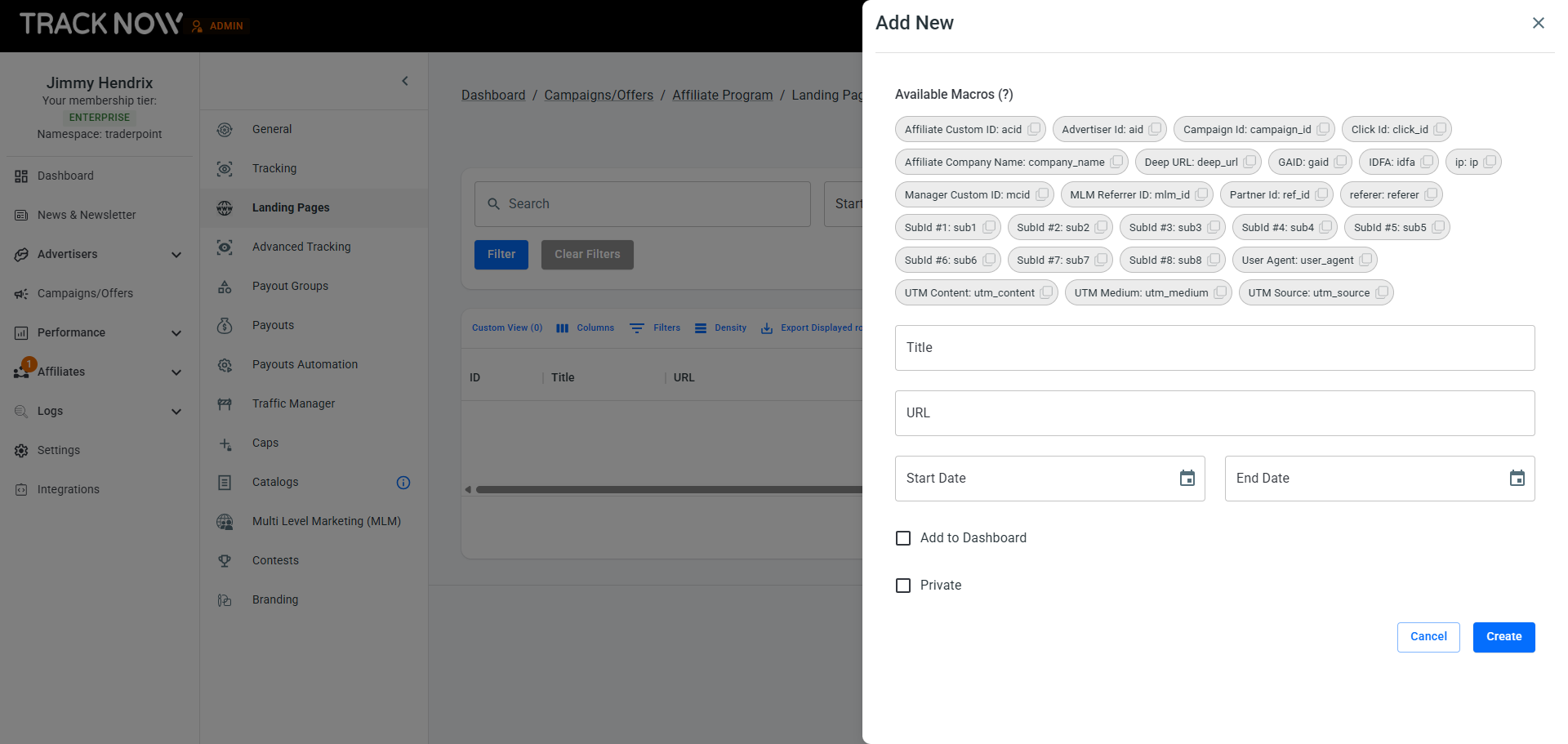
| Field | Description |
|---|---|
| Title | Add a title to the landing page to help you and your affiliates easily identify and understand its purpose |
| URL | Add the URL of the landing page, this will be the URL users will be redirected to after clicking the affiliate's tracking URL associated with this landing page. You can also use the macros (dynamic parameters) shown at the top if you need to pass any data to the landing page URL |
| Start/End Date (Optional) | You can define start and end dates for your landing pages to control when they’re visible to affiliates. After the end date passes, the page will no longer appear for the affiliate. However, any previously shared tracking links will remain active and continue to record clicks and conversions, this ensures you don’t lose traffic |
| Add to Dashboard (Optional) | Checking this option will add the landing page’s tracking link directly to the affiliate’s dashboard, allowing them to access it easily. Note that this feature only applies to affiliates who have 'Single Campaign Mode' enabled for the specific campaign the landing page belongs to. Leaving this option unchecked means that affiliates can access their tracking link for this landing page from the campaign page |
| Private (Optional) | Checking this option will display a list of affiliates participating in the campaign, allowing you to select which affiliates should have access to this landing page. Affiliates who are not selected will not be able to see this landing page. Leaving this option unchecked means all affiliates participating in the campaign will see this landing page |