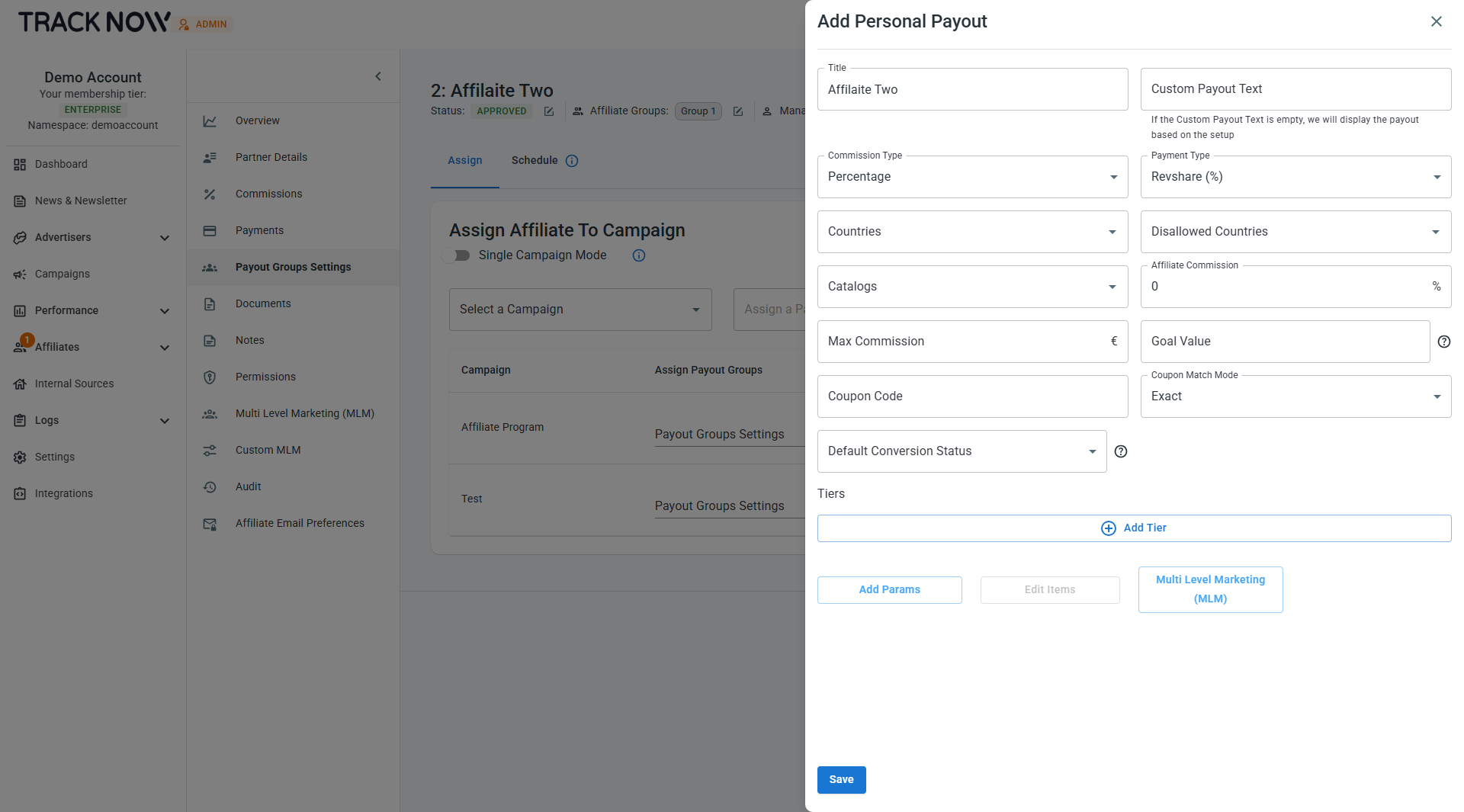
Personal Payouts
When an affiliate program includes individualized agreements with affiliates and commission rates differ per partner, Tracknow provides a solution that allows managers to configure custom payouts for each affiliate based on the specific terms of their agreement. Each personalized payout and commission rate is visible only to the specific affiliate it was configured for.
Method 1: Setting Up Personal Payouts
Navigate to Affiliates → Management → Locate the relevant affiliate → Three-dot icon under the Actions column → Payout Group Settings
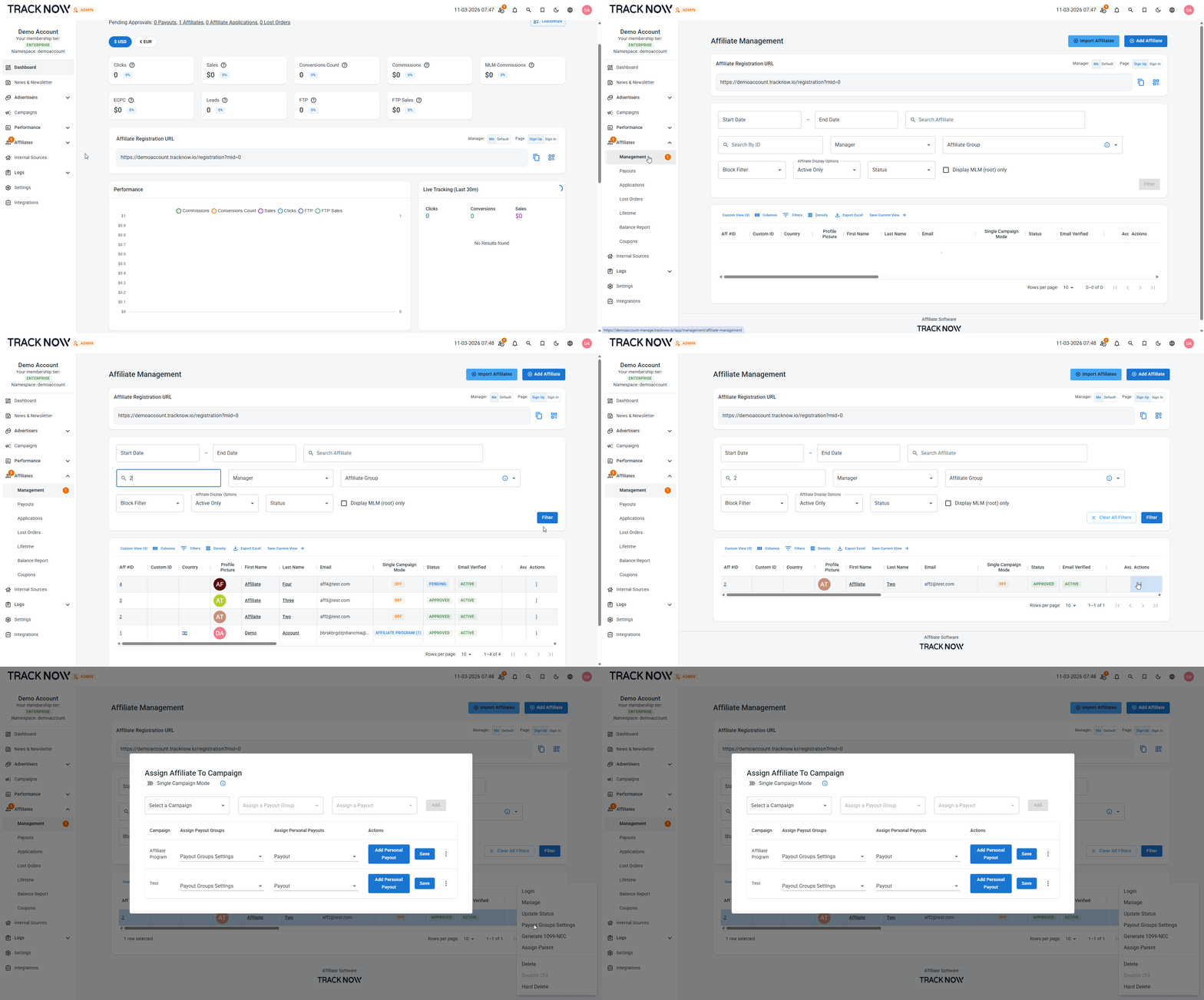
Click Add Personal Payout on the row of the relevant campaign and configure the payout according to the personal agreement with this affiliate.
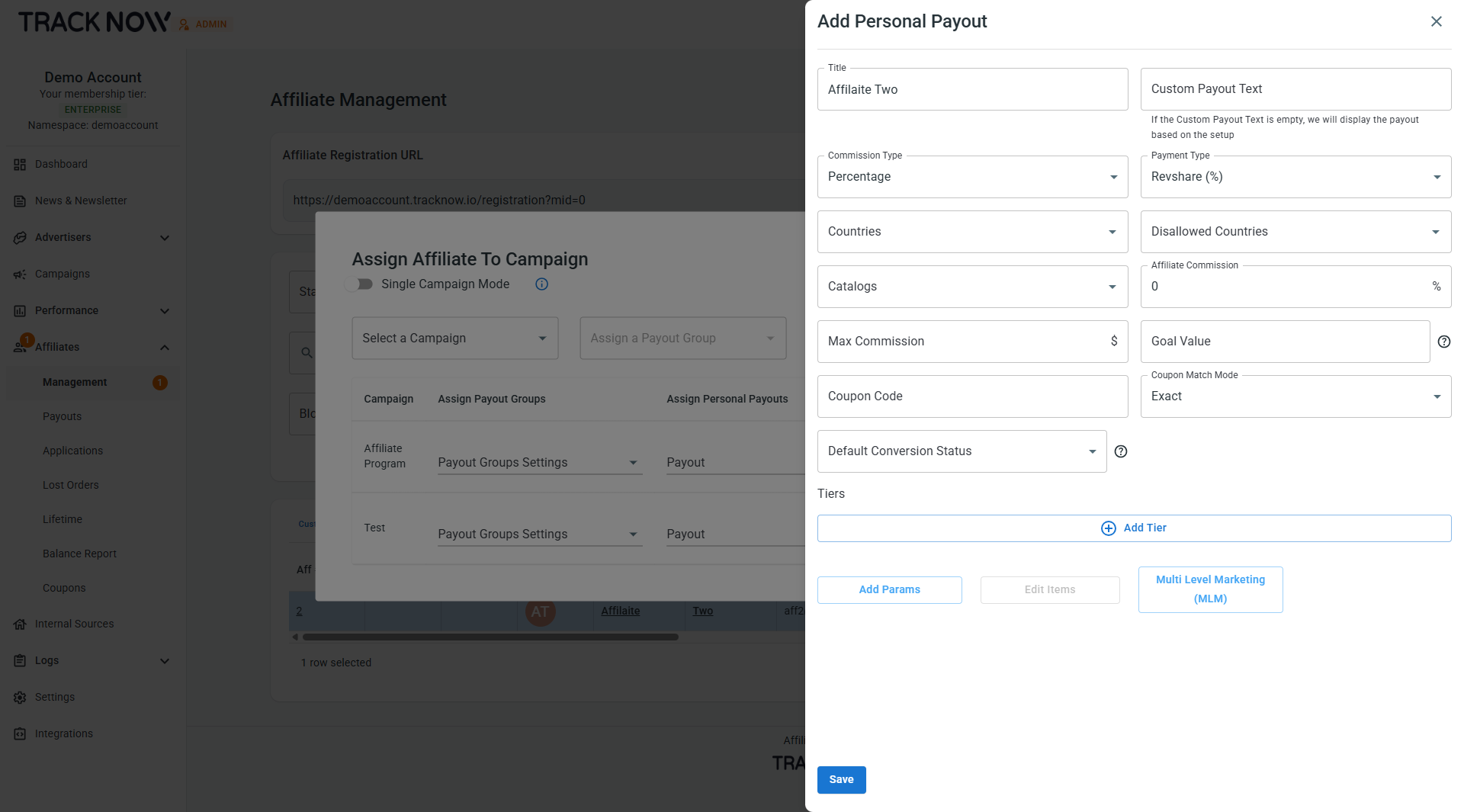
Method 2: Setting Up Personal Payouts
Navigate to Affiliates → Management → Locate the relevant affiliate → Click on the affiliate's name → Payout Group Settings tab
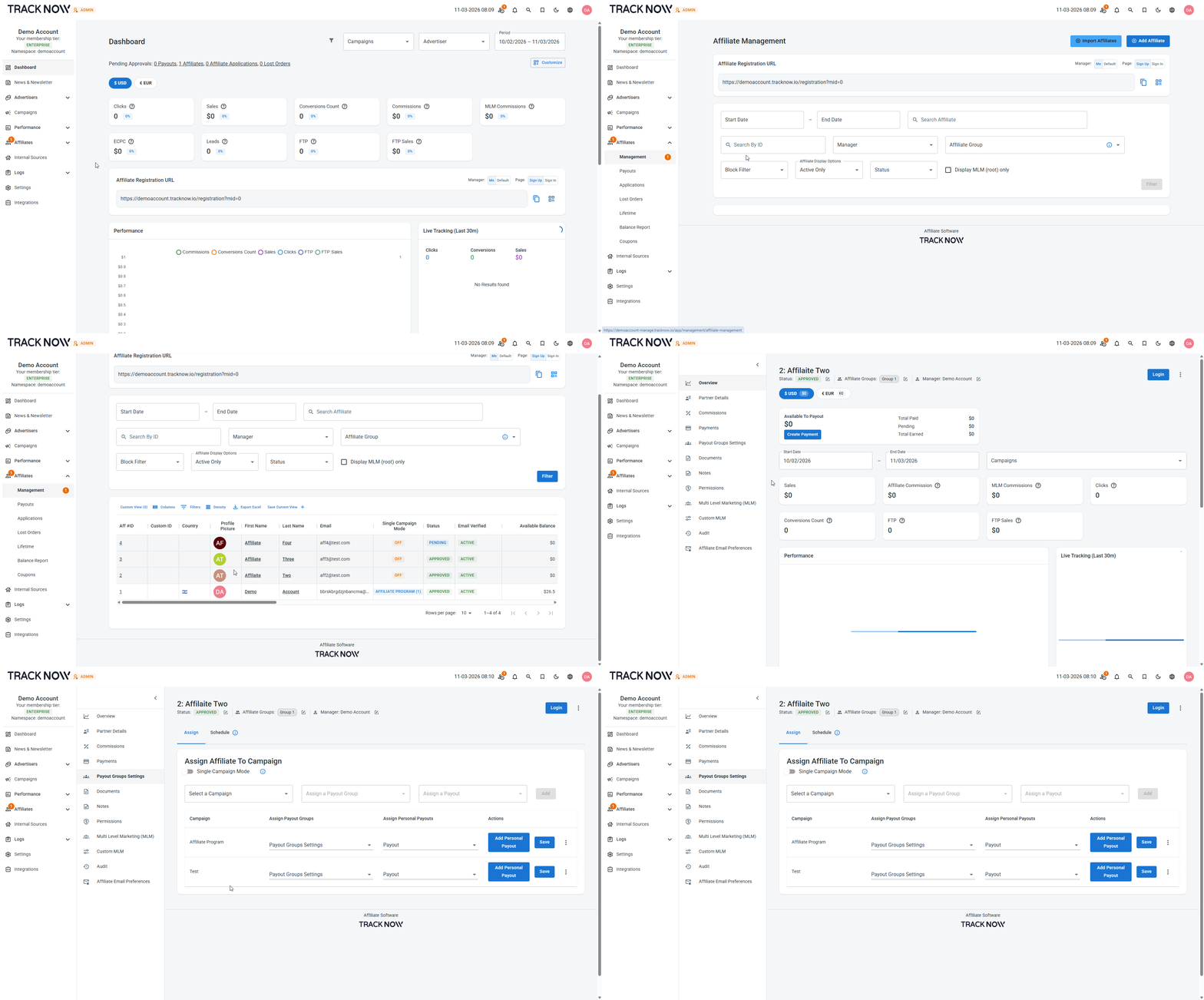
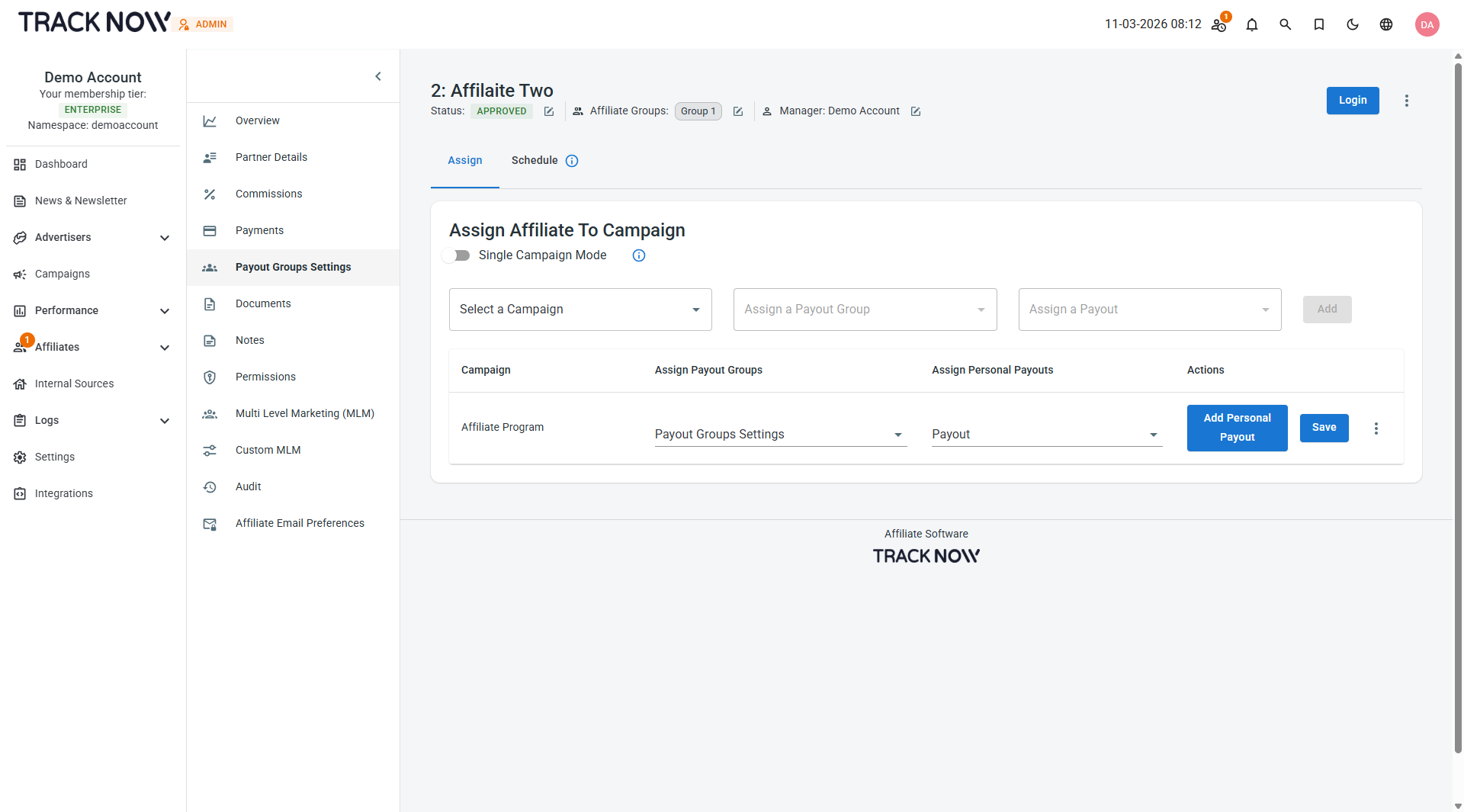
On this screen, you can assign the affiliate to campaigns they are not yet part of.
Select the relevant campaign from the Select a Campaign dropdown, then click Add to assign the affiliate to that campaign.
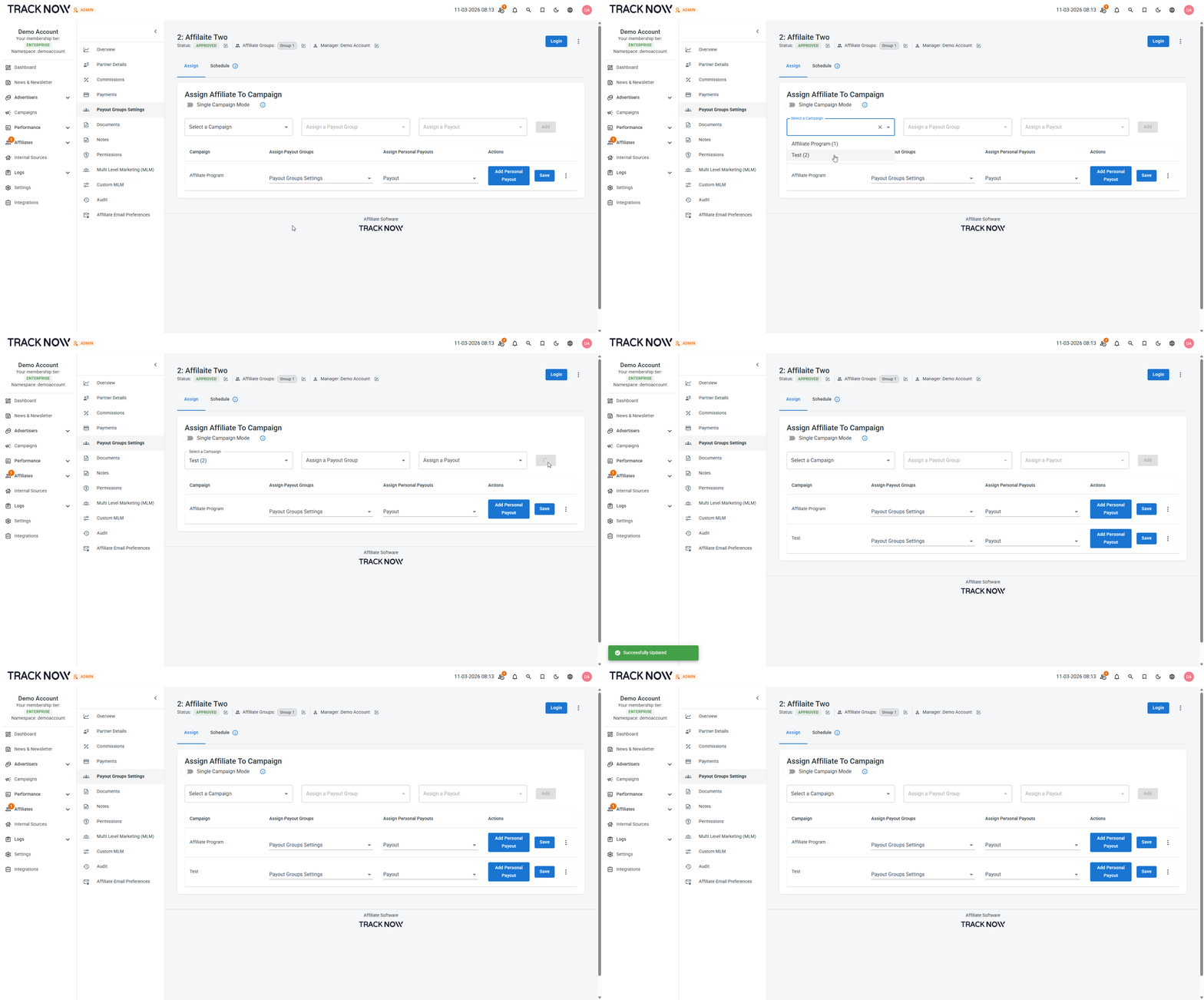
Click Add Personal Payout on the row of the relevant campaign and configure the payout according to the personal agreement with this affiliate.