Payout Groups
If you track multiple events and want to offer different commission rates for each, you can use the Payout Groups feature to manage this. It allows you to create multiple groups, each with its own set of payout rates for the same events. When adding a new affiliate, simply assign them to the appropriate payout group based on your agreed commission terms.
Example
Payout Group 1
Registration: $1
Sale: 7%
Sale + Coupon: 5%
Payout Group 2
Registration: $2
Sale: 10%
Sale + Coupon: 8%
Payout Group 3
Registration: $3
Sale: 12%
Sale + Coupon: 10%
Creating Payout Groups
Navigate to Campaigns → Locate the relevant campaign → Click the three-dot icon under the Actions column → Edit → Payout Groups tab → Create Group
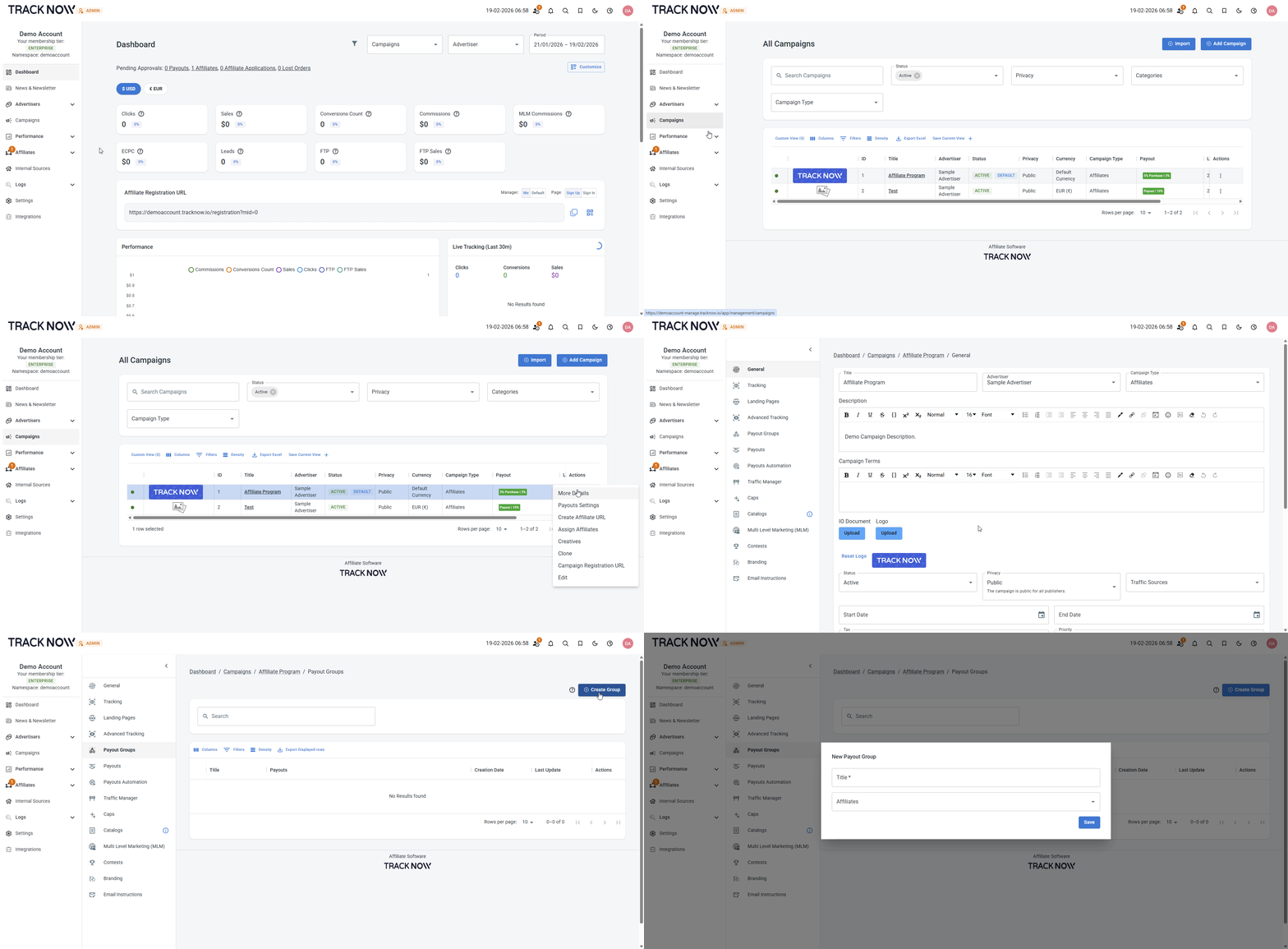
- Set a name for the payout group
- You can already select existing affiliates to be added to that group and earn commissions based on the payouts you'll configure under that payout group
Creating Payouts Under the Group
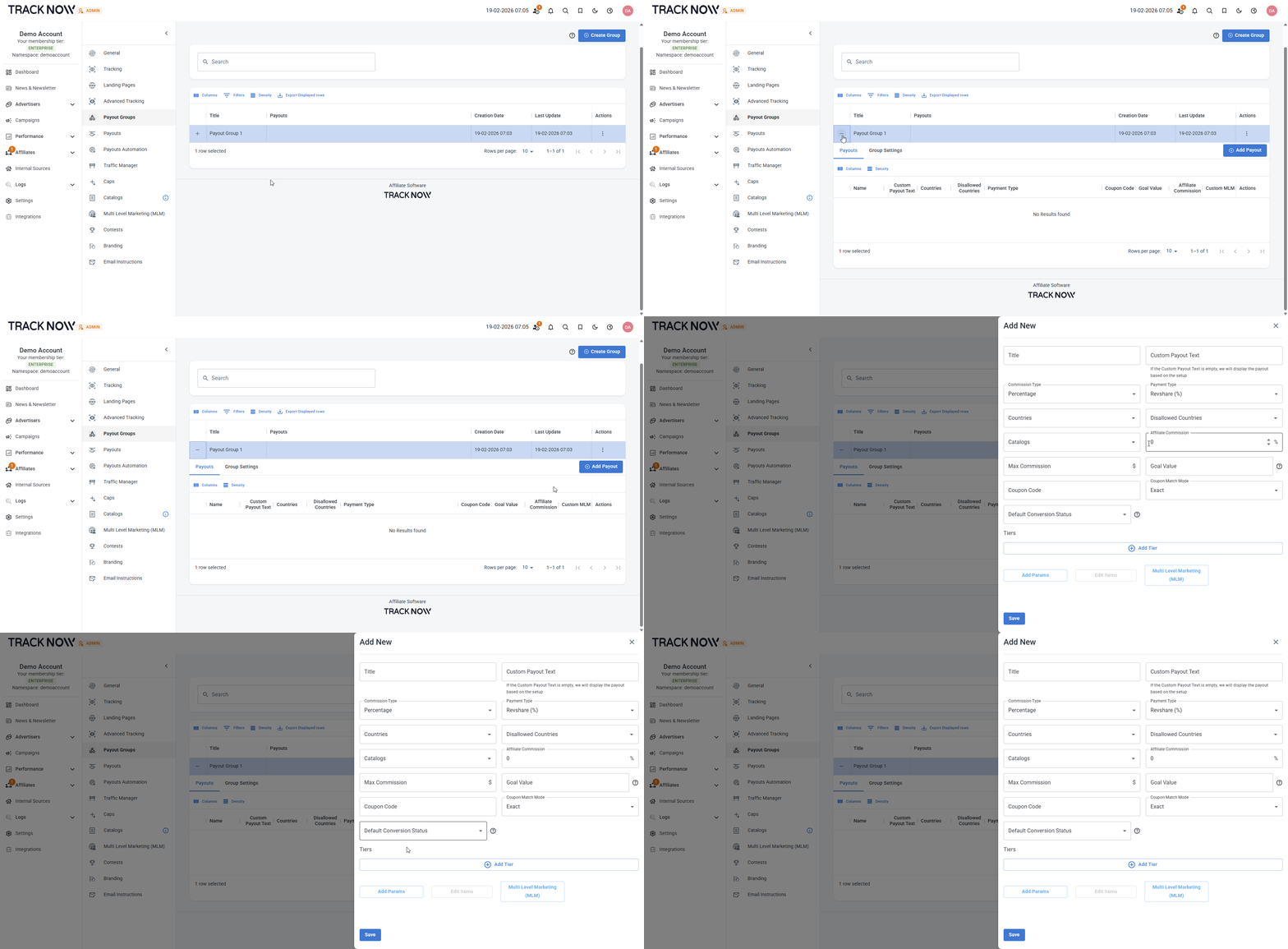
Expand the newly created payout group by clicking the + icon next to the title → Add Payout → Configure the desired payout → Save