Goal-Based Payouts
The goal parameter is a unique value used to trigger specific payouts. When you set a goal value within a payout rule, any conversion that includes this goal will activate that specific payout. This allows you to track special events and assign a different commission rate instead of using the default one.
How to Setup a Payout With a Goal Value?
Let's explain this with an example.
In this example, the affiliate program has a single payout: affiliates earn 5% of the purchase amount. This is set as a General payout, which means it serves as the default payout rate applied to all affiliates.
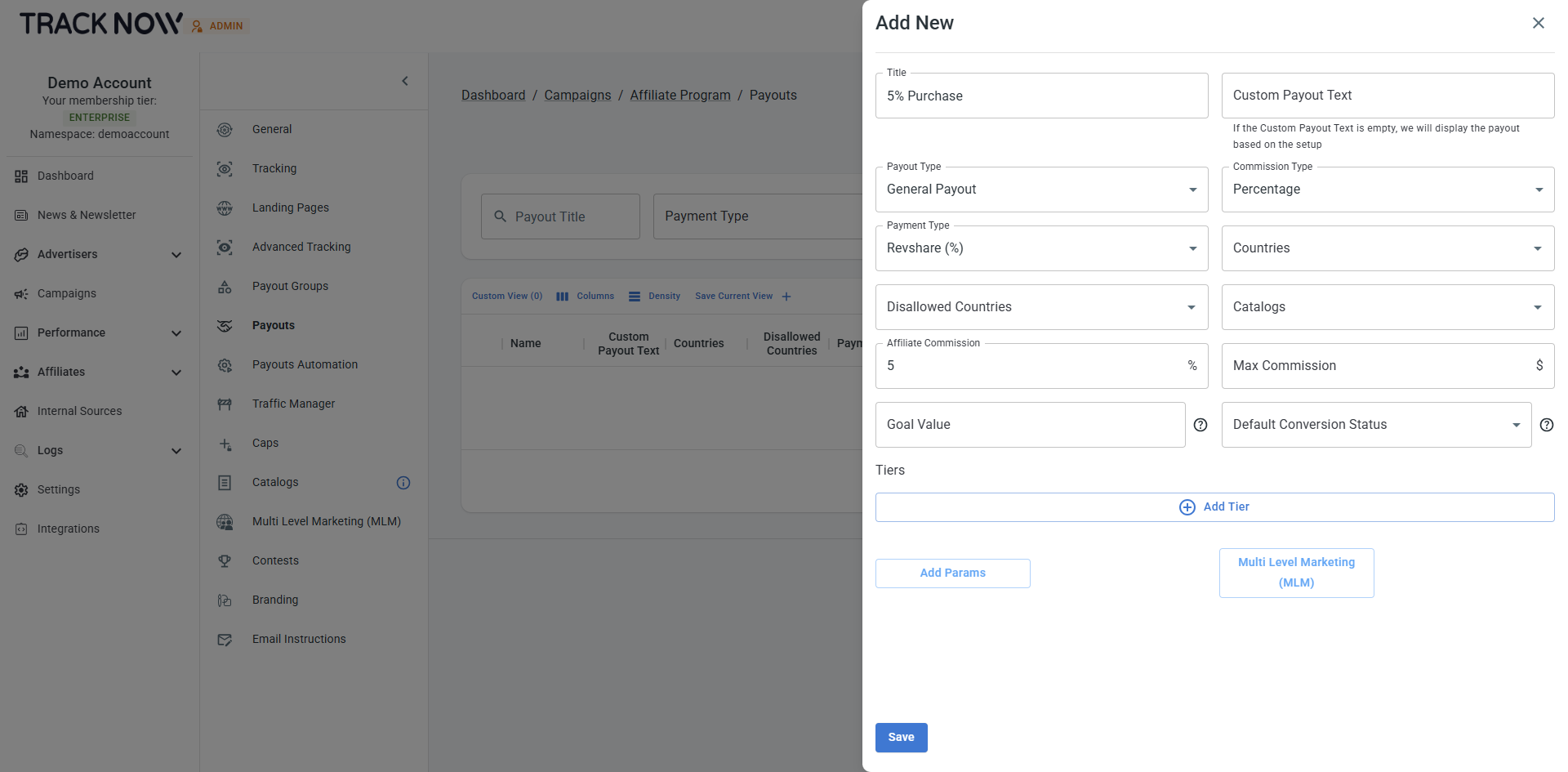
As mentioned earlier, goals can be used to trigger specific payouts for certain events.
In this example, the special event is a purchase from a specific product category - Electronics.
For regular purchases, affiliates will earn a 5% commission (the default General payout). However, for purchases in the Electronics category, we’ll apply a goal-based payout that gives affiliates an 8% commission.
Let's create a new payout, we'll make it a General payout as well because it is relevant for all affiliates, the affiliate commission will be 8% and we'll add a goal value: electronics.
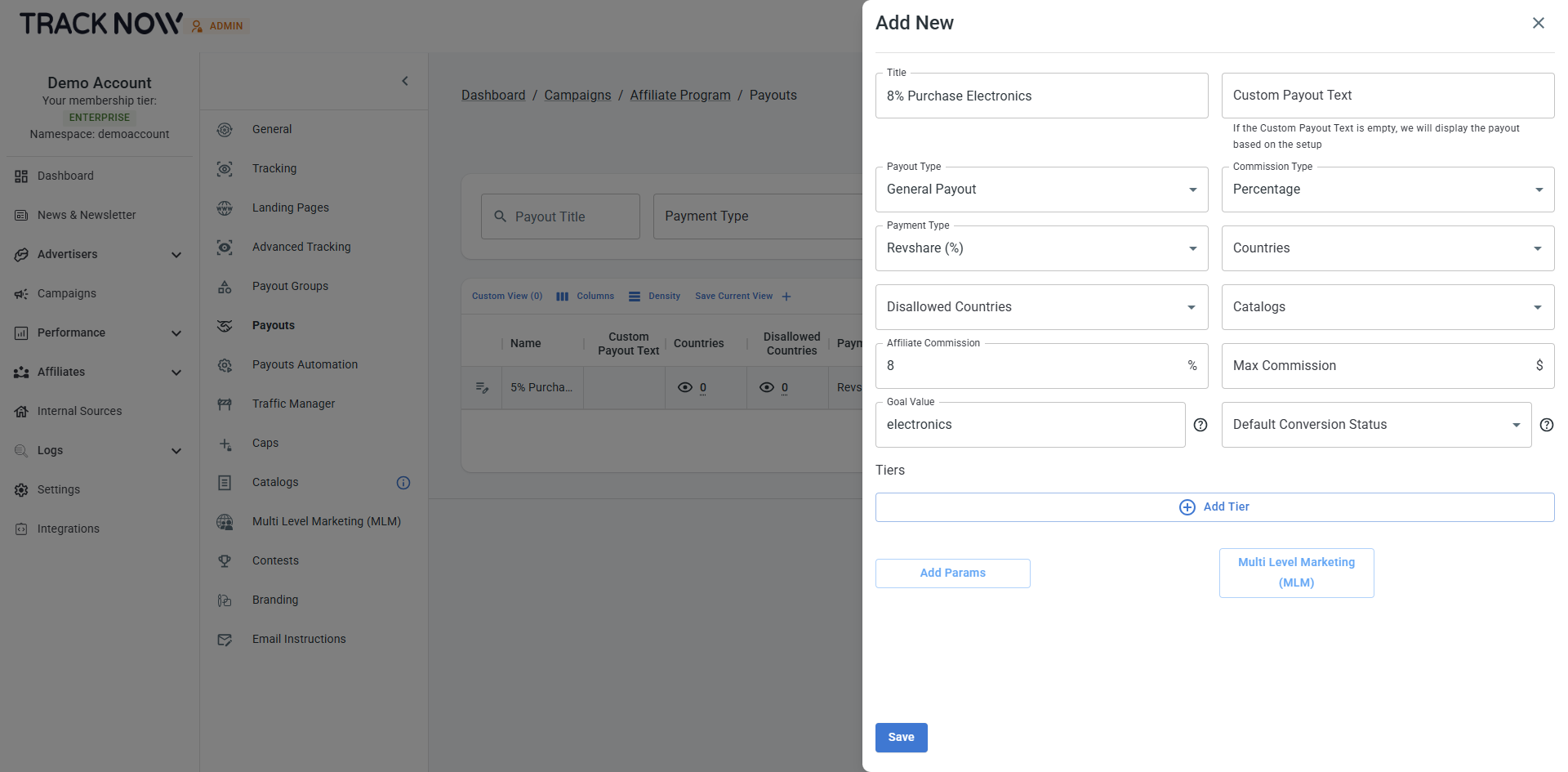
By creating this payout, we've added a rule to the system:
When a postback is received, the system will check for a goal parameter with the value electronics. If this value is found, the system will apply this specific payout (8% commission) instead of any other payout, including the default one.
Passing the Goal Parameter in a Postback
Now that we’ve created a payout with a goal parameter, all that’s needed to trigger it is to include the goal parameter in the postback, making sure its value matches the one configured in the payout (electronics in this case)
Example of a postback that will not trigger the goal-based payout (5% commission will be applied):
https://exmaple-tracking.tracknow.info/postback?click_id={value}&campaign_id={value}&order_id={value}&amount={value}&first_name={value}&email={value}
Example of a postback that will trigger the goal-based payout (8% commission will be applied):
https://exmaple-tracking.tracknow.info/postback?click_id={value}&campaign_id={value}&order_id={value}&amount={value}&first_name={value}&email={value}&goal=electronics
It is the responsibility of your development team to implement the logic that determines whether the event being sent via postback should include the goal parameter. This ensures that goal-specific payouts are only triggered when the appropriate conditions are met.