# Assigning Affiliates to Managers
Each affiliate is assigned to a manager upon registration.
Affiliates who register through the default registration link are assigned based on your system configuration: they can be assigned to the default manager, a random manager, or the manager with the fewest affiliates.
Each manager also has a unique registration URL. Affiliates who register through a manager’s dedicated link are automatically assigned to that specific manager.
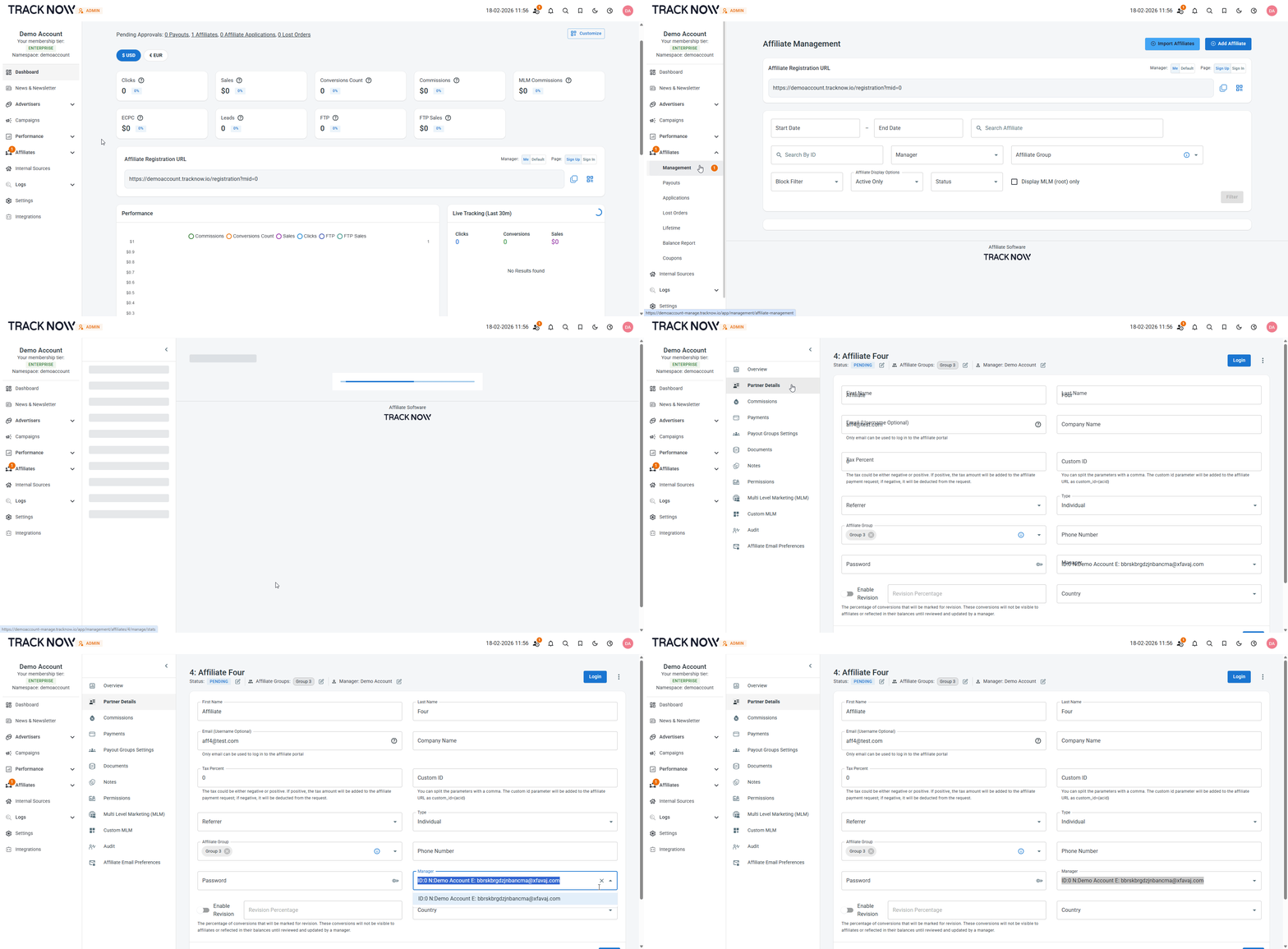
Affiliates can be reassigned to a different manager at any time from the Affiliate Management screen.
***
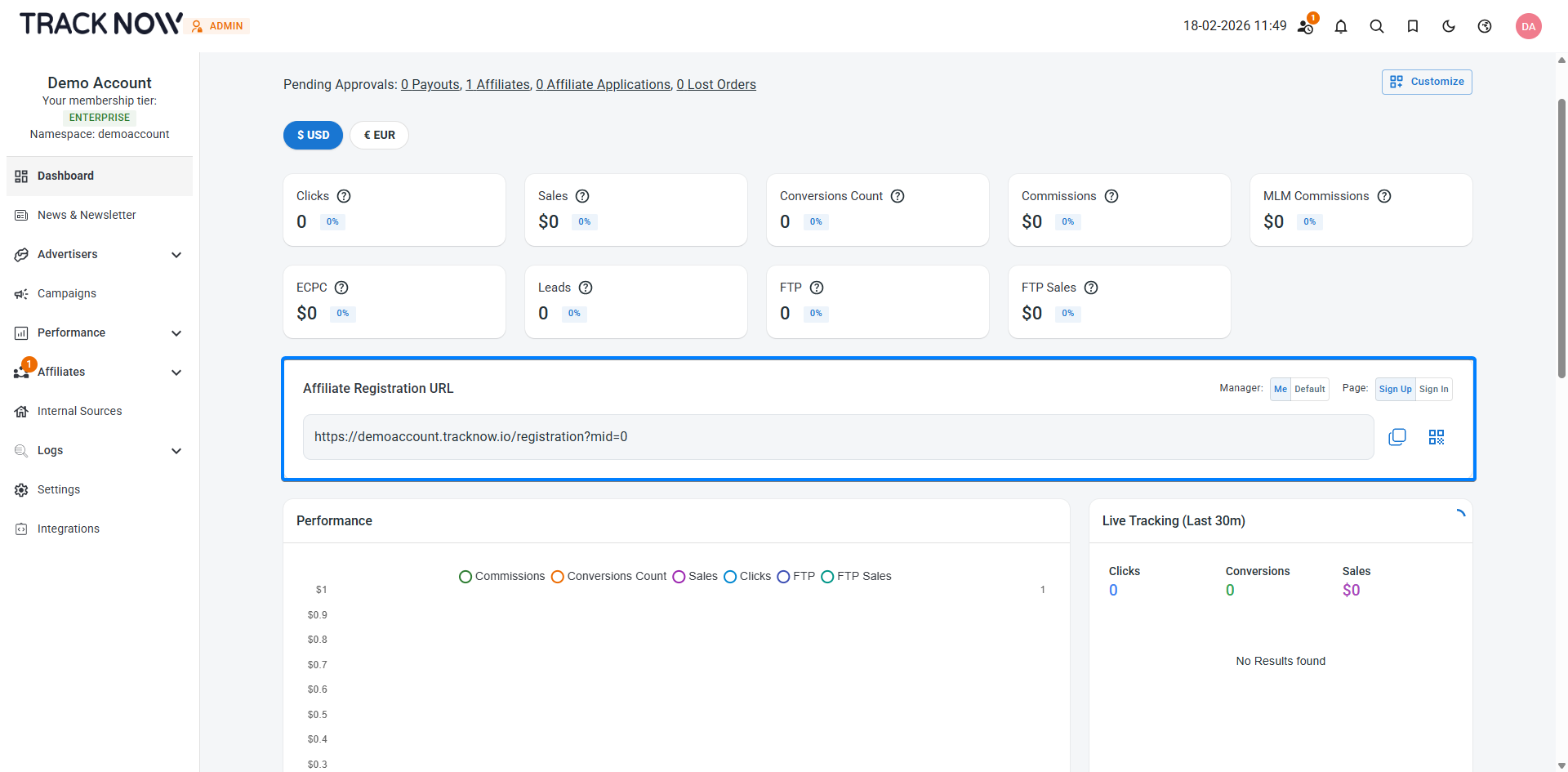
### Affiliate Registration URL
The affiliate registration URL can be found on the dashboard of every manager.
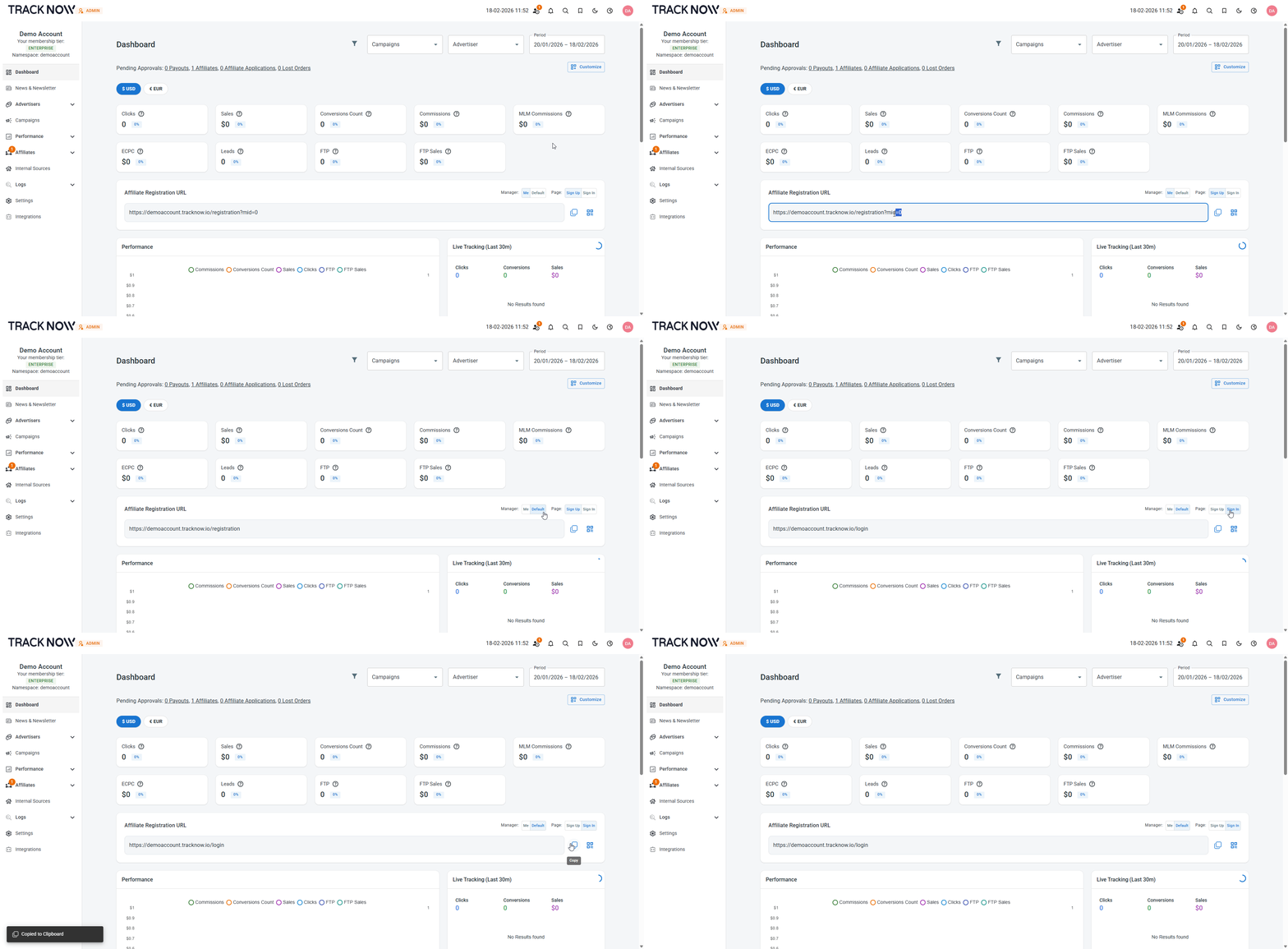
Managers have the option to generate:
1. A unique registration URL that assigns registering affiliates to this specific manager
2. A default registration URL that assigns registering affiliates to the default manager configured in the system
3. A URL to the affiliate login page
***
### Setting Up the Manager Association Flow
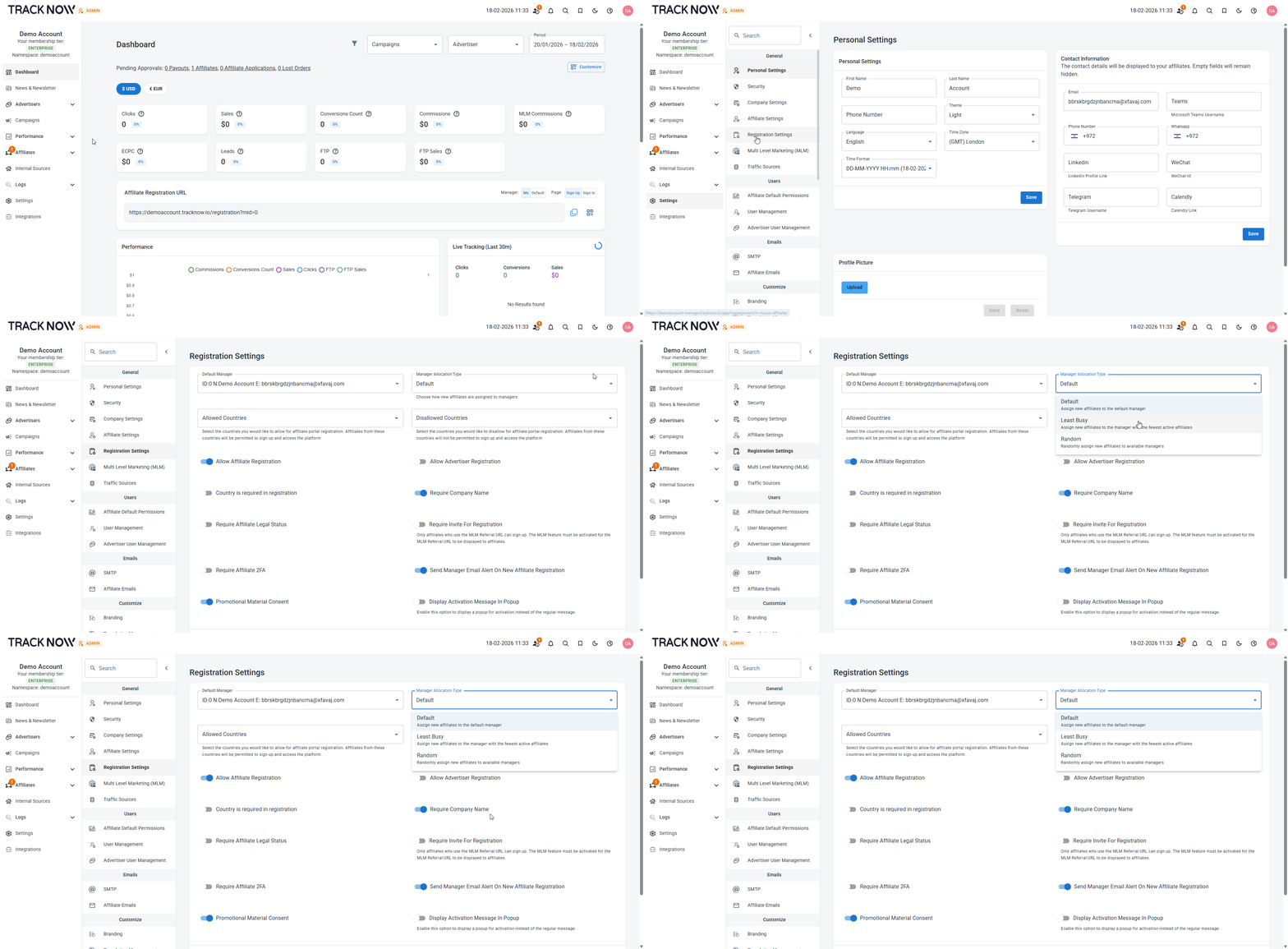
Navigate to **Settings** → **Registration Settings** → Select the **Manager Allocation Type**
This setting applies only to affiliates who register through the default registration link.
It does not apply to registrations made through manager-specific links, which include the `mid=` parameter.
***
### Setting Up the Default Manager
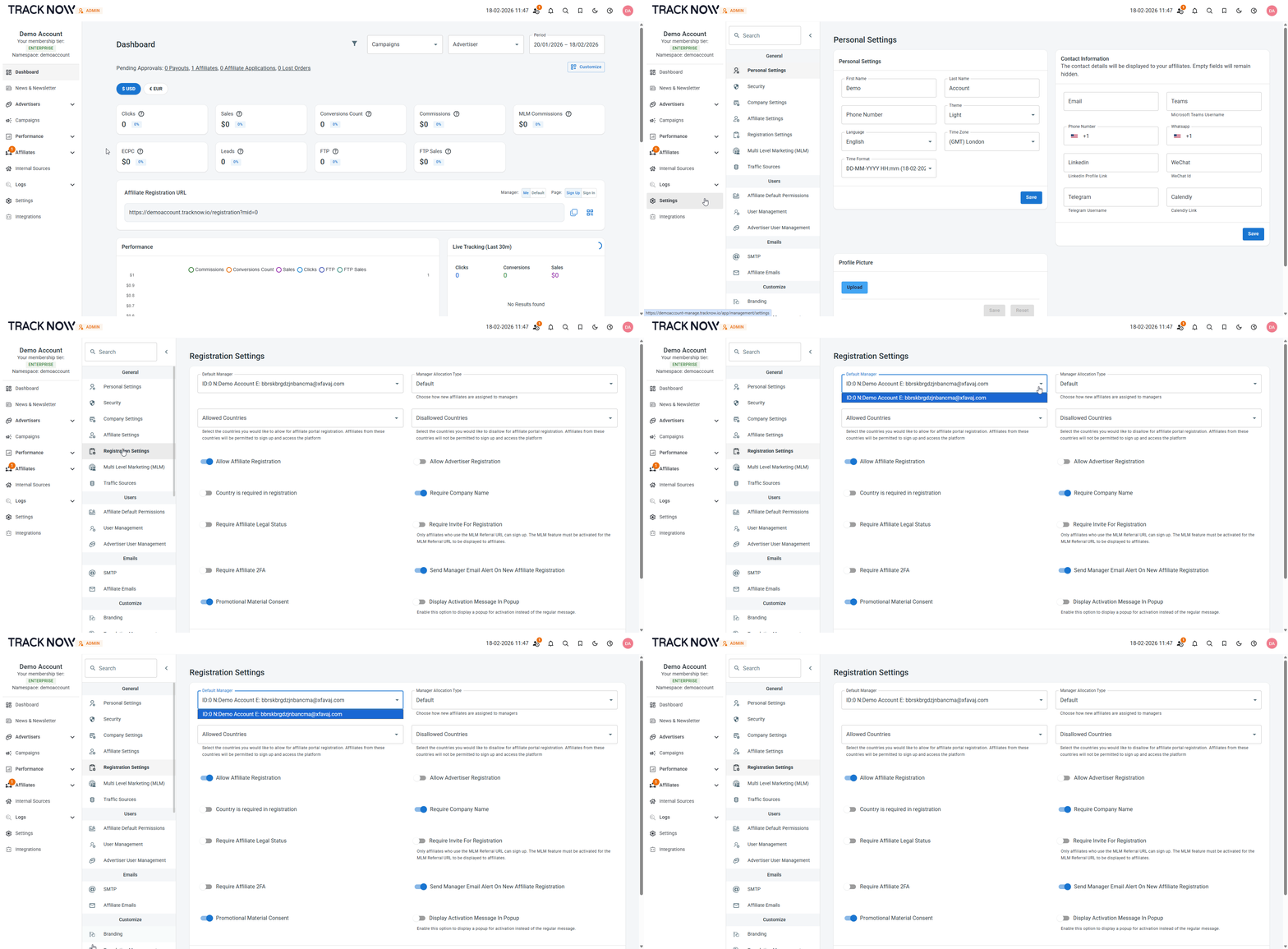
Navigate to **Settings** → **Registration Settings** → Select the **Default Manager**
***
### Manual Affiliate Reassignment
Navigate to **Affiliates** → **Management** → Click on the name of the affiliate you want to reassign → **Partner Details** → Select the manager to whom you wish to reassign the affiliate → **Save**