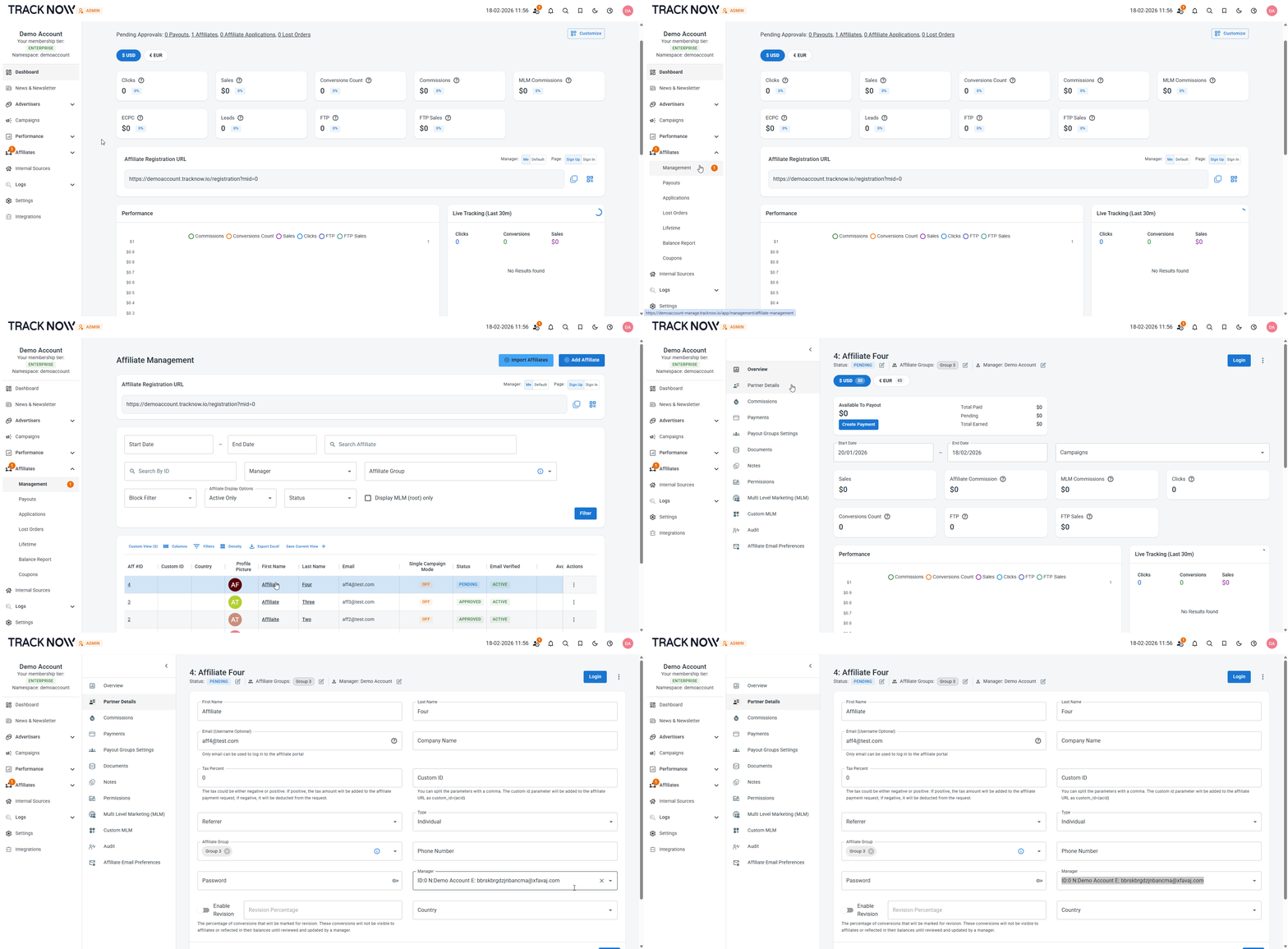
Assigning Affiliates to Managers
Each affiliate is assigned to a manager upon registration.
Affiliates who register through the default registration link are assigned based on your system configuration: they can be assigned to the default manager, a random manager, or the manager with the fewest affiliates.
Each manager also has a unique registration URL. Affiliates who register through a manager’s dedicated link are automatically assigned to that specific manager.
Affiliates can be reassigned to a different manager at any time from the Affiliate Management screen.
Affiliate Registration URL
The affiliate registration URL can be found on the dashboard of every manager.
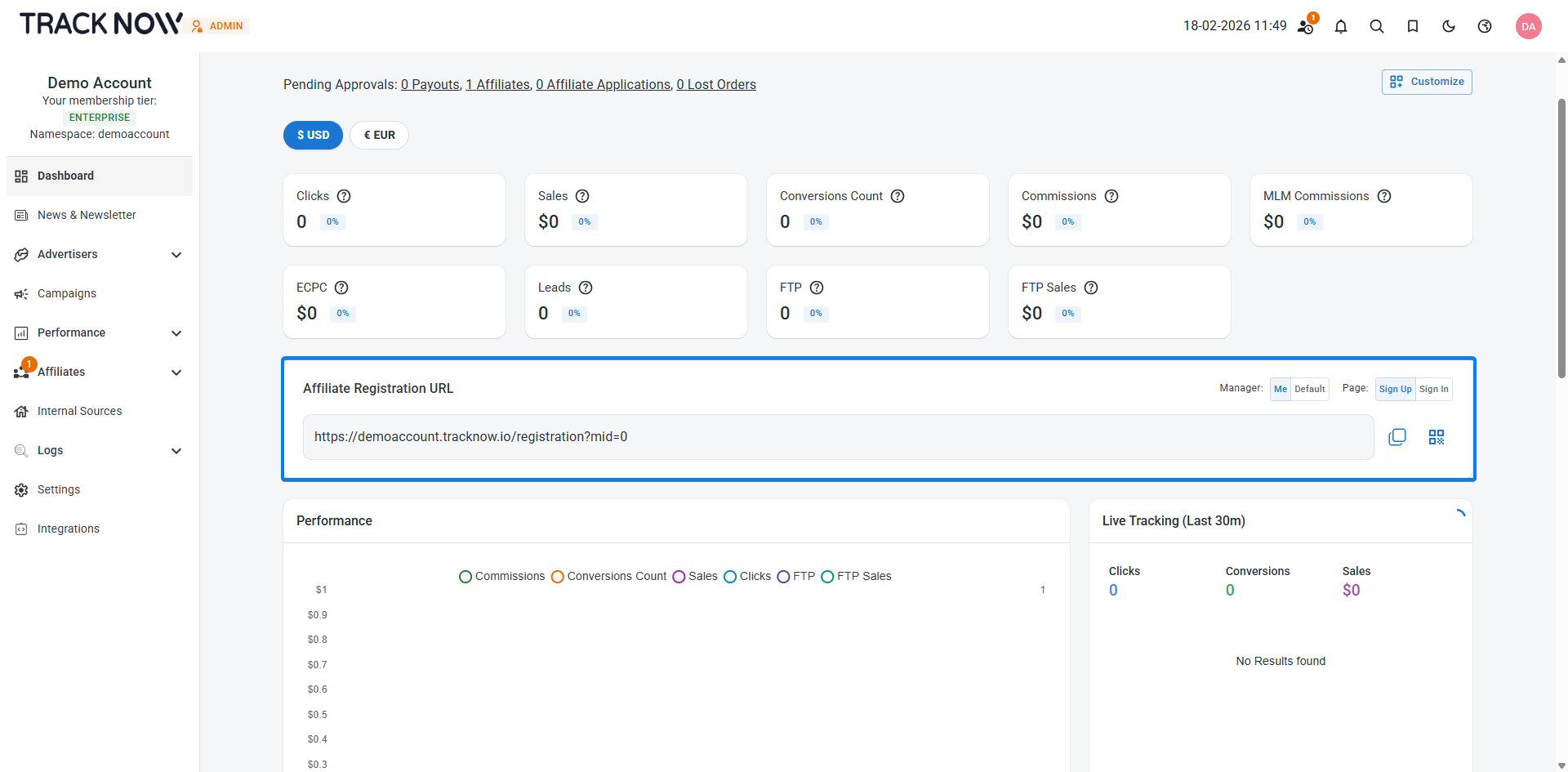
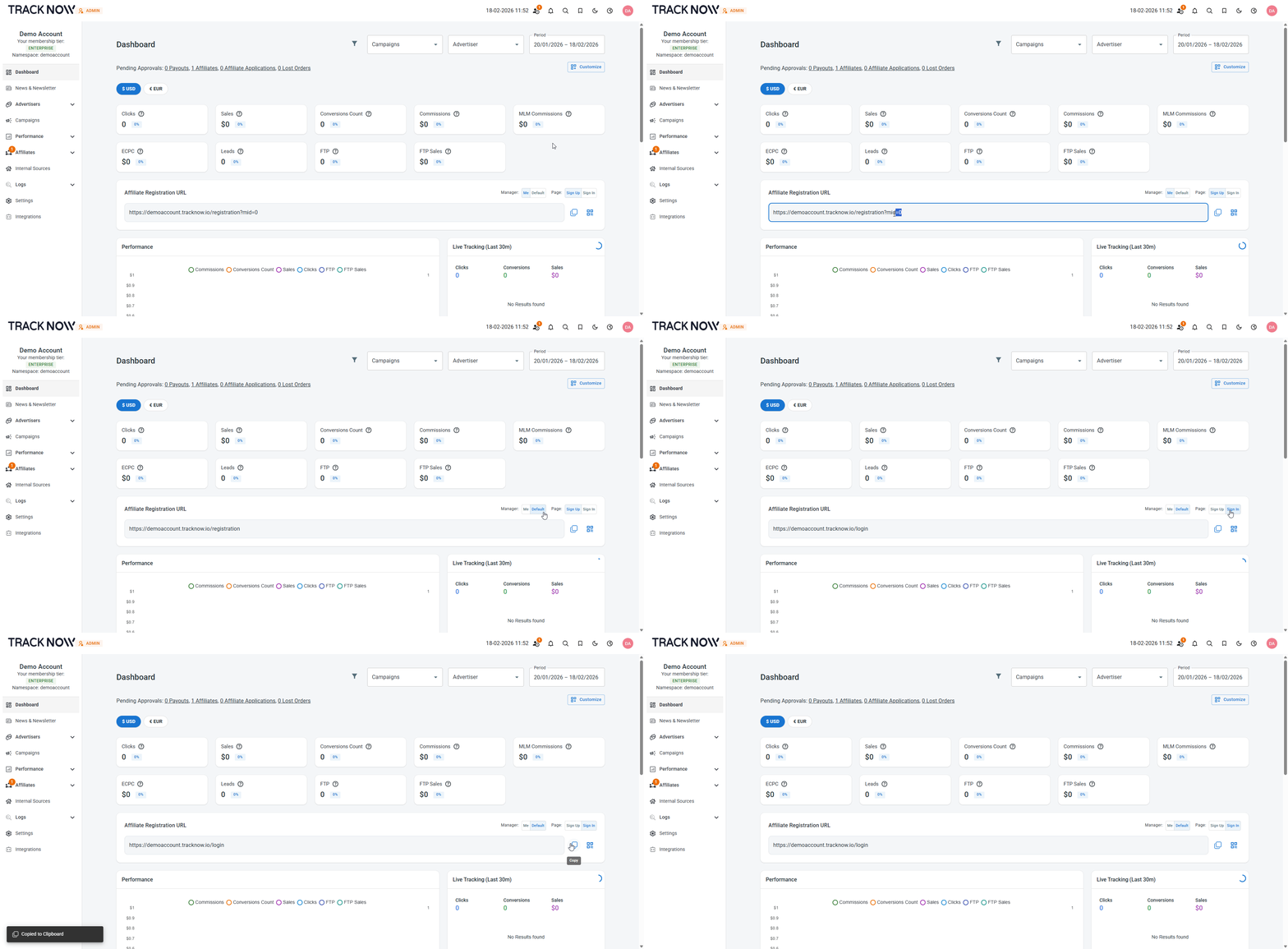
Managers have the option to generate:
- A unique registration URL that assigns registering affiliates to this specific manager
- A default registration URL that assigns registering affiliates to the default manager configured in the system
- A URL to the affiliate login page
Setting Up the Manager Association Flow
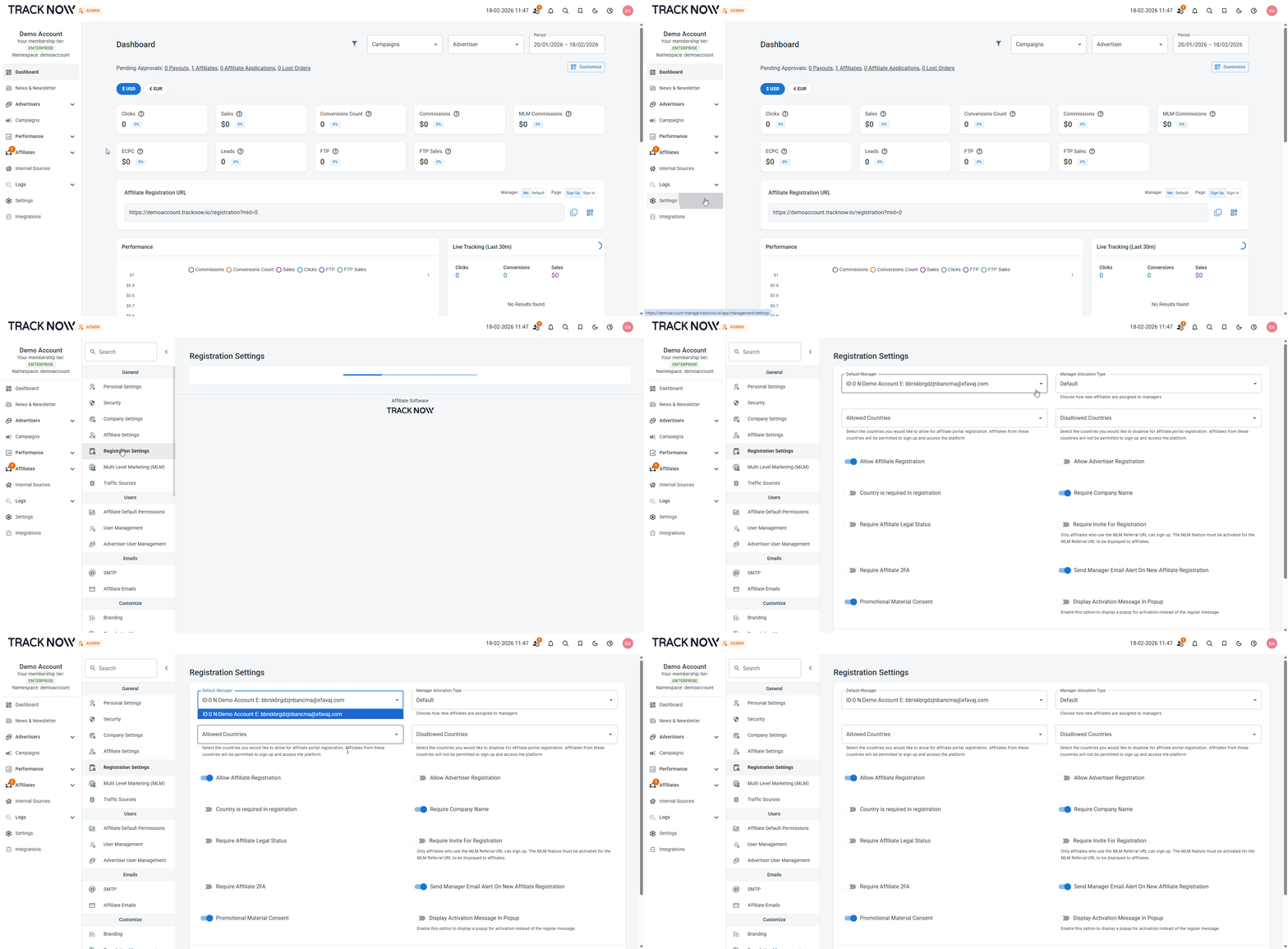
Navigate to Settings → Registration Settings → Select the Manager Allocation Type
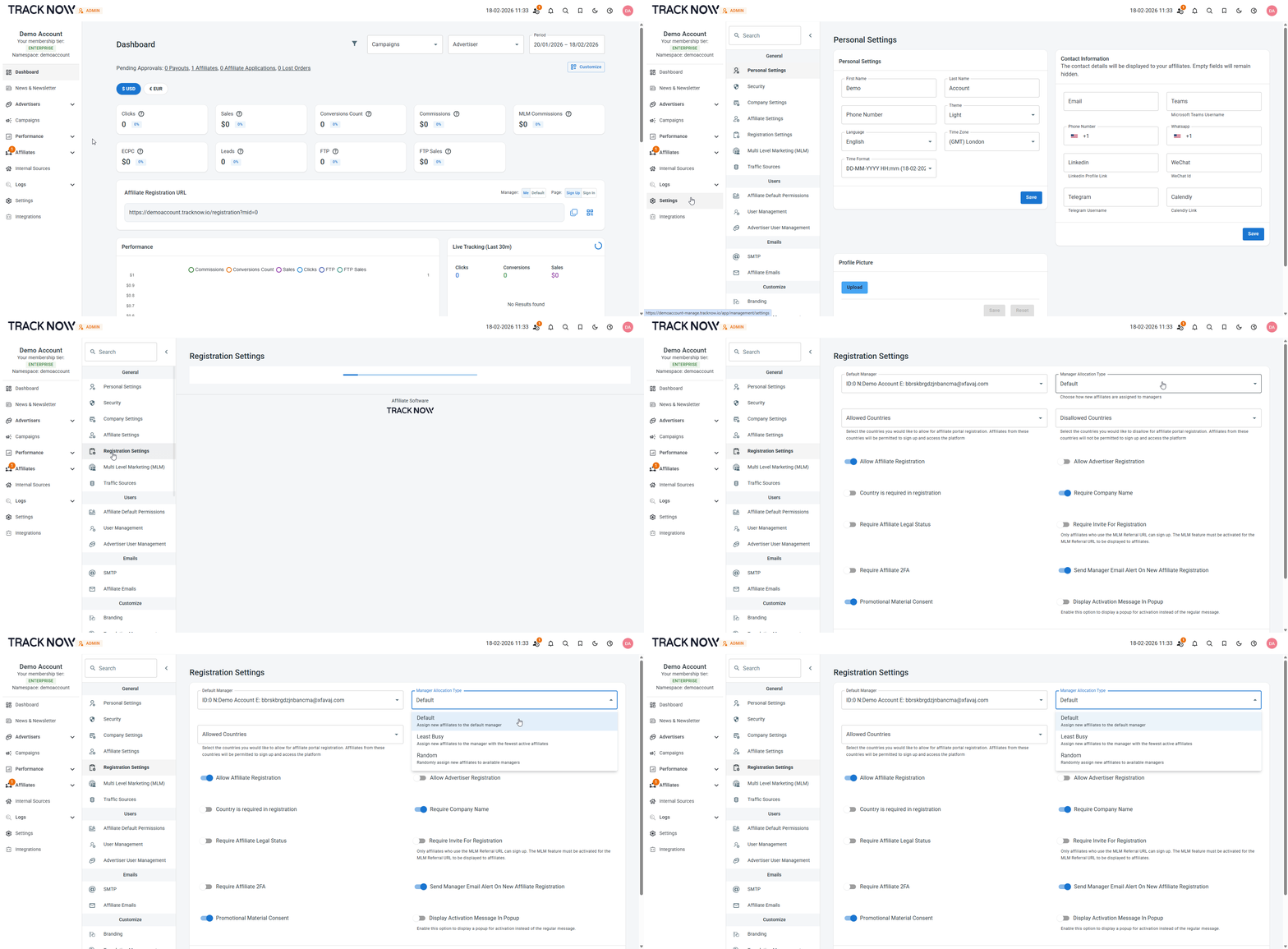
This setting applies only to affiliates who register through the default registration link.
It does not apply to registrations made through manager-specific links, which include the mid= parameter.
Setting Up the Default Manager
Navigate to Settings → Registration Settings → Select the Default Manager
Manual Affiliate Reassignment
Navigate to Affiliates → Management → Click on the name of the affiliate you want to reassign → Partner Details → Select the manager to whom you wish to reassign the affiliate → Save