Deep Links
When configuring a campaign, managers can define a default landing page. Tracknow automatically generates a unique tracking link for each affiliate, which they can share with potential clients. By default, these links direct traffic to the campaign’s primary landing page.
Managers also have the option to add multiple landing pages to a campaign. This enables affiliates to select the specific page they want to promote.
If an affiliate wants to direct clients to a landing page that hasn’t been predefined by a manager, they can use the deep link feature. By entering the desired landing page URL, they can generate a custom tracking link that routes traffic to that specific page.
How Affiliates Can Generate a Deep Link
Affiliates can access their tracking links in two locations:
Main Dashboard
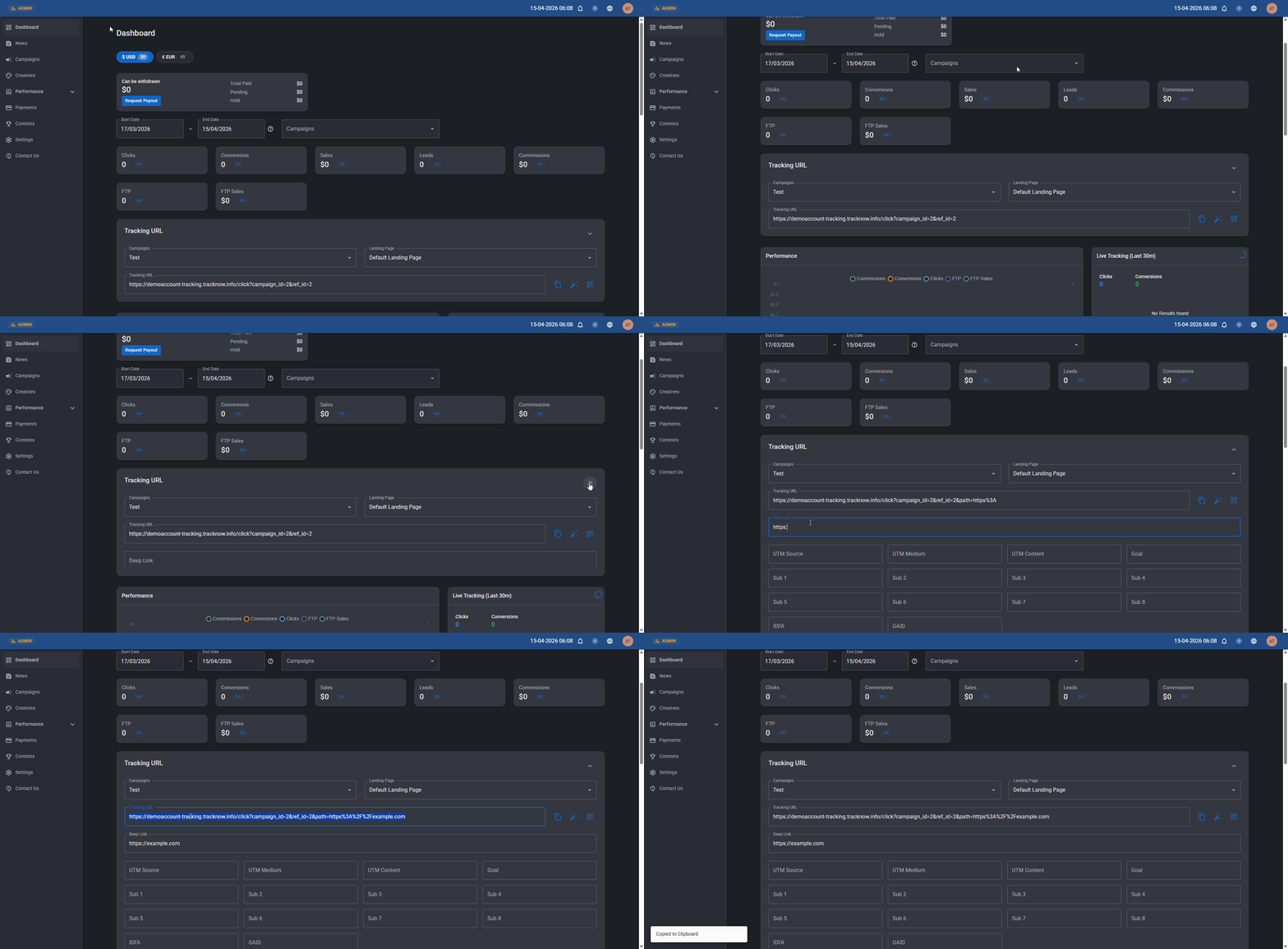
On the affiliate portal, navigate to the Dashboard screen → Tracking URL section → Expand the section to reveal the Deep Link options → Enter the new landing page URL in the Deep Link input field → The Tracking URL above it will update accordingly
Campaign Screen
On the affiliate portal, navigate to Campaigns → Click on the relevant campaign → Tracking URL section → Expand the section to reveal the Deep Link options → Enter the new landing page URL in the Deep Link input field → The Tracking URL above it will update accordingly
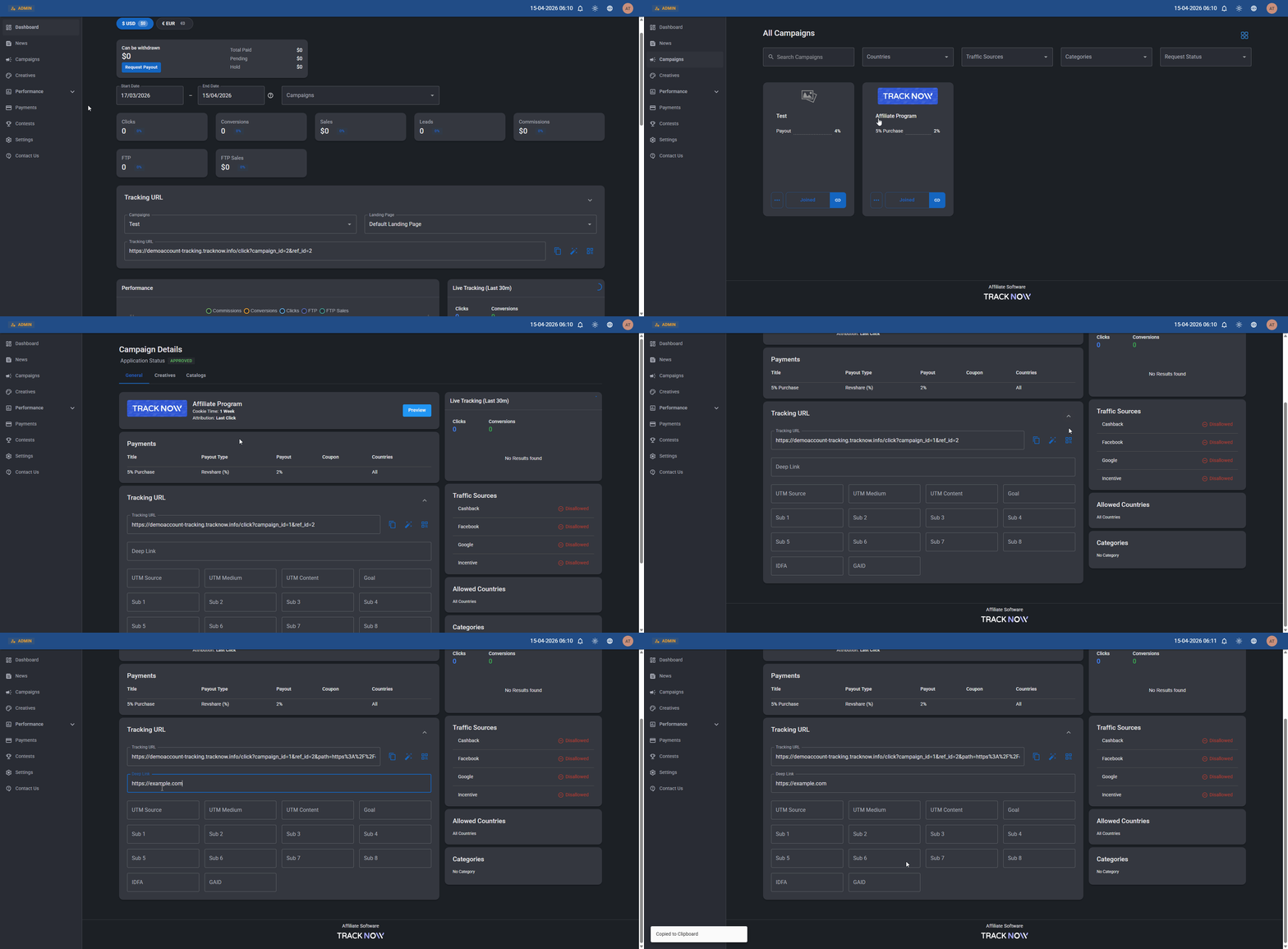
Tracking URLs generated for deep links are not stored in the system. After creating a deep link, affiliates can copy and use the generated tracking URL, but it will not be displayed again after the page is refreshed. The link itself remains active and functional, even though it is no longer visible in the interface.
How Managers Can Generate Deep Links for Affiliates
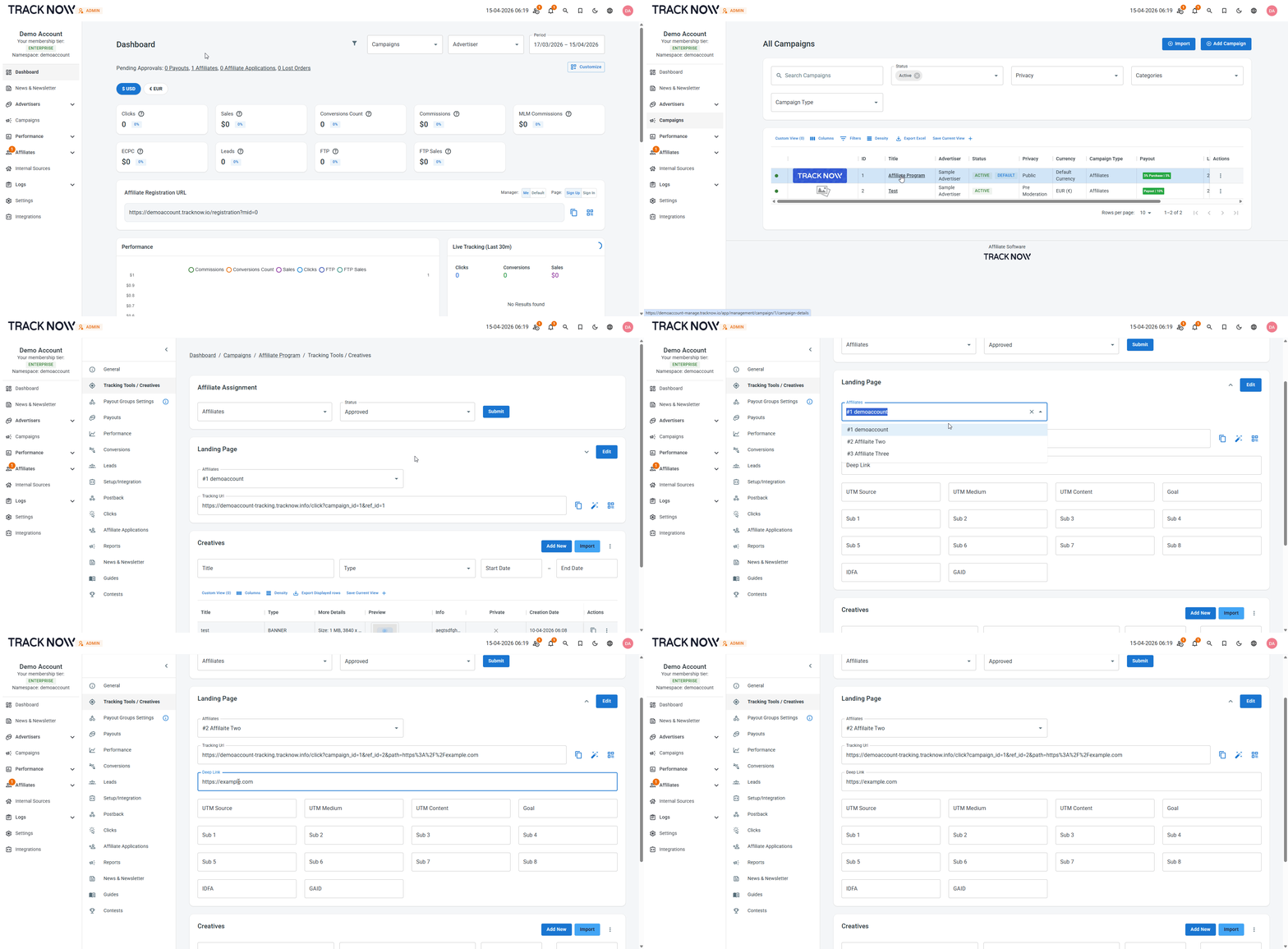
Navigate to Campaigns → Click on the relevant campaign → Tracking Tools / Creatives → Landing Page section → Expand the section to reveal the Deep Link options → Select the affiliate for which you'd like to generate this new tracking URL for → Enter the new landing page URL in the Deep Link input field → The Tracking URL above it will update accordingly → Copy it and share with the affiliate
Passing Parameters in Deep Links
When generating a new tracking URL for a deep link, managers or affiliates can also pass additional parameters using the fields under the Deep Link input field.
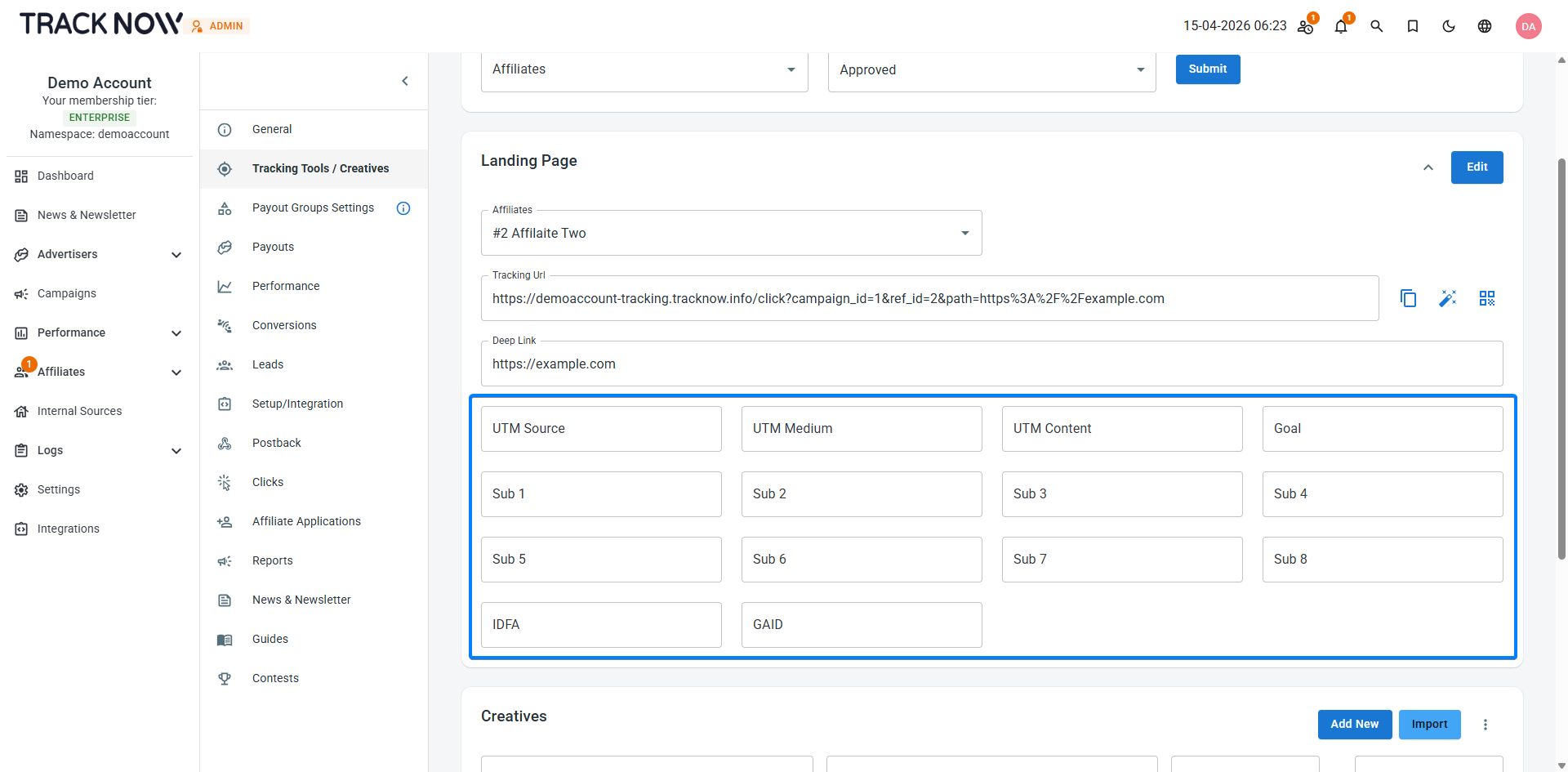
When a parameter value is provided, it is appended to the tracking URL. When a user clicks the link, Tracknow creates a new click record and stores the passed parameters with that click. If a conversion is later attributed to that click, the conversion will inherit all of the associated parameters.