Translation Management
Affiliate portals support multiple languages. You can also modify specific terms and text within the portal using the Translation Management tool, allowing you to adjust the wording to match your preferred terminology.
Changing Text
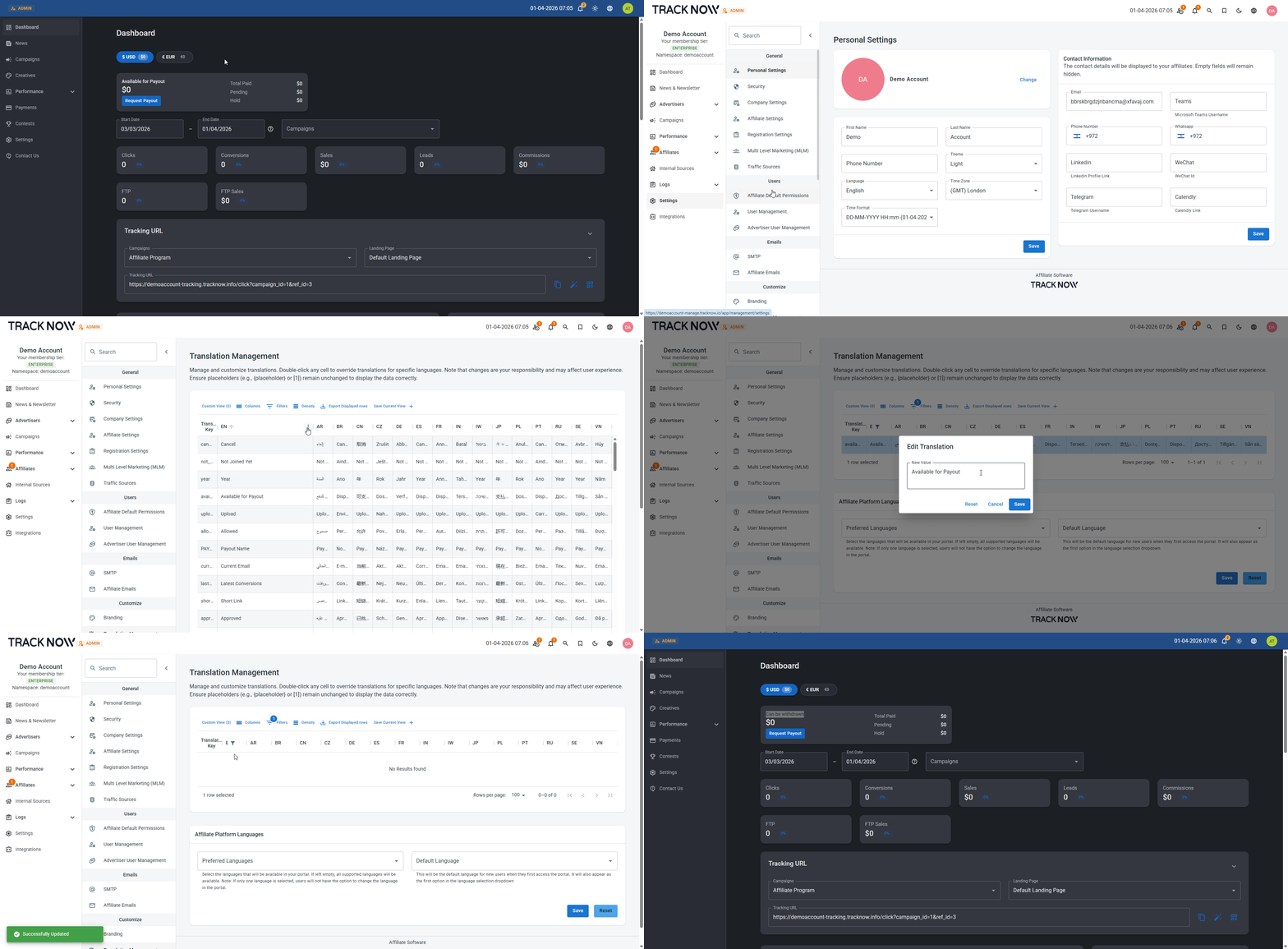
Navigate to Settings → Translation Management → Locate the column of the language in which you'd like to change the text → Use the column filter option to search for the current text → Double click on the relevant term and enter the desired term instead.
Configuring Available Languages for the Affiliate Portal
Tracknow supports multiple languages for the affiliate portal, and you can control which languages are available to affiliates.
Navigate to Settings → Translation Management → Under Affiliate Platform Languages, select the languages you want to make available in the Preferred Languages field.
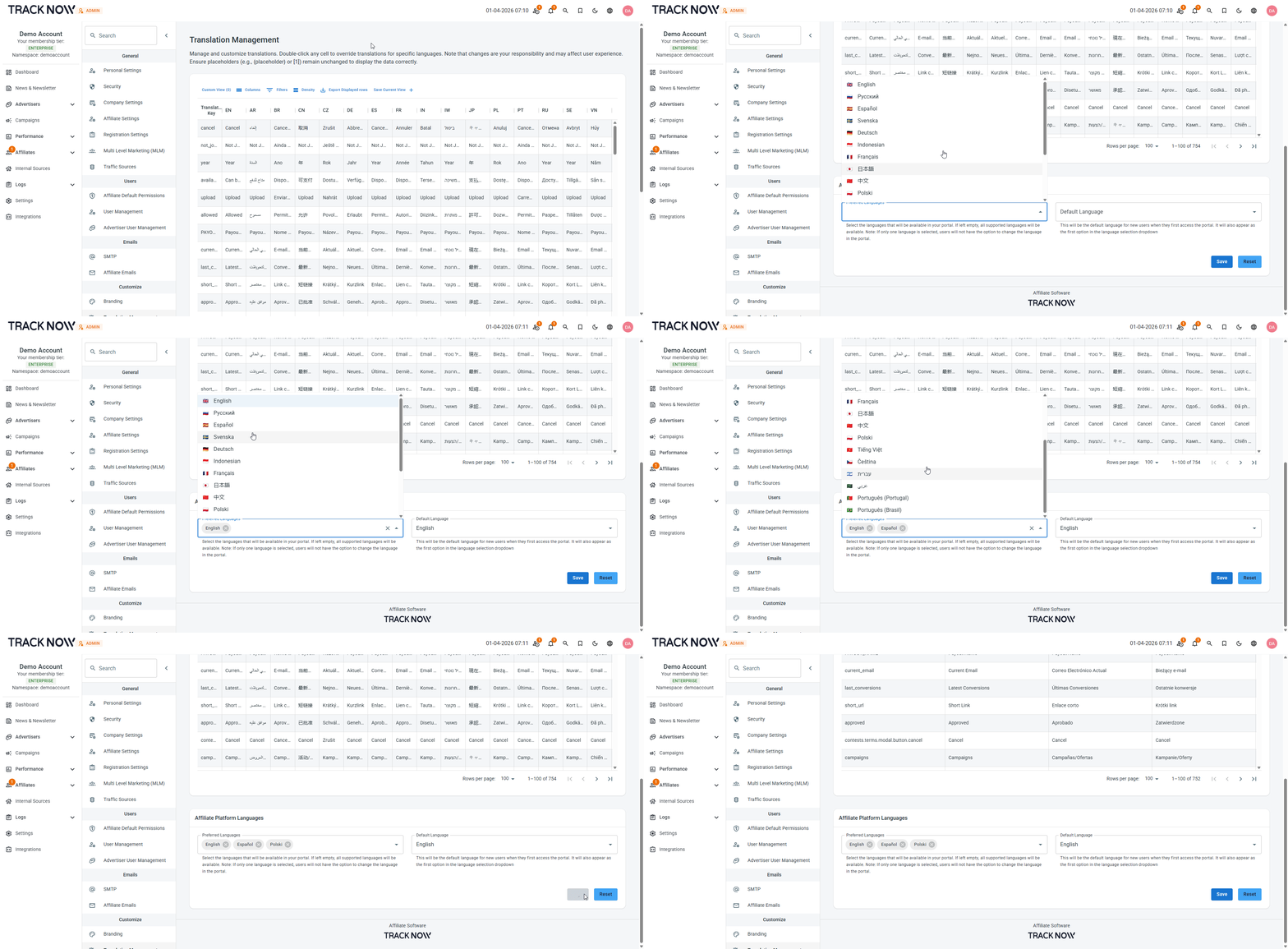
If no languages are selected, affiliates will be able to see all supported languages.
Setting the Default Language for the Affiliate Portal
You can set a default language for the affiliate portal.
Navigate to Settings → Translation Management → Under Affiliate Platform Languages, select the language you want to the default language in the Default Language field.