# Parking Domains

Affiliates have the option to customize their tracking links generated by Tracknow, by adding their own custom subdomains and applying those subdomains to their tracking links.

***

### Enabling/Disabling Parking domains for Affiliates

A manager can control whether affiliates can change the domain of their tracking links by enabling or disabling this feature under [**Affiliate Permissions**](https://docs.tracknow.io/affiliates/affiliate-permissions) **→ Parking Domains**.

***

### How an Affiliate Can Add a Parking Domain?

The affiliate must log in to the service that is hosting his domain, where his DNS records are managed (i.e. GoDaddy, Cloudflare, Google Domains).

{% hint style="info" %}
The field naming may vary between different providers
{% endhint %}

1. Navigate to the area where you manage your DNS records
2. Create a new DNS record of the CNAME type
3. On the 'Name' field enter the sub domain (i.e. **affiliate**)
4. On the 'Value' field enter **whitelabel.tracknow\.io**
5. If given the option to configure proxy status, select 'DNS Only'
6. Save the record

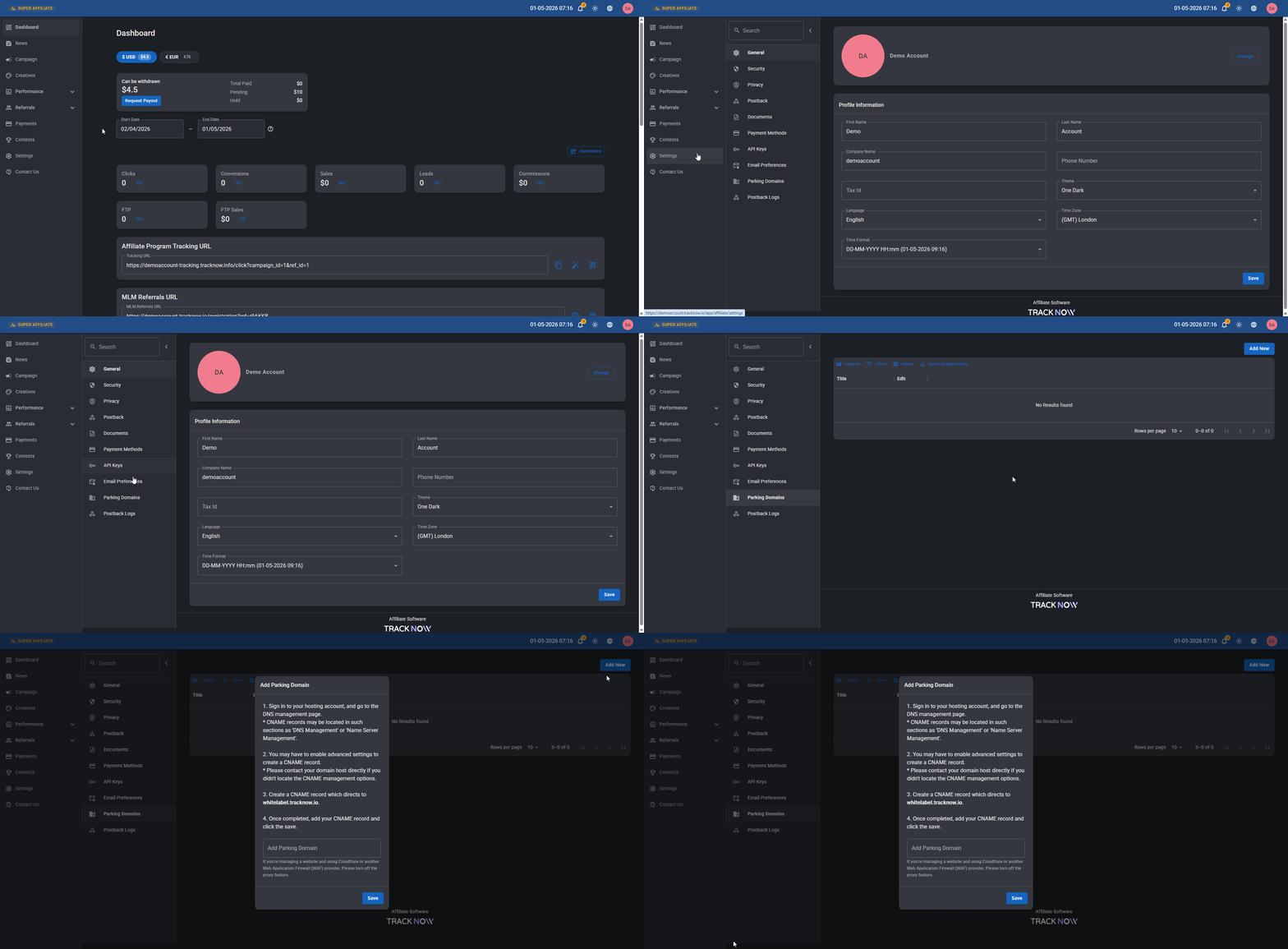
On the affiliate portal, navigate to **Settings** → **Parking Domains** → **Add New**

<figure><img src="/files/OkpVP69Bxu5uqvaUIe3g" alt=""><figcaption></figcaption></figure>

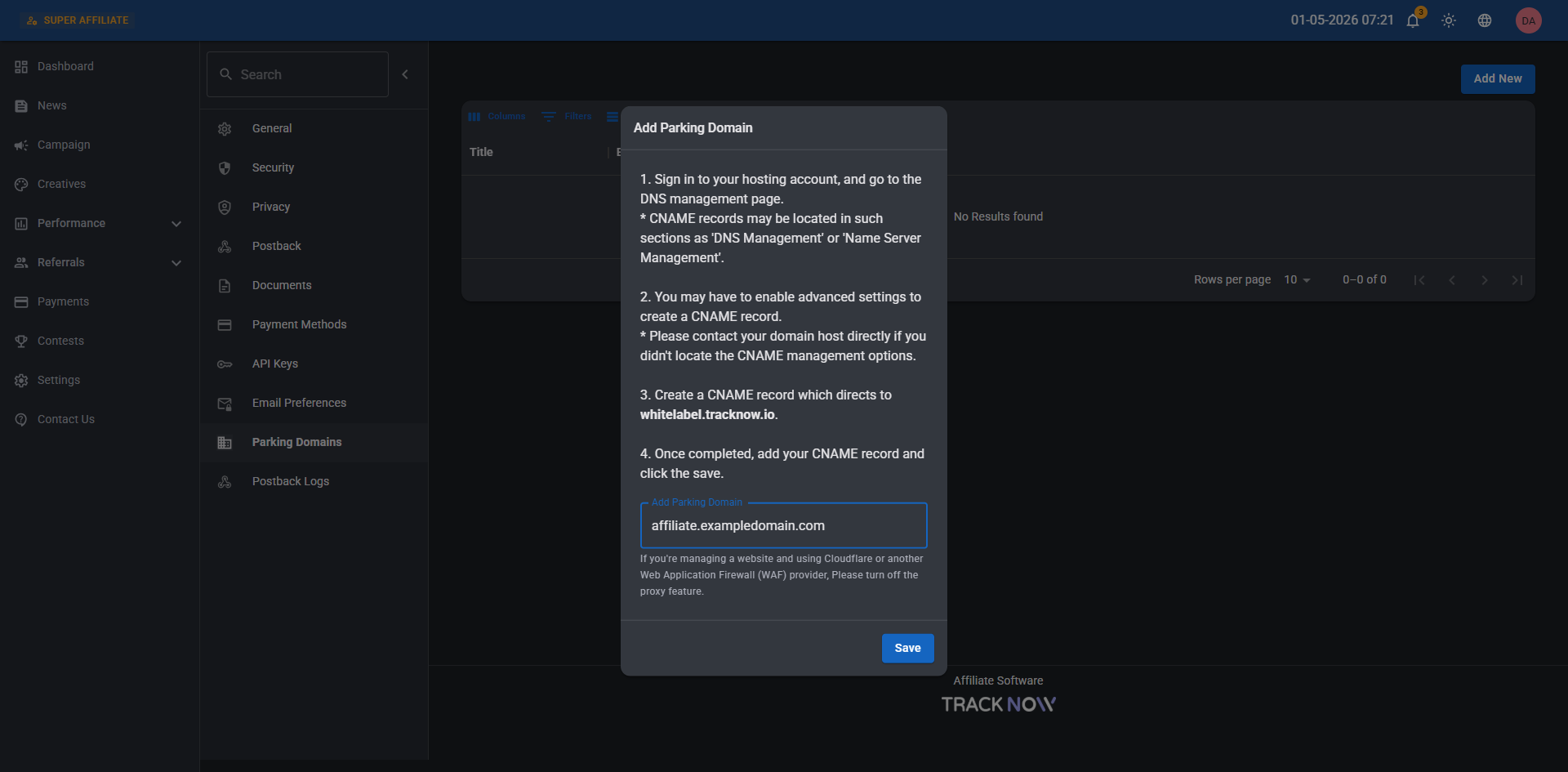
Input the subdomain → **Save**

<figure><img src="/files/Gxtk1phAxENOIybY1C5E" alt=""><figcaption></figcaption></figure>


---

# Agent Instructions: Querying This Documentation

If you need additional information that is not directly available in this page, you can query the documentation dynamically by asking a question.

Perform an HTTP GET request on the current page URL with the `ask` query parameter:

```
GET https://docs.tracknow.io/features/parking-domains.md?ask=<question>
```

The question should be specific, self-contained, and written in natural language.
The response will contain a direct answer to the question and relevant excerpts and sources from the documentation.

Use this mechanism when the answer is not explicitly present in the current page, you need clarification or additional context, or you want to retrieve related documentation sections.