Custom Commission Splits for Sub-Affiliates (MLM)
When using Multi-Level Marketing (MLM), affiliates can recruit new affiliates into the program. You can designate certain affiliates as Master Affiliates and allow them to control the commission split with the affiliates they directly recruit under them.
Designating a Master Affiliate
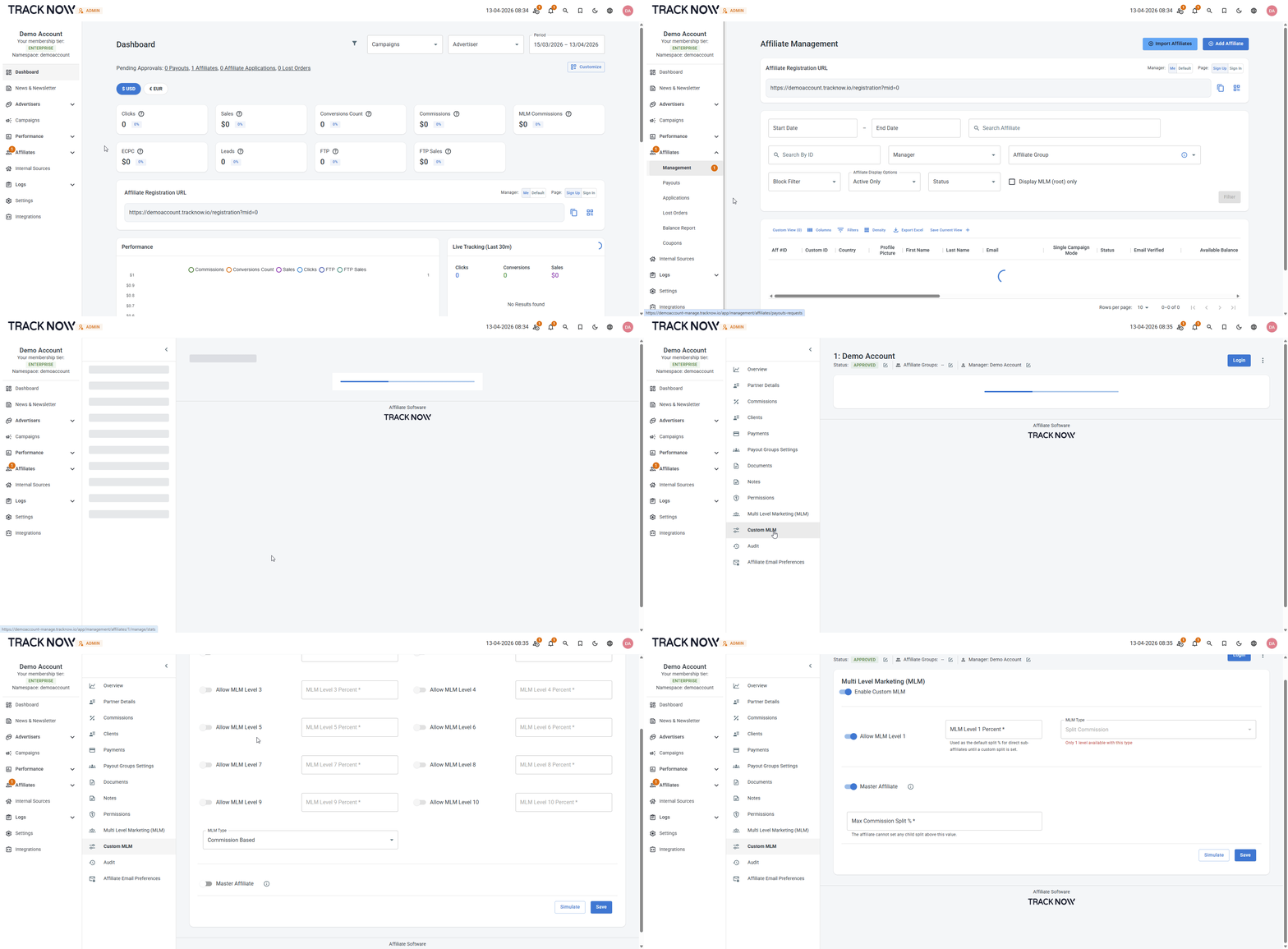
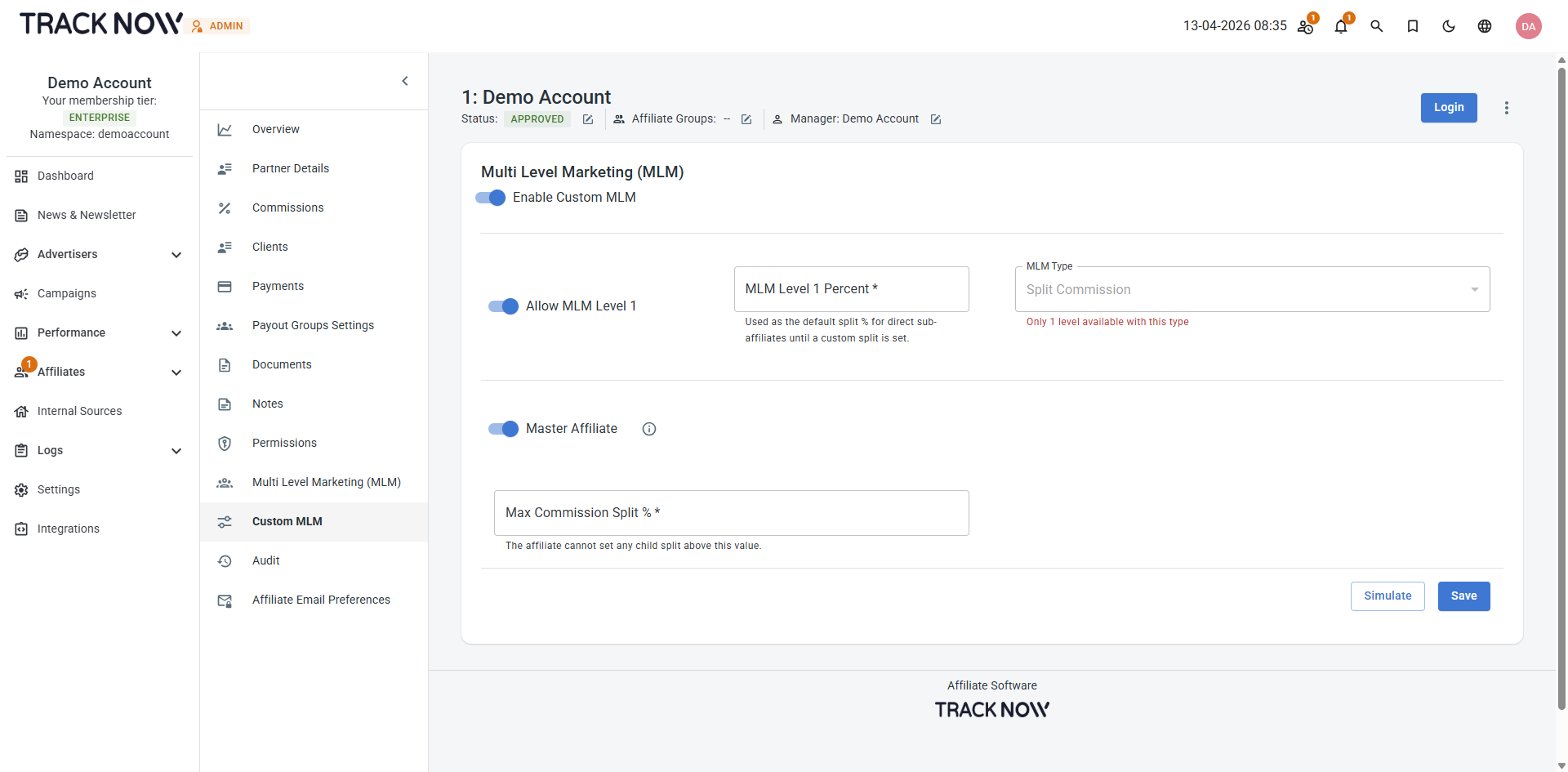
Navigate to Affiliates → Management → Locate the relevant affiliate and click on his name → Custom MLM → Enable Custom MLM → Toggle on Master Affiliate
| Field | Description |
|---|---|
| Allow MLM Level 1 (Toggle) | When using the Split Commission MLM model, it is limited to a single level. This means the referring affiliate can only split commissions with their direct sub-affiliates (affiliates one level below them). |
| MLM Level 1 Percent (Input Field) | If a parent affiliate has not set a split for a sub-affiliate, this value will be used as the default. Enter the percentage the parent affiliate should receive from commissions generated by their sub-affiliates. |
| Max Commission Split % (Input Field) | You can set a maximum percentage that a parent affiliate can allocate to themselves from commissions generated by their sub-affiliates. |
Example
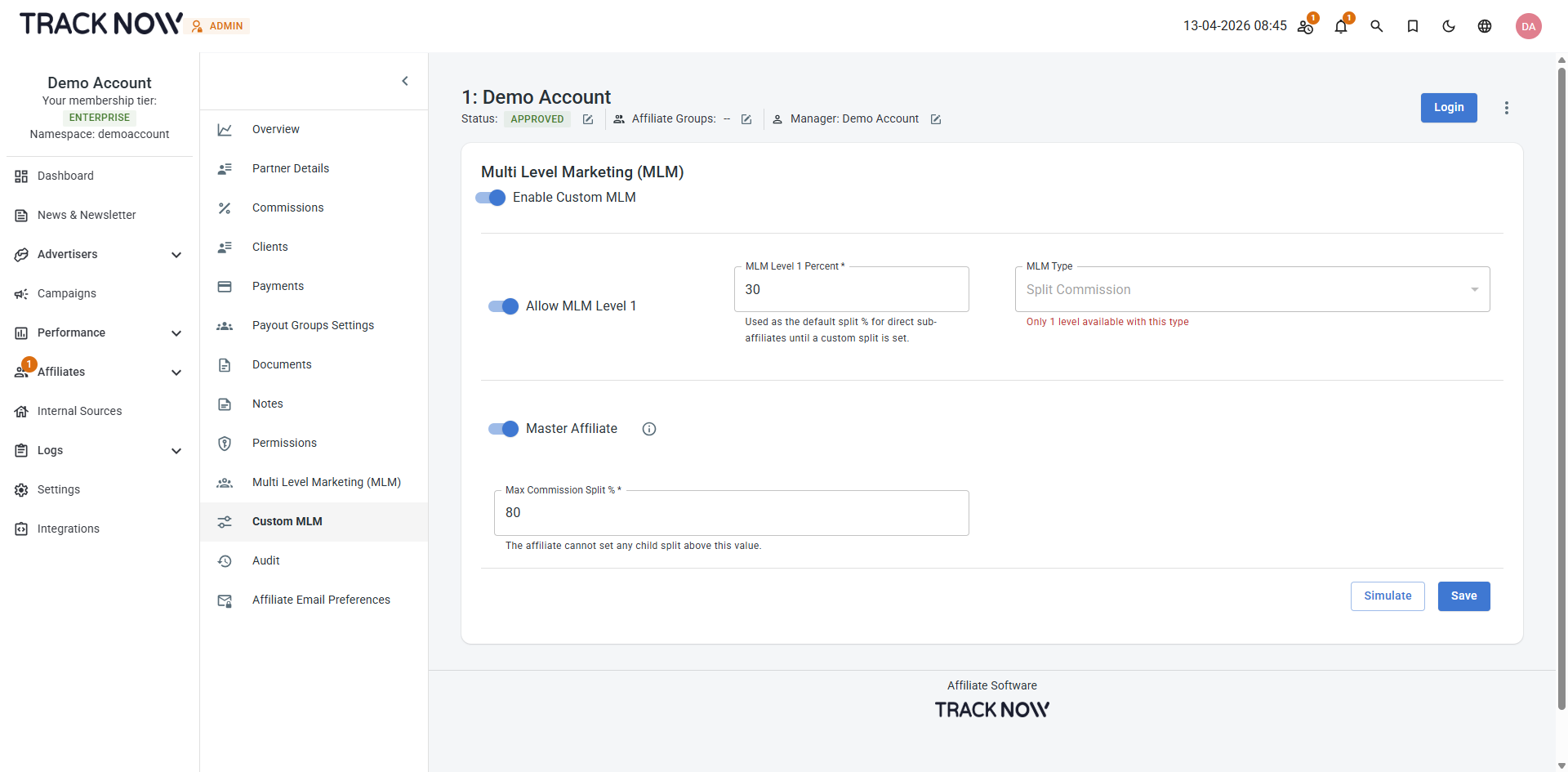
Based on the settings above, the default commission split is:
- 30% to the parent affiliate
- 70% retained by the sub-affiliate
The parent affiliate can set custom splits for each sub-affiliate, but cannot exceed a maximum of 80% for themselves (leaving at least 20% for the sub-affiliate).
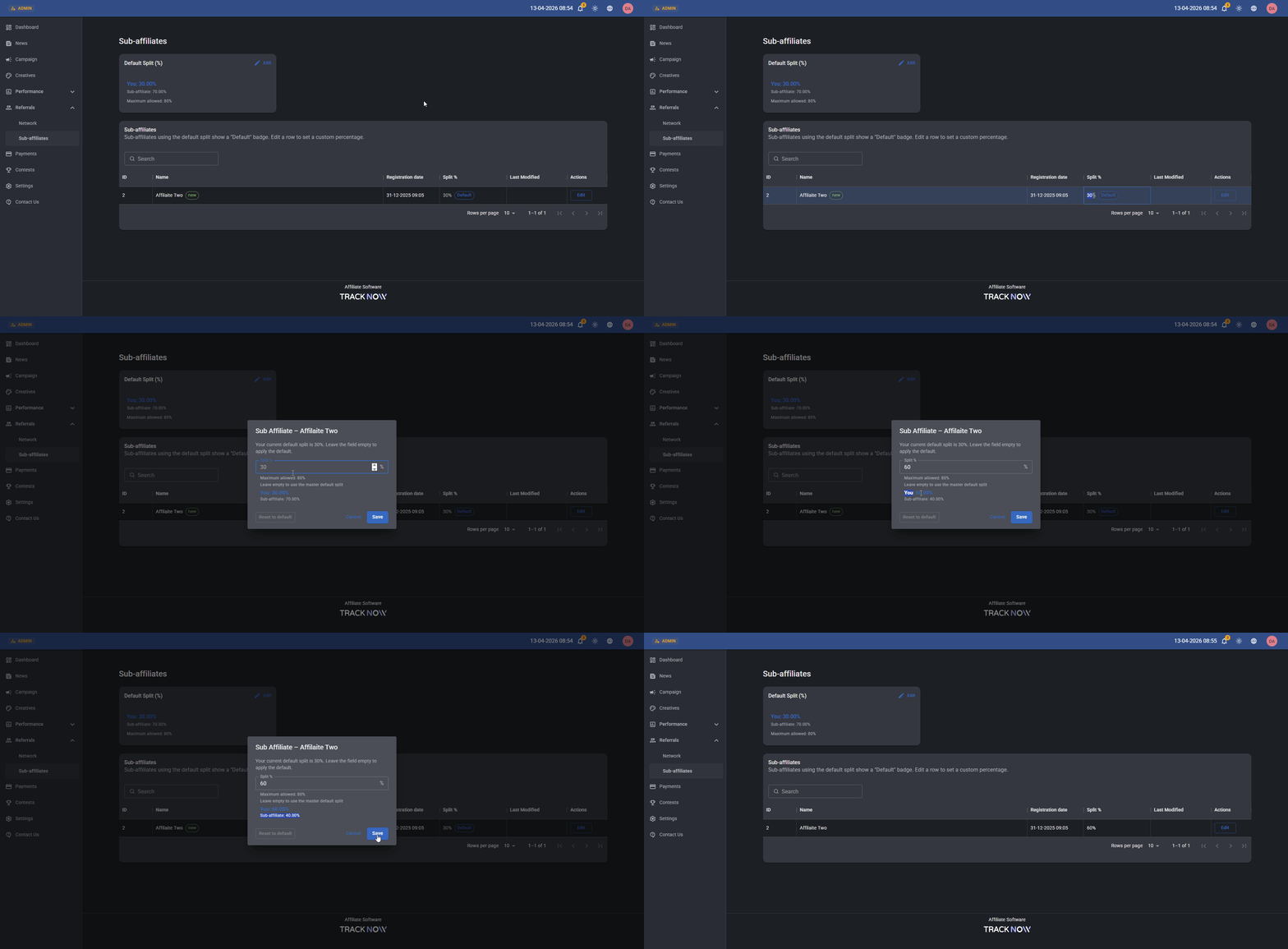
Master Affiliate: Configuring Custom Splits for Sub-Affiliates
In the Master Affiliate portal, navigate to Referrals → Sub-Affiliates.
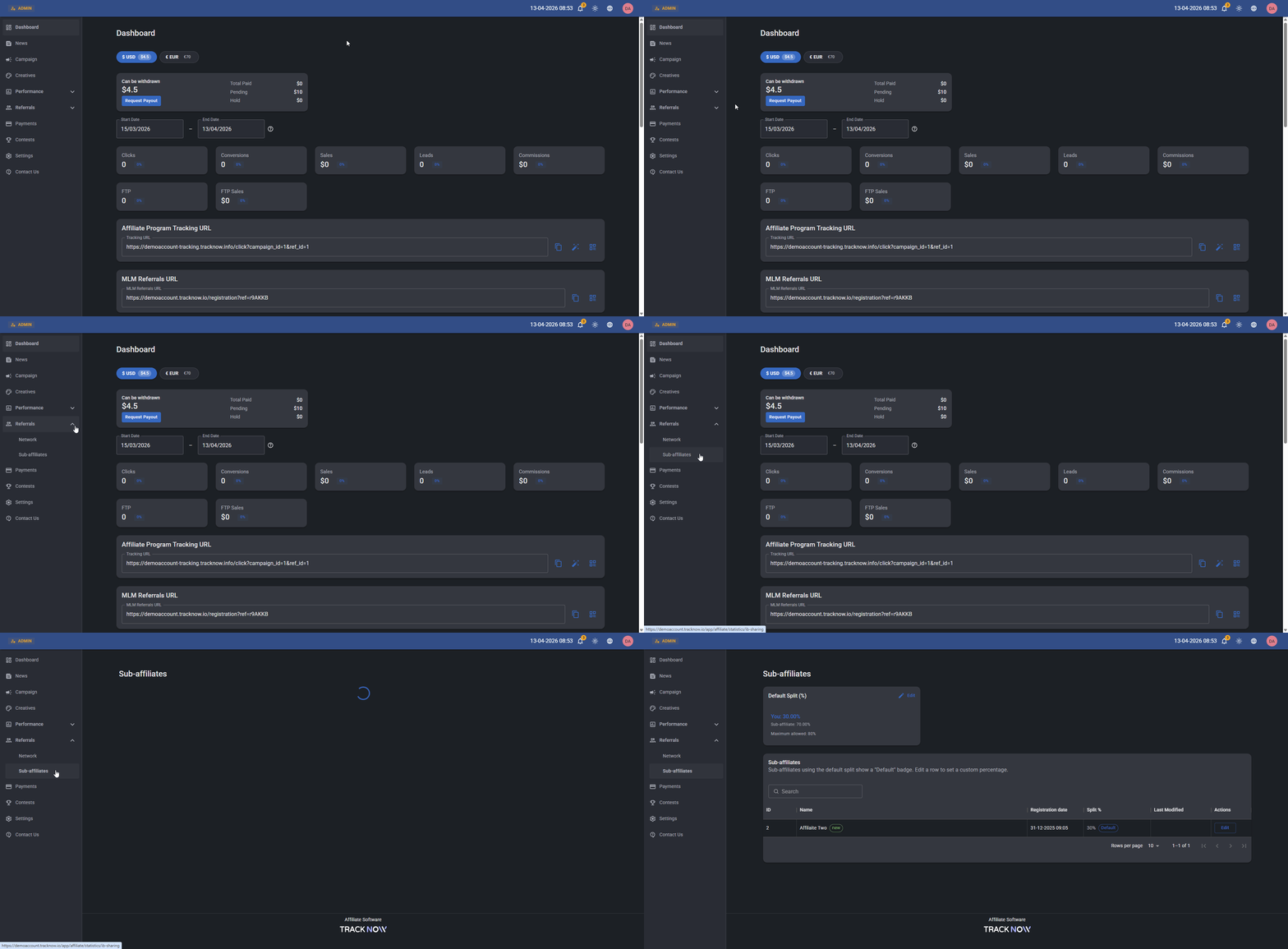
This screen allows the Master Affiliate to view all direct sub-affiliates and manage the commission split for each one.
To edit the split percentage for a specific sub-affiliate, click the Edit button next to that sub-affiliate.