Clients
Tracknow automatically creates a dedicated profile for each client who completes a conversion through an affiliate referral. When a customer_id is provided, this profile enables clear visibility into individual clients within the platform, including their full conversion history and the commissions they generate for associated affiliates.
Clients Screen
Navigate to Performance → Clients
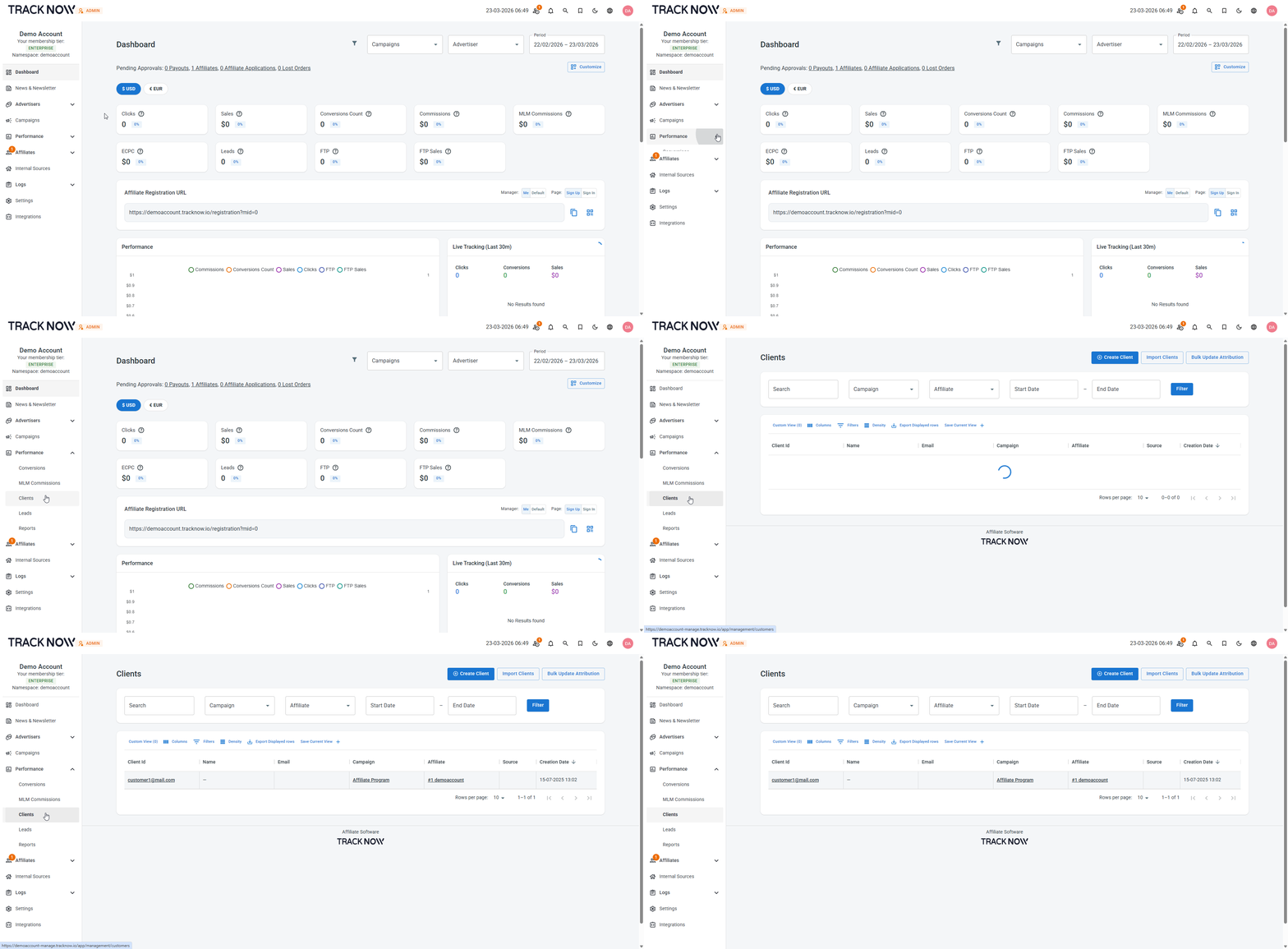
On this screen you can:
- View the list of clients that completed conversion after being referred by an affiliate
- Click on each client to open their overview page for more details
- Add clients manually or import them
- Control the client's association with an affiliate
Requirements for Client Profile Creation
In order for the system to successfully create a client profile, the following parameter must be included in the postback you sent for conversions:
customer_id- A client identifier like email address or your webstore's internal identifier string representing the client.
Postback Example
https://example-tracking.tracknow.info/postback?click_id=aed548f8-ca63-454c-a05a-a02726cc136f&campaign_id=1&order_id=11295&amount=150&customer_id=john.doe%40example.com
Client Overview Screen
Navigate to Performance → Clients → Click on the Client ID of the relevant client
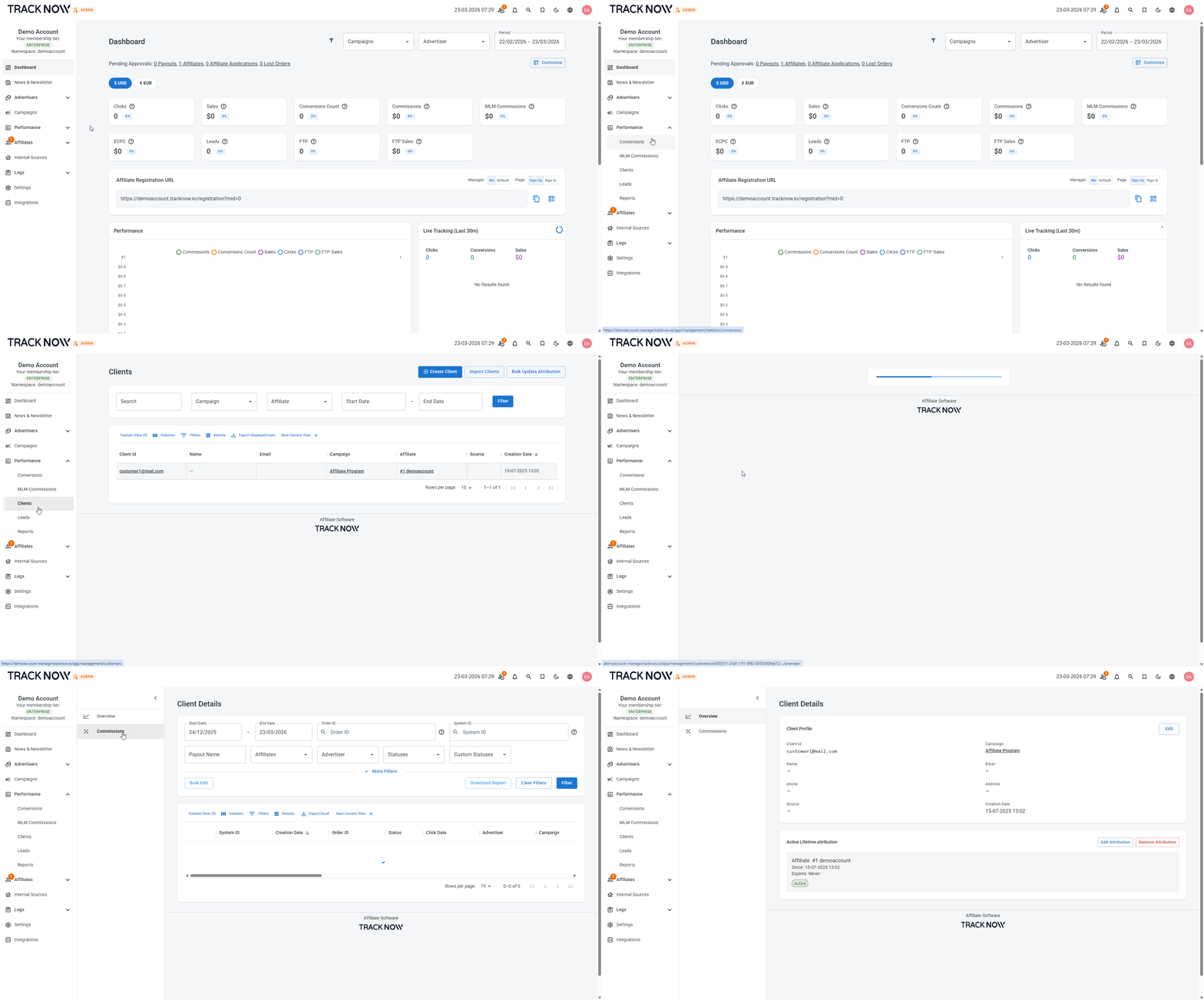
On this screen you'll be able to see the client's details, which affiliate the client is associated with and view a detailed list of this client's conversions.
Lifetime Attribution
When a postback that includes the following parameters is sent:
customer_id={VALUE}new_customer=true
The client will automatically be associated with the affiliate who referred him with lifetime attribution. However, in order to enable Lifetime commissions, you'll need to create a lifetime-type payout.
Postbacks for new clients that are sent without new_customer=true will still create a client profile but that client will not have a lifetime association with his referring affiliate.
Affiliate Access
You can configure affiliate permissions based on whether you want them to have access to their referred clients list or not.