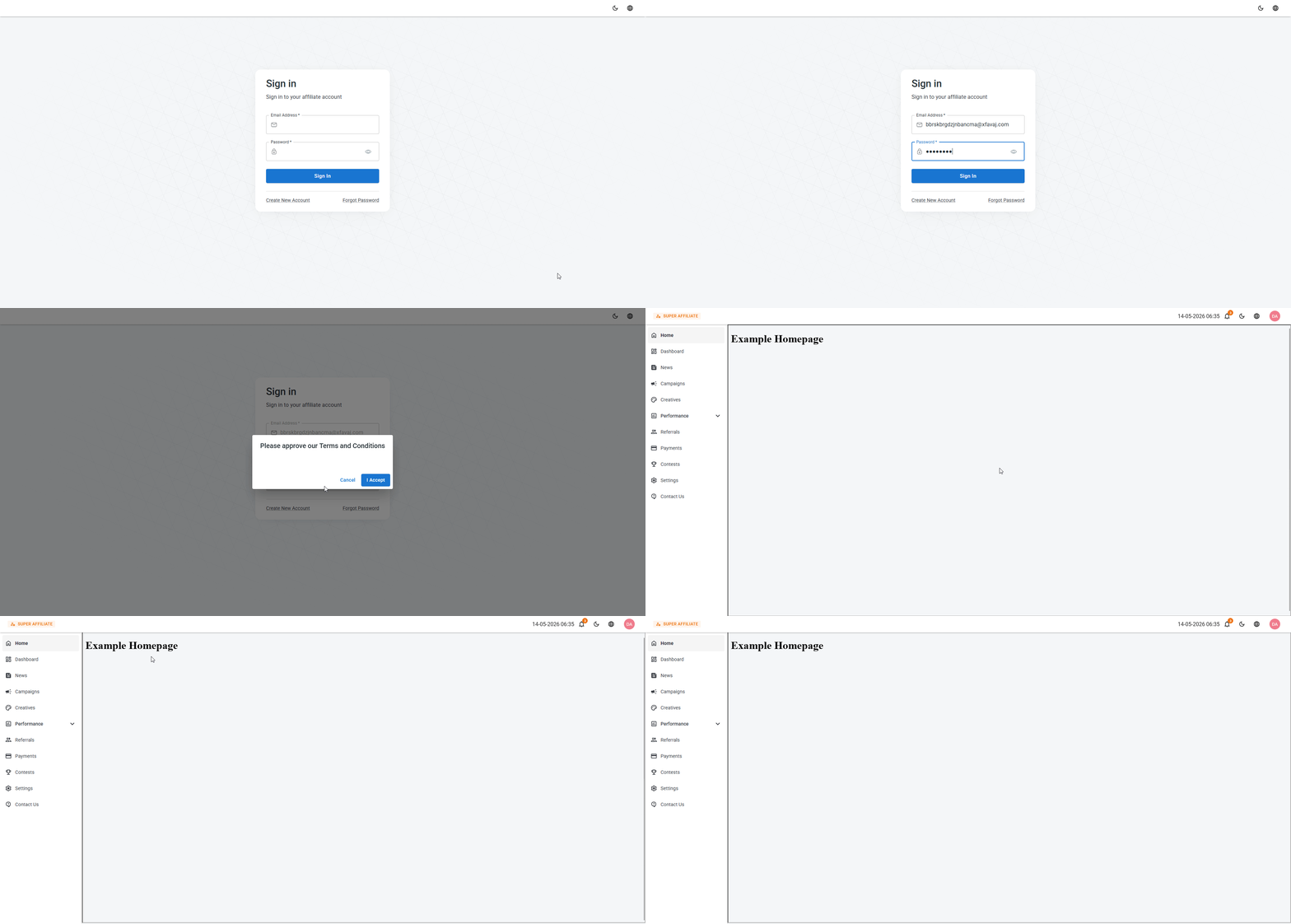
Custom Homepage Screen
A custom home page allows you to add an additional screen to the affiliate portal that is displayed as the first screen affiliates see upon login.
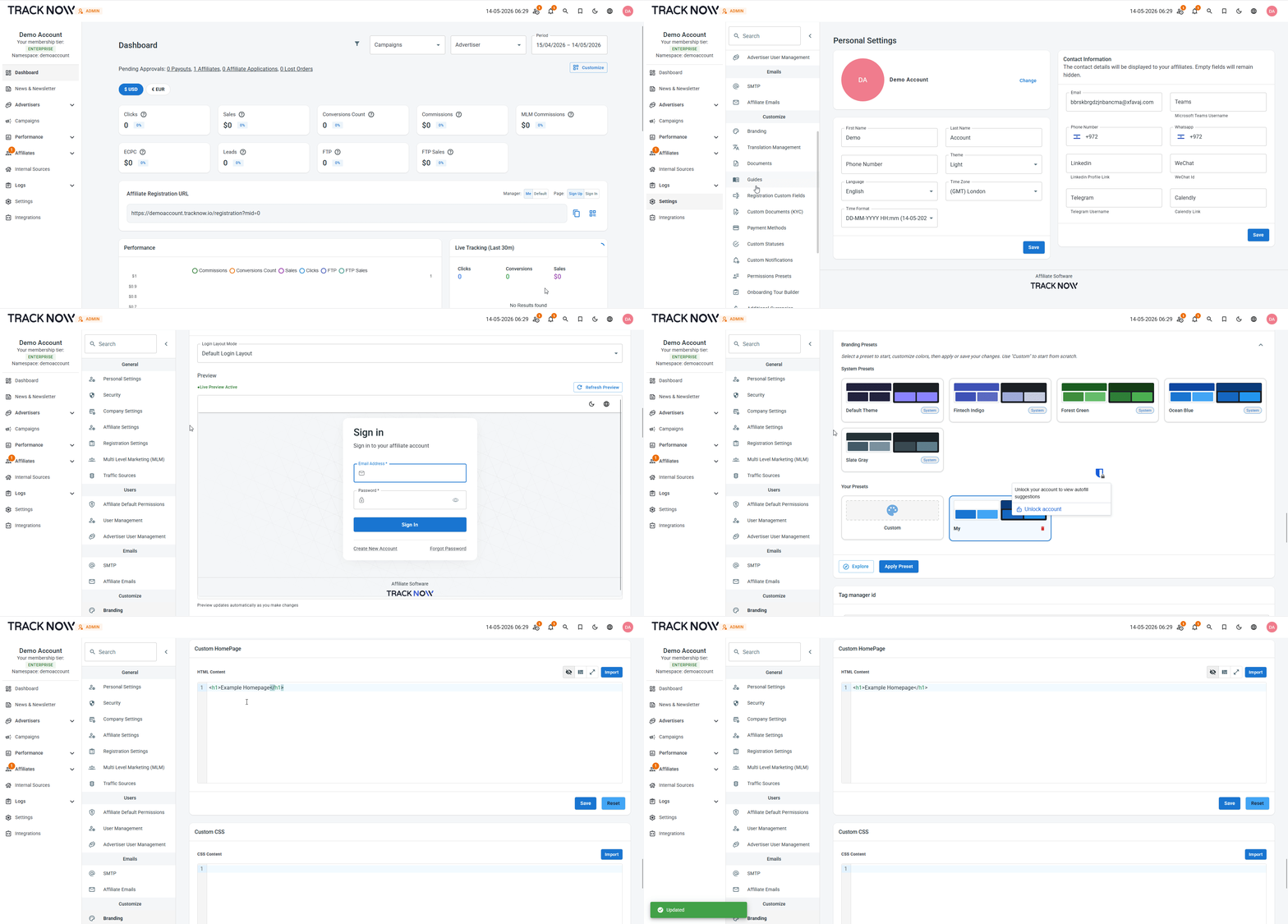
The custom home page is activated once you add HTML code to the Custom Home Page code block and save your changes.
Setting Up a Custom Homepage
Navigate to Settings → Branding → Custom Homepage → Add your page HTML code → Save
How It Appears for Affiliates
A new screen called Home will appear in the main menu of the affiliate portal, displaying the content from your HTML code. This screen will be shown as the default view when affiliates log in.