Editing Conversions
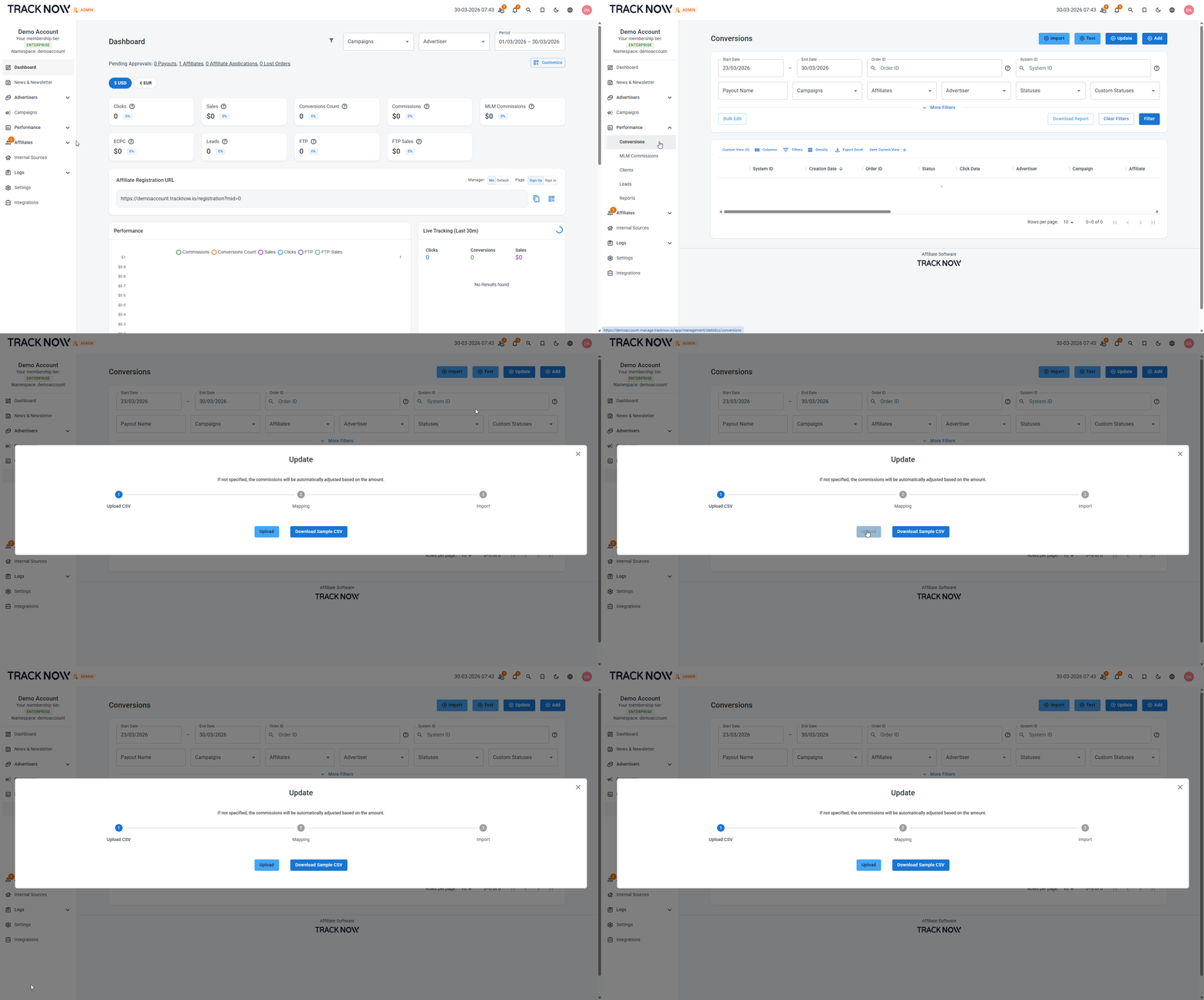
You can edit a conversion after it has been attributed to an affiliate, including updating the affiliate’s commission.
Conversions that have already been paid can still be edited; however, these changes will not impact the affiliate’s balance.
If you need to adjust an affiliate’s balance, it is recommended to add a manual conversion with a commission amount that reflects the correction. Negative commission values can be used for deductions.
Editing a Conversion
Navigate to Performance → Conversions (for some users the screen is named Commissions) → Locate the relevant conversion → Click the three-dot icon under the Actions column → Edit
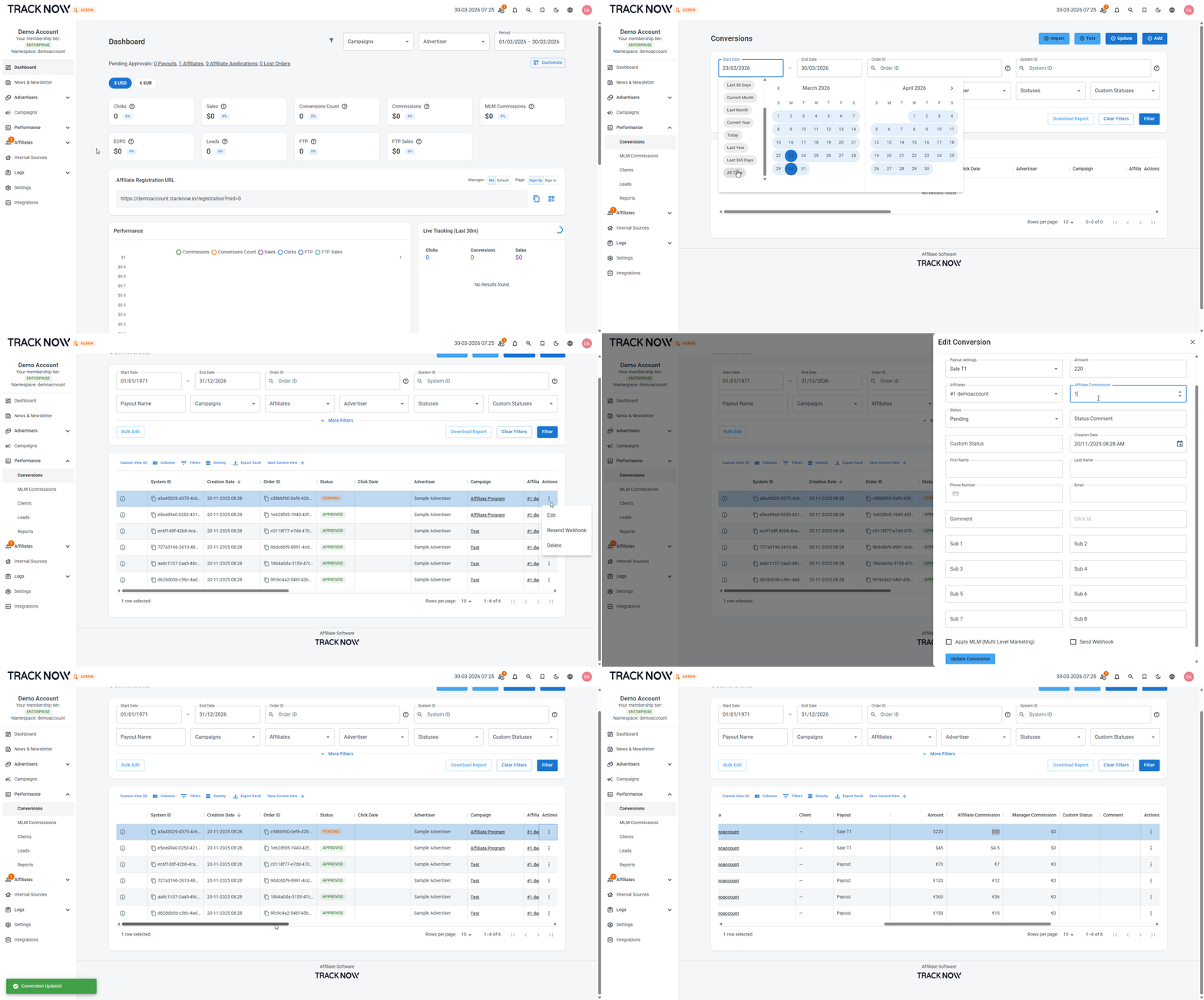
Editing Conversion in Bulk
To edit multiple conversions, export the relevant conversions, update their details in the file, and then upload the updated CSV back to the system.
Exporting Conversions
Navigate to Performance → Conversions (for some users the screen is named Commissions) → Use the filters to narrow the conversion list to the relevant entries → Download Report
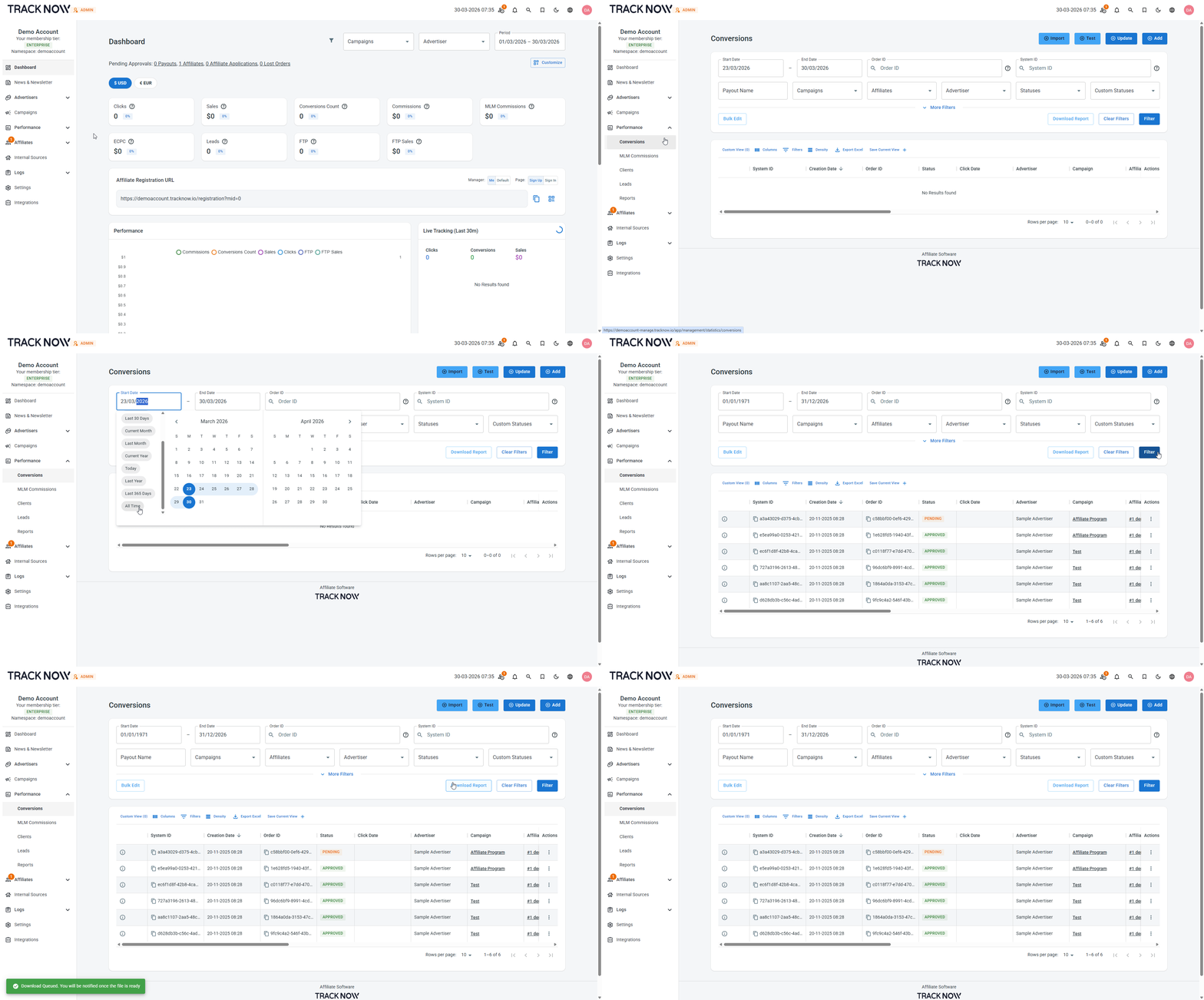
The report request will be added to the processing queue and will be ready within a few minutes. Once completed, you will receive a notification in the system. Download the file and apply the necessary changes to the conversions and the save the file as a CSV type file.
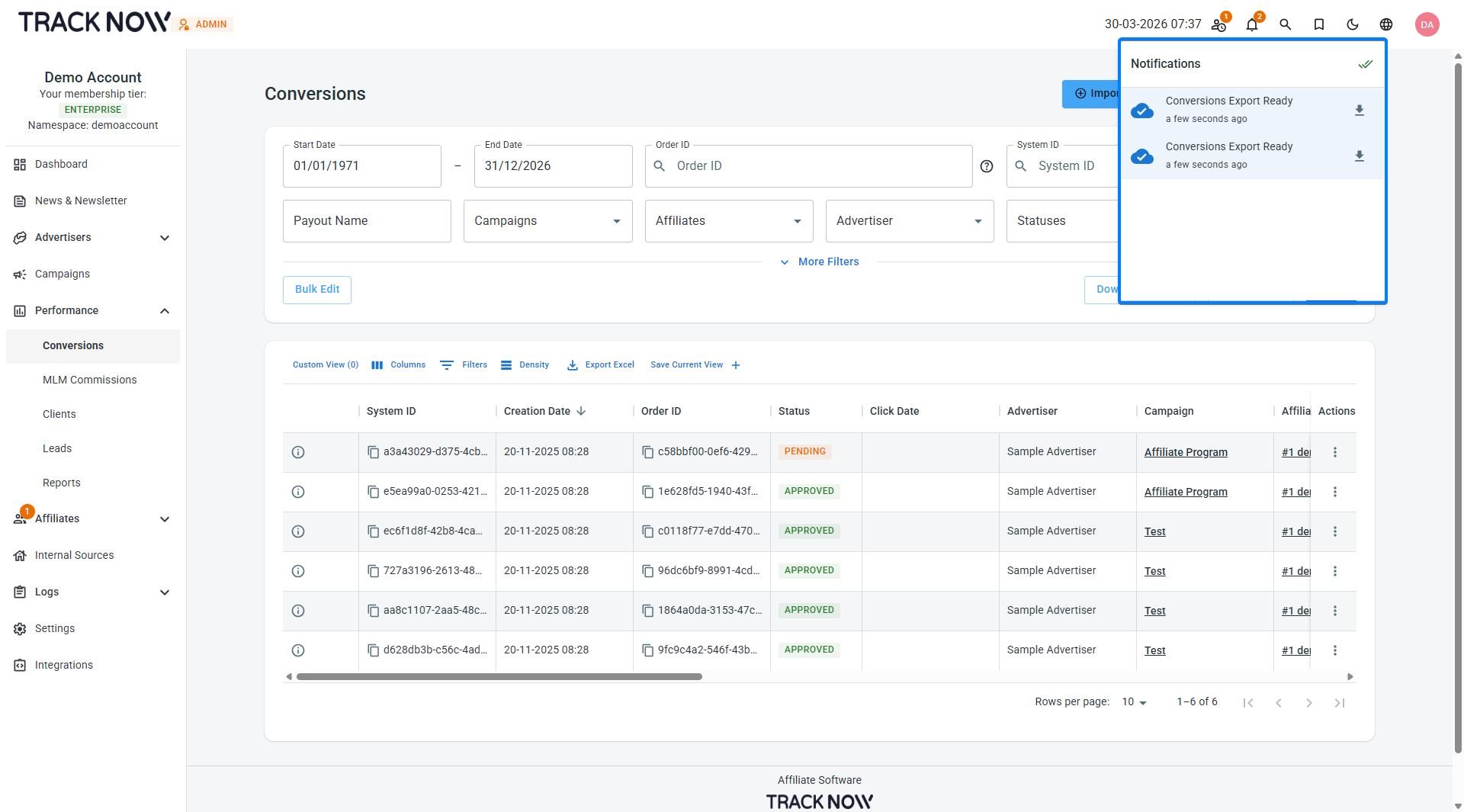
Uploading the Updated File to Update Conversions
Navigate to Performance → Conversions (for some users the screen is named Commissions) → Update → Choose the updated CSV file