Coupon Requests
A campaign can be configured to allow affiliates to request coupon codes. When enabled, affiliates can submit requests for their desired coupon codes directly from the affiliate portal.
You can choose between two approval workflows:
- Manual approval - A manager reviews and approves each request before the coupon is created.
- Automatic approval - Coupon requests are automatically sent to your system, where the requested coupon codes are created without manual intervention.
Enabling Coupon Requests
Navigate to:
Campaigns → Locate the campaign you want to enable this on → Actions → Edit → Affiliate Coupon Creation setting
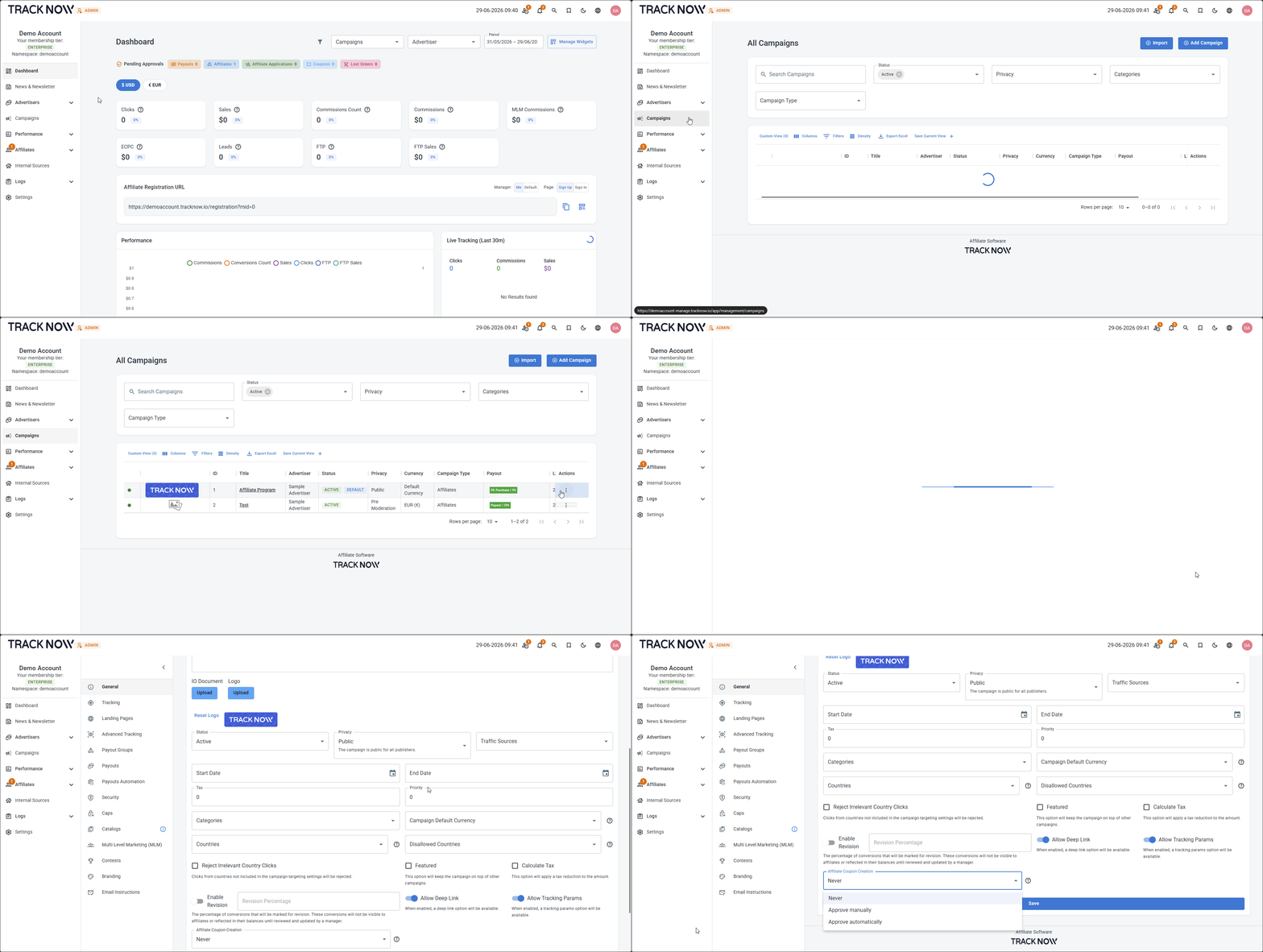
Setting Options
Never (Default)
Affiliates cannot request coupon codes.
Approve Manually
Affiliates can submit coupon code requests. Each request must be reviewed and approved by a manager, and the coupon must be created manually in your system.
Approve Automatically
Affiliates can submit coupon code requests. Configure a GET endpoint to receive these requests and create the coupons in your system automatically. If your endpoint responds with HTTP status 200 or 201, indicating that the coupon was created successfully, Tracknow will automatically approve the request and create the coupon on the affiliate's account.
Example
GET https://your-domain.com/api/create-coupon?coupon={coupon_code}
{coupon_code} - A macro that Tracknow replaces with the coupon code requested by the affiliate before sending the GET request to your endpoint.
Affiliate Submitting a Coupon Request
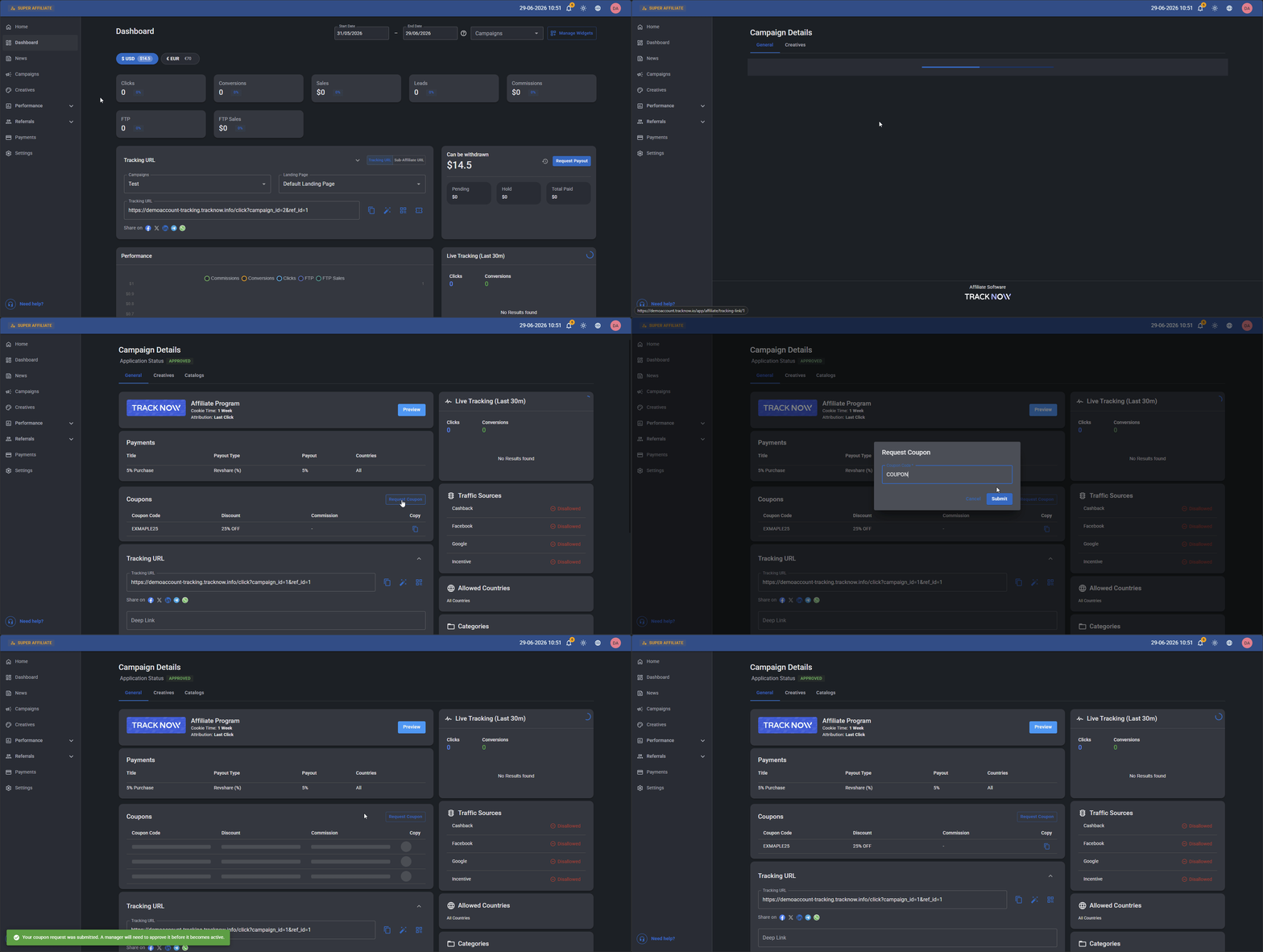
Affiliates can request coupons on the campaign page.
Campaign/s → Click on the relevant campaign → Coupons section → Request Coupon → Fill out the coupon value → Submit
Manager Manual Coupon Approval
Once an affiliate submits his coupon for manual approval, his manager will get a notification.
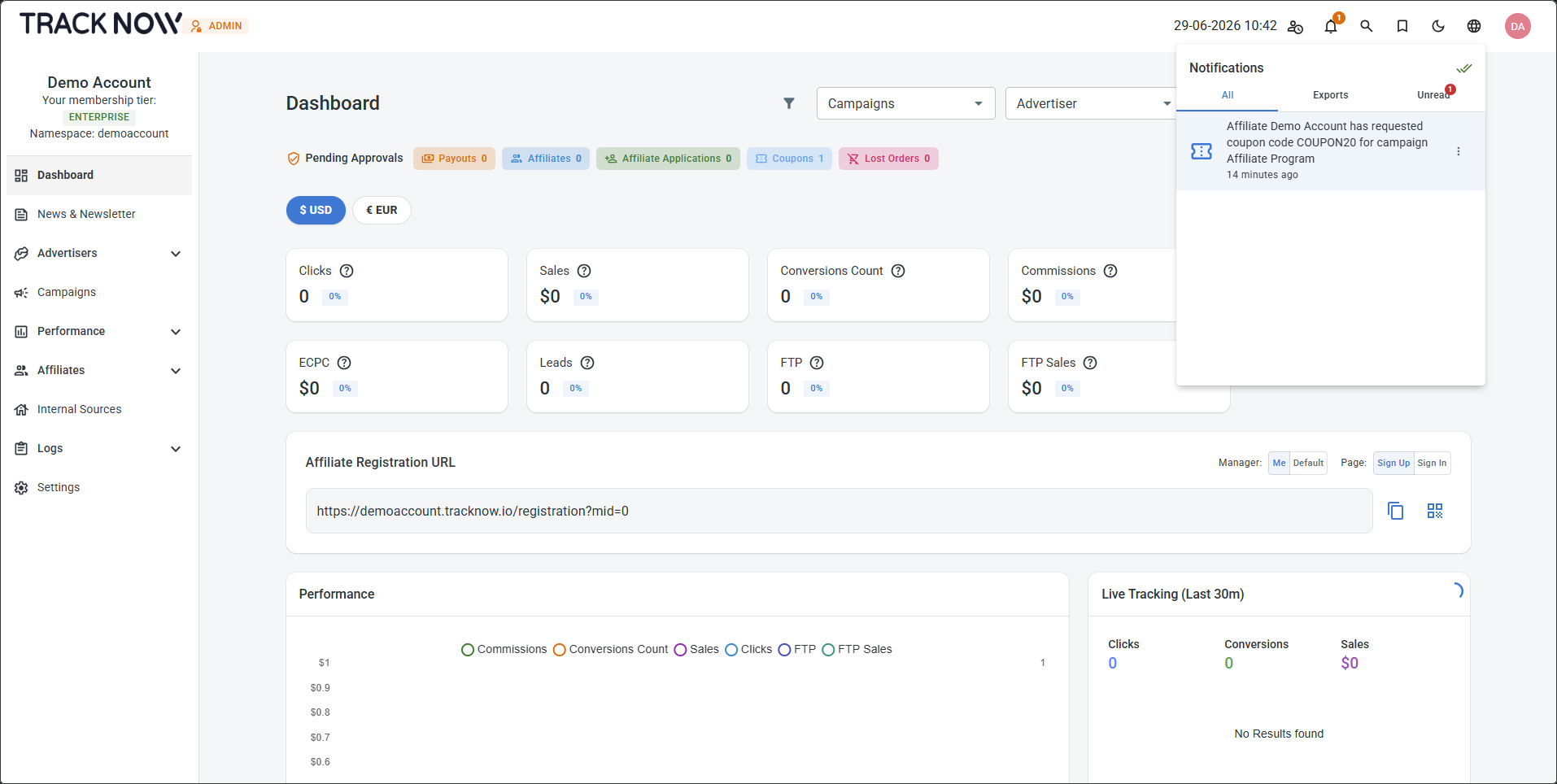
Clicking on the notification will take he manager to the coupon request.
Alternatively, you can reach the coupon list by clicking Affiliates → Coupons.
To approve or decline a coupon request, click Actions → Edit → Change the Status → Save.
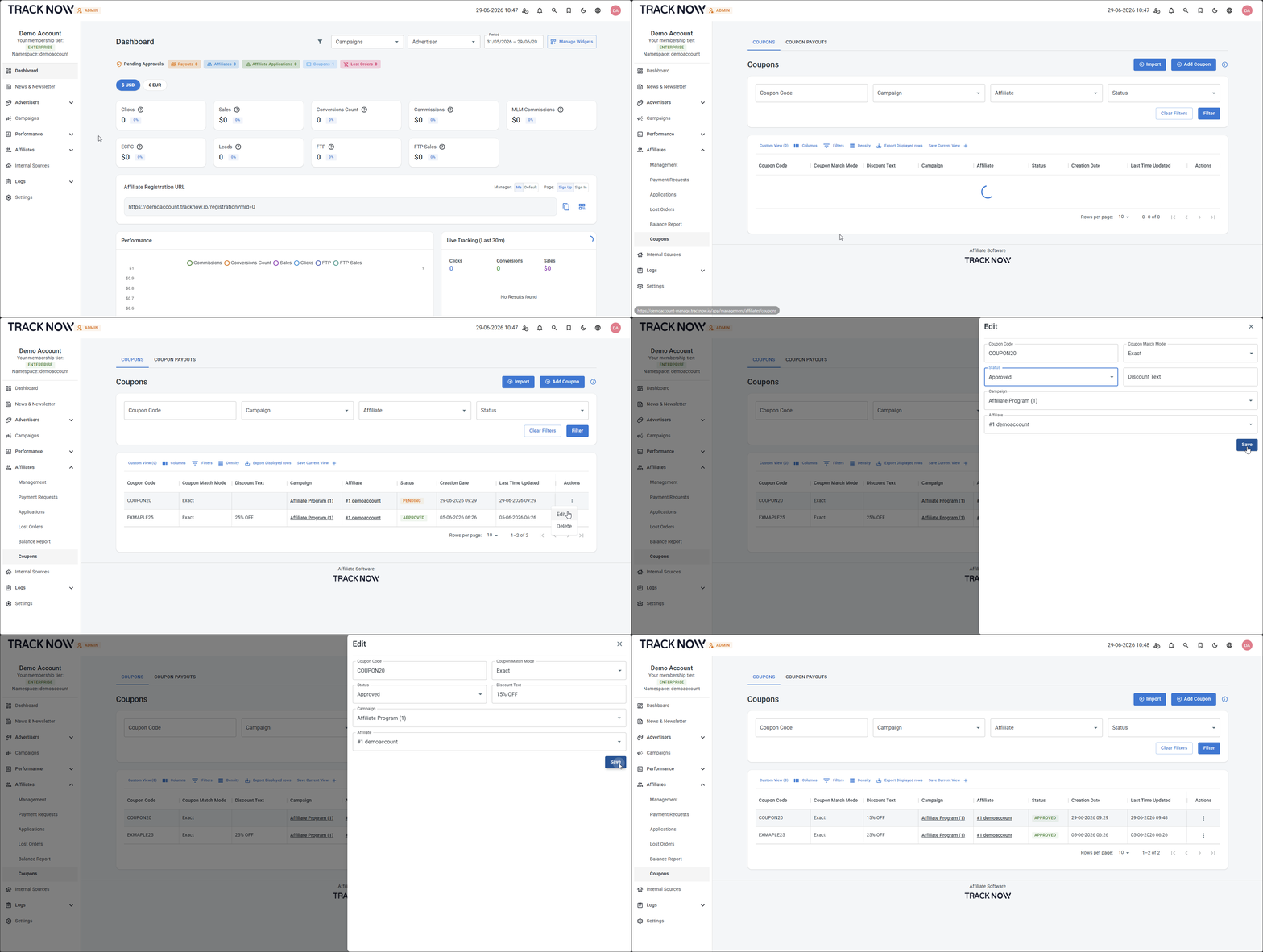
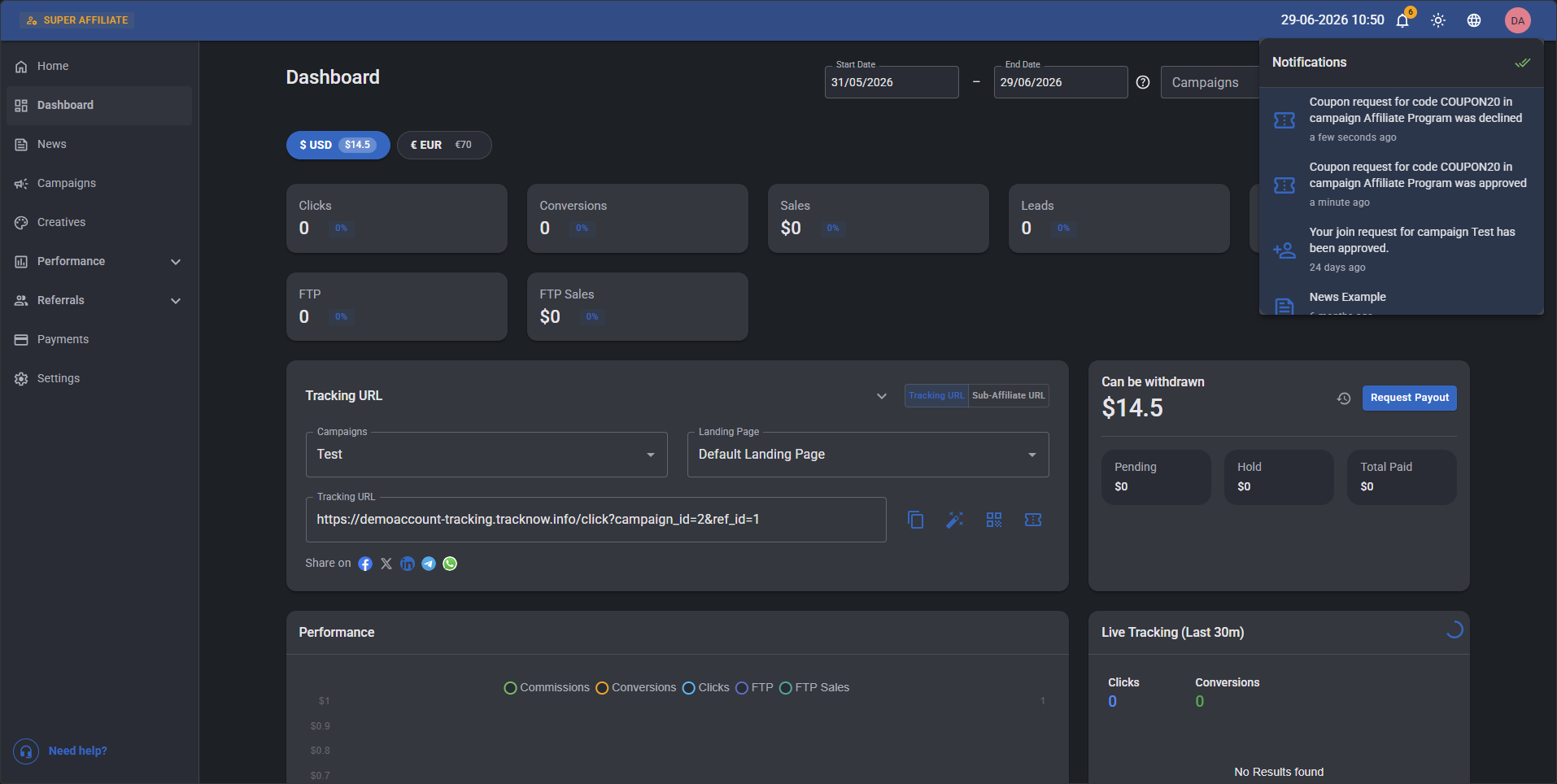
The affiliate associated with the request will recieve a notification that his coupon request was Approved/Declined.