# Affiliate Permissions
You can control which data or screens affiliates have access to on their portal by adjusting their permissions.
***
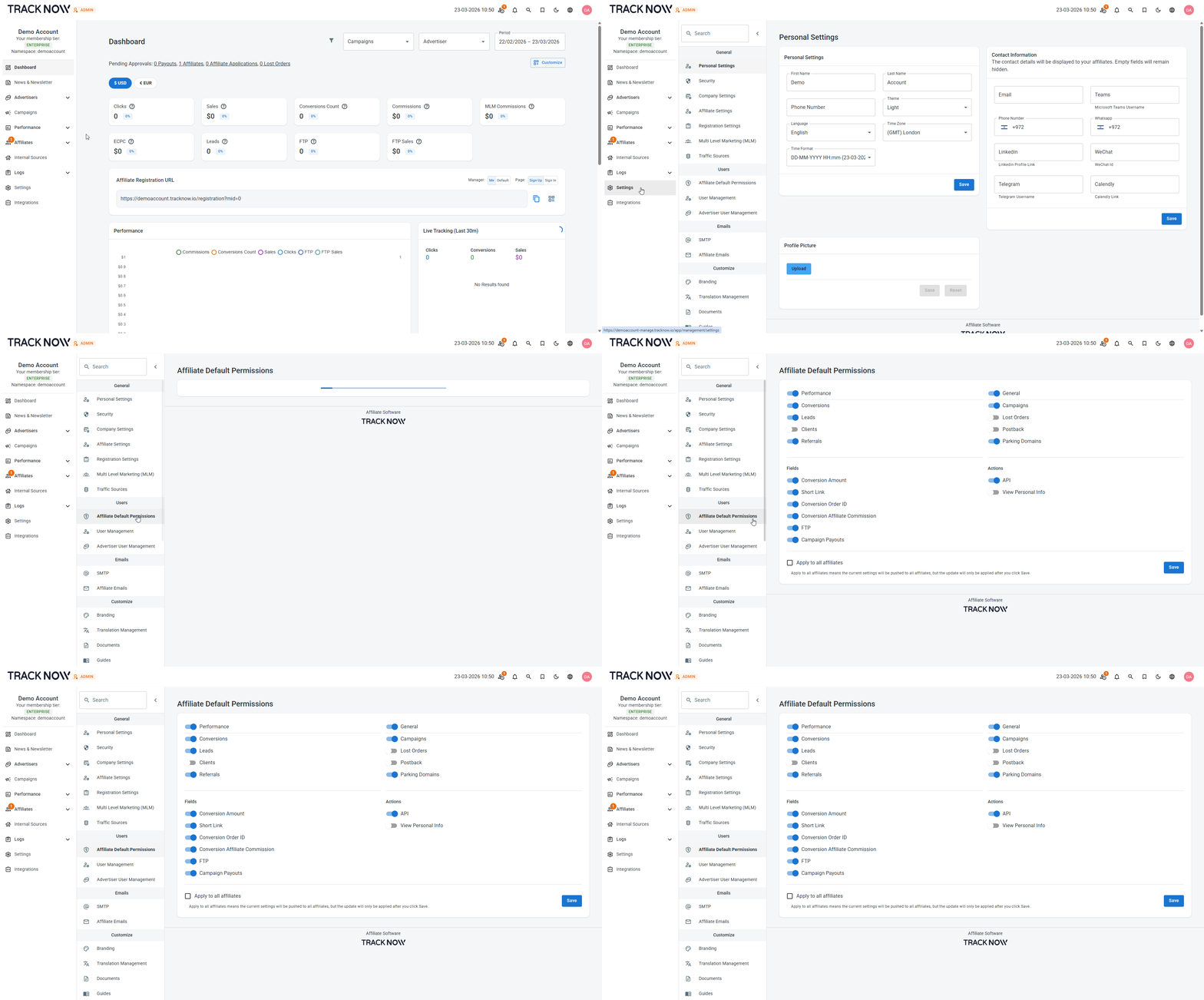
### Default Permissions for Newly Added Affiliates
Navigate to **Settings** → **Affiliate Default Permissions**
The permissions you configure here will be applied by default to any new affiliate.
You also have the option to change the permissions of existing affiliates by checking the **Apply to all affiliates** checkbox.
***
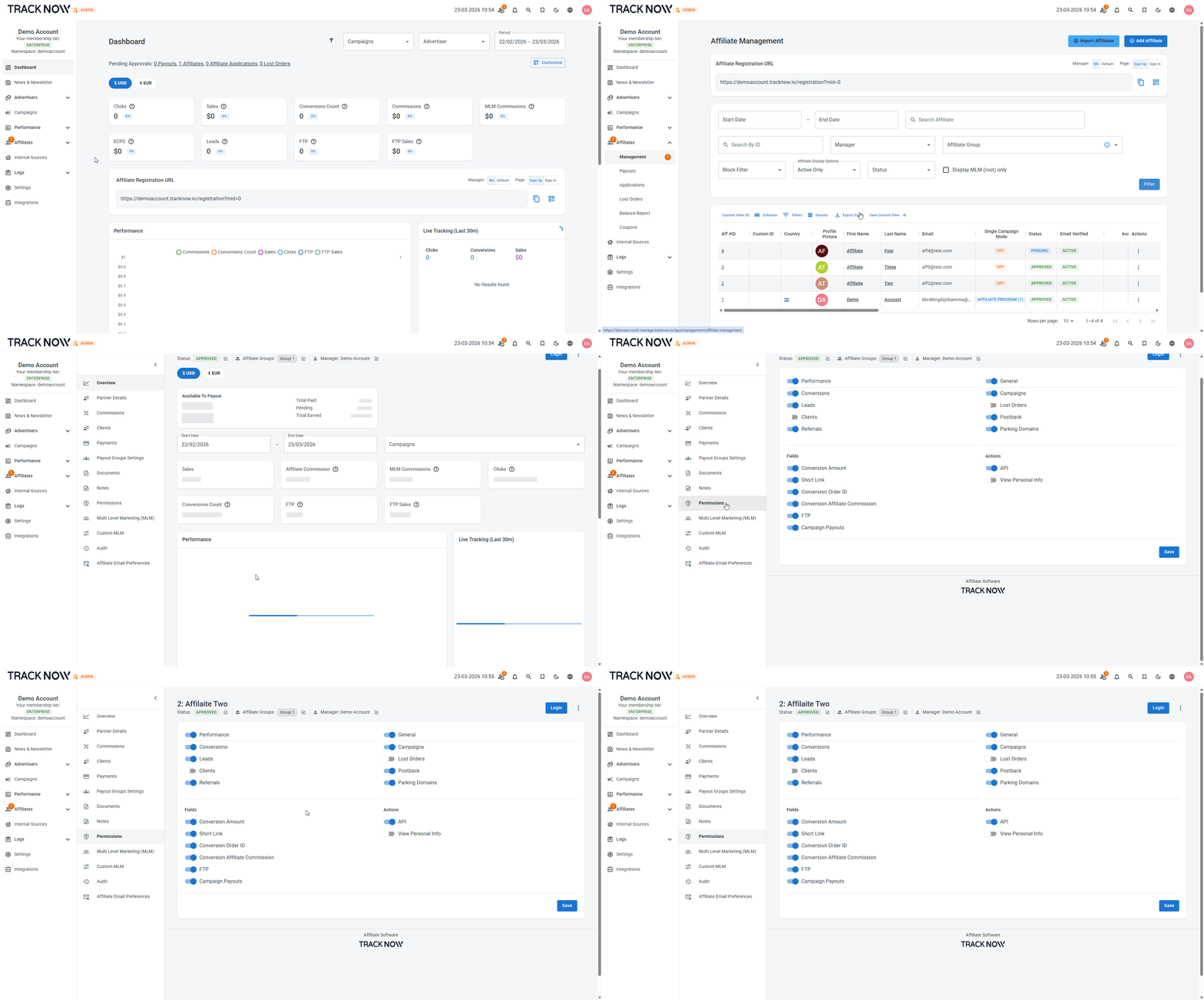
### Custom Permissions for Individual Affiliates
You can change and adjust permissions for specific affiliates.
Navigate to **Affiliates** → **Management** → Locate the relevant affiliate and click his name → **Permissions**